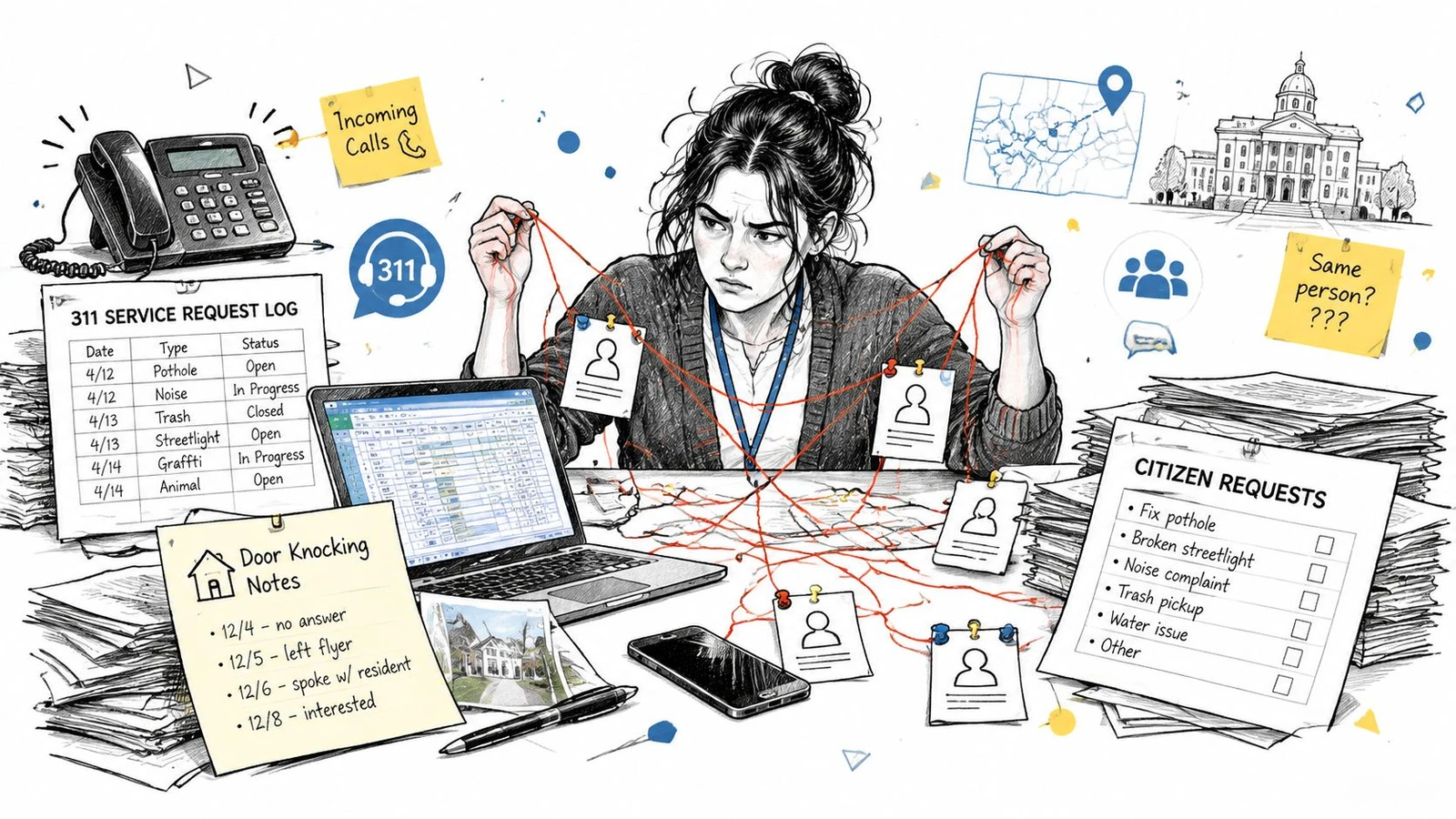
You’re standing in the middle of a familiar mess. A resident called the office in the morning, someone else sent a Facebook message at lunch, a staffer logged a 311 request in a spreadsheet, and a canvasser wrote notes on a clipboard after a door knock. By the time you try to answer the second follow-up, nobody can tell which version of the story is current.
That’s where citizen relationship management software earns its keep. It gives city staff, campaign managers, and advocacy teams one place to keep the request, the history, the follow-up, and the next action together. Without that shared record, every handoff risks losing context, and every lost detail turns into another frustrated call.
If your team is already wrestling with disconnected canvassing notes and data that never quite syncs, the problem often starts earlier than the software choice. A clean field workflow matters just as much as a clean office workflow, and broken handoffs usually show up first in the data. For a concrete example of that kind of sync problem, see these campaign data fixes for canvassing records that won’t sync.
Practical rule: if the same resident request lives in three different places, your team doesn’t have a service system. It has three memories that disagree.
Why Managing Citizen Relationships Feels So Fragmented
A city clerk opens the day with a voicemail about a streetlight, an email about trash pickup, and a paper note from last night’s council meeting. Meanwhile, a campaign organizer has door-knocking notes in one app, voter contact data in another, and a spreadsheet of volunteer follow-ups that only one person knows how to read. Both teams are trying to serve real people, but their records are scattered across channels that don’t naturally talk to each other.
That fragmentation creates a very specific kind of pressure. Staff waste time retyping the same details, residents repeat themselves, and managers can’t tell whether a case is stalled or just invisible. When that happens, even good work starts to look disorganized from the outside.
The real problem is not just volume
Teams don’t fall behind because they get one giant request. They fall behind because every request arrives in a different format, then gets handed off in a different system. A phone call becomes a sticky note. A web form becomes an email. A door conversation becomes a voter file note that never reaches the person handling follow-up.
That’s why the search for citizen relationship management software usually starts as a search for calm. People want one place to see who asked, what they asked for, what happened next, and who owns the next step. In government, that means service continuity. In campaigns, it means field continuity. In both cases, it means fewer gaps between the person who heard the issue and the person who can act on it.
What unified records change
A unified record turns scattered contact points into one working file. Instead of hunting through 311 logs, inboxes, and spreadsheets, a staffer can open one resident profile and see the sequence of interaction, the open task, and the preferences that matter for follow-up. That same logic is what makes a field team more disciplined, because every new note lands where the next person can use it.
The easiest way to think about it is this, fragmented work asks people to remember everything, while a proper system remembers for them. That matters when staff rotate, volunteers come and go, or a resident comes back weeks later with a follow-up. It also matters when you need a system that can bridge office service work and field outreach without forcing everyone into the same tool.
What Citizen Relationship Management Software Really Is
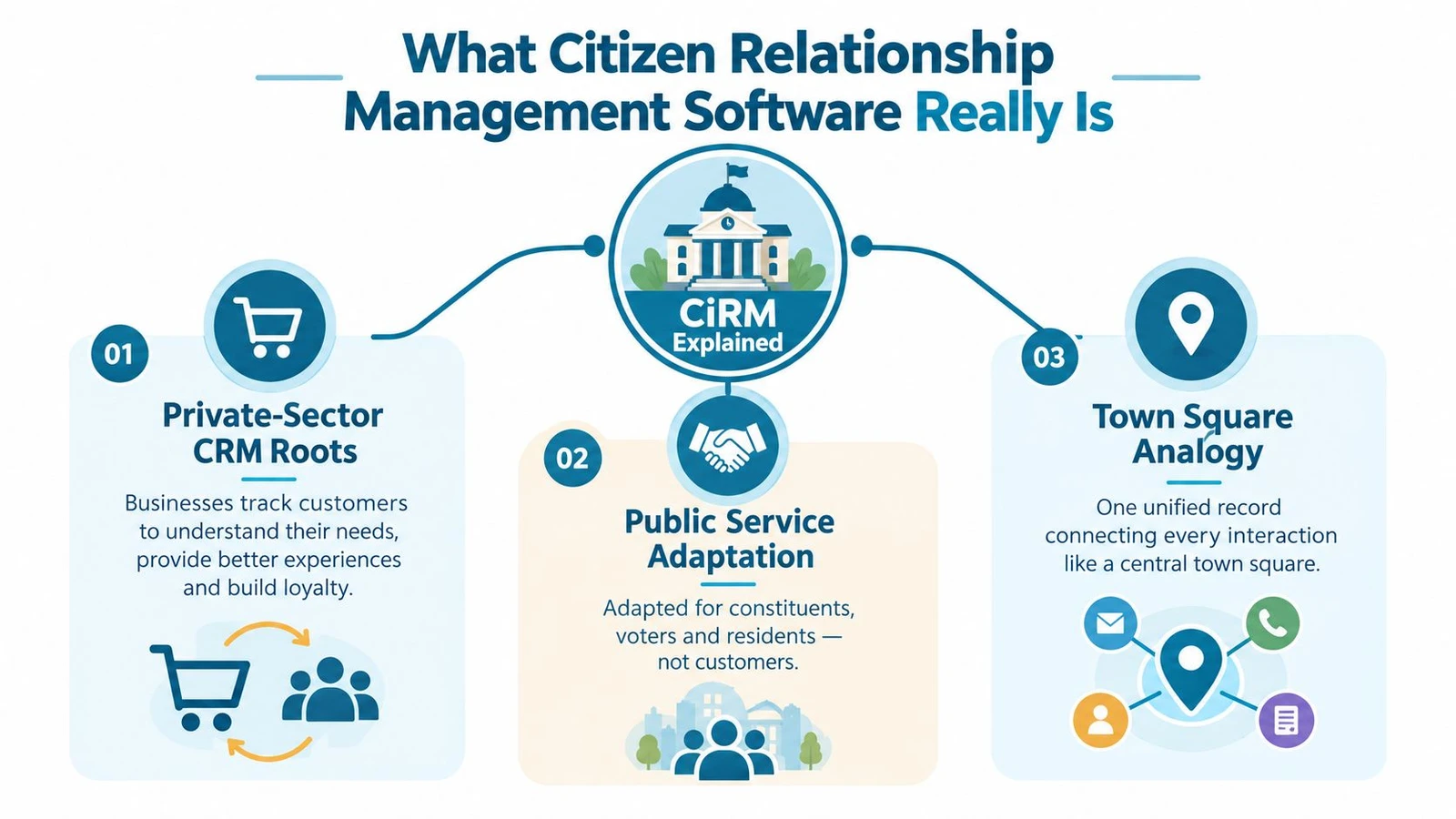
Think of private-sector CRM as a sales desk that never forgets a customer conversation. Citizen relationship management software takes that same memory, then changes the job. Instead of pushing purchases forward, it helps public teams handle requests, questions, cases, follow-ups, and outreach in a way that fits government service and civic engagement.
The history matters because CiRM didn’t appear out of nowhere. It grew alongside e-government in the mid-1990s, with academic and industry writing tracing the idea into the late 1990s and early 2000s, including early public-sector references in 2003 and 2004. That development followed broader administrative reforms already pointing toward service standards and performance measurement, including a 1993 U.S. federal measure that called for agency service standards and performance measurement. The early CiRM timeline and government-service roots are documented here.
A town hall front desk with a perfect memory
The simplest analogy is a front desk that never loses a note. A resident walks in, calls, emails, or submits a form, and the same system captures the request, the history, and the preferred way to respond. The staffer on the next shift doesn’t have to reconstruct the story from memory.
That’s why CiRM is more than a contact database. It’s designed to manage inquiries, requests, case histories, communication preferences, and service follow-up as one operational record. The system’s purpose is workflow, not just storage.
By 2009, the idea was mature enough to show up in high-profile civic participation tooling, including the Obama transition’s Citizen Briefing Book, which launched on January 12, 2009 and closed on inauguration day a week later. That’s a good example of how fast public participation tools became part of government relationship management workflows. That use case sits inside the broader CiRM history.
What it actually does day to day
In practice, CiRM centralizes the moving parts that keep service work from falling apart. A resident request comes in through phone, email, web, chat, or mobile. The platform routes it, tracks what happened, and keeps the record intact across the full lifecycle.
That’s why the software feels closer to an operations desk than a marketing system. It’s built for omnichannel intake, assignment, escalation, and resolution, all tied to a single resident record. This operational design is described clearly in constituent management guidance.
A good CiRM system doesn’t just store names. It preserves the service story so the next person can pick up exactly where the last one left off.
How CiRM Differs From Traditional CRM and Canvassing Tools
A lot of teams buy the wrong category because the software names blur together. Traditional CRM, CiRM, and canvassing platforms all deal with people data, but they’re solving different jobs. If you use the wrong one, you’ll keep fighting the tool instead of using it.
Traditional CRM is built for pipelines and revenue relationships. CiRM is built for service requests, case resolution, and resident follow-up. Canvassing platforms are built for field outreach, walk lists, and voter contact. This comparison between campaign tools and related platforms helps clarify the dividing line.
| Capability | Traditional CRM | Citizen Relationship Management Software | Canvassing Platform |
|---|---|---|---|
| Primary purpose | Manage customer opportunities | Manage resident service and case work | Manage field outreach and contact attempts |
| Best record type | Prospect, account, deal | Citizen, constituent, case, request | Door hit, conversation, route, turf |
| Main user | Sales, account, marketing teams | City staff, clerks, service teams, civic programs | Canvassers, field directors, volunteer leads |
| Success metric | Revenue pipeline progress | Faster resolution and cleaner service follow-up | More completed contacts and better route execution |
| Intake channels | Forms, email, sales calls | Phone, email, web, chat, mobile, in-person | Door knocks, walk lists, mobile field logs |
Why this distinction matters in practice
A council office needs something that can track a code complaint from first report to closeout. A campaign field team needs something that can assign turf, capture responses offline, and sync them later. Those aren’t the same workflow, even if both involve constituents.
CiRM sits in the middle when the work crosses boundaries. It handles the service record and the follow-up structure, while field tools handle the door-to-door side of the interaction. Traditional CRM usually falls short here because it’s optimized around customers and pipeline stages, not public accountability or service history.
That’s where teams get tripped up with vendor demos. A slick dashboard can make every product look interchangeable, but the question is always the same. Does this tool manage service, manage outreach, or just store contacts?
Use the job, not the brand
If your main need is internal service tracking, CiRM is the right category. If your main need is voter contact or neighborhood canvassing, a field platform is the better fit. If your main need is donor, customer, or sales follow-up, traditional CRM belongs in the conversation.
The cleanest setups often use both a CiRM layer and a field layer, then connect them so the record stays whole. That way, field staff don’t work in one silo while office staff work in another. The resident or constituent experiences one process, not two disconnected systems.
Must Have Features for Campaigns and Civic Programs
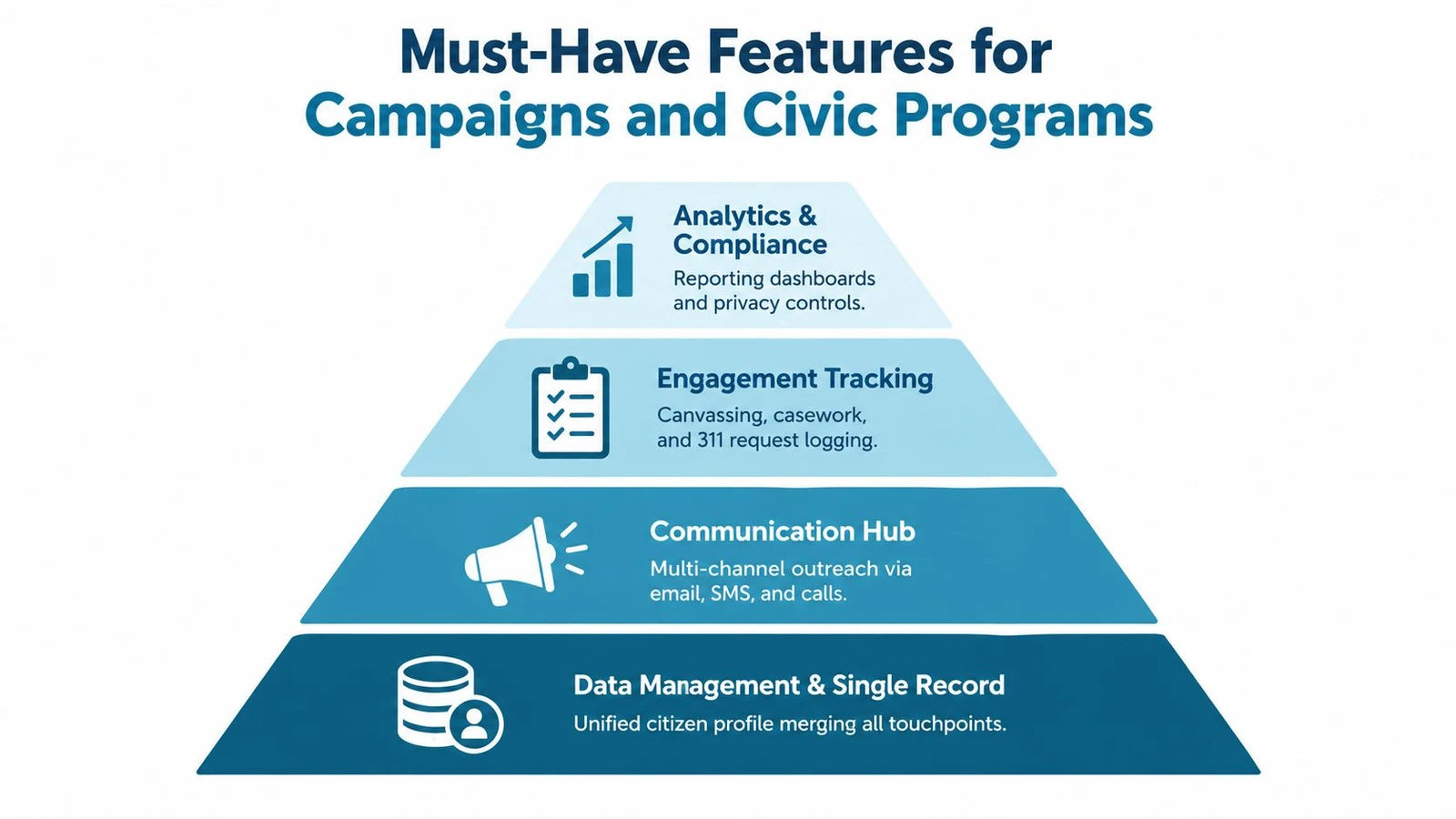
Start with the record. If the system can’t merge names, addresses, interaction notes, and communication preferences into one profile, everything else gets shaky. That single record is the foundation for reliable case tracking, targeted follow-up, and a clean handoff between office and field.
The next layer is intake. A usable platform should let staff capture requests from email, web, phone, chat, and mobile without forcing them into separate logs. The point isn’t just convenience, it’s consistency. When every channel lands in the same workflow, routing gets easier and duplicate effort drops.
What the base layer should do
Data management and single record design should be essential. The platform needs one record per citizen or constituent, with linked interactions rather than scattered duplicates. That’s what replaces spreadsheets, disconnected 311 logs, and ad hoc inbox triage with something staff can trust.
Communication hub comes next. A practical system should keep email, SMS, calls, and other outreach tied to the same case or contact, so staff can see the full thread before they respond. That matters when a resident sends a web form, then calls a day later because they never heard back.
Why field teams need more than office features
Engagement tracking is the bridge between service and outreach. For civic programs, that means logging canvassing notes, service requests, and case updates in a way that preserves location and context. For local campaigns, it means field teams can hand off clean data instead of retyping notes after the shift.
Offline capture deserves special attention. Many teams still work in places where connectivity is uneven, and the software has to keep working when the signal doesn’t. Guidance on offline canvassing features shows why that matters for field reliability.
If your staff can’t record the interaction when it happens, they’ll record it later, less accurately, or not at all.
Intelligence and control at the top
Analytics and compliance should sit at the top of the stack. Leaders need dashboards, auditability, and privacy controls, not just a prettier inbox. In public-sector work, permissions and record integrity aren’t optional because staff often handle sensitive or politically relevant information.
The best demos make this hierarchy obvious. Ask vendors to show how one resident record moves from intake to routing to resolution, then ask how that same record survives a field visit, a callback, and a report export. If they can’t trace the full path cleanly, the platform is probably stronger at display than at operations.
Implementation Considerations That Make or Break Adoption
Software rarely fails because the interface is ugly. It fails because the team can’t migrate the data, can’t trust the permissions, or can’t fit the tool into the way they already work. That’s especially true for municipalities and grassroots organizations, where old records, hybrid processes, and limited IT support all collide at once.
The first hurdle is migration. Spreadsheets, 311 logs, handwritten notes, and old contact lists all carry useful history, but they also carry duplicates and bad formatting. The smart move is to clean the records before importing them, then test a small batch so staff can verify that the history still makes sense after the move.
Integration is the difference between a tool and a system
If your office already uses email, phone logging, GIS, or voter data services, the new platform has to connect to them. Otherwise, people will keep copying data by hand, and the old fragmentation returns under a new name. That’s why API access and sensible import tools matter more than flashy feature lists.
For campaign and field teams, integration with voter data sources can be just as important. Some organizations connect canvassing tools to list-building and matching workflows so field data lands back in the constituent record with less manual cleanup. The exact stack will vary, but the principle doesn’t change. The operational record has to stay intact.
Privacy and permissions have to be planned up front
AI-assisted workflows introduce a different risk profile. Public-sector CRM buyers are already asking how to avoid hallucinated responses, unauthorized case changes, and broken records when automation starts acting on staff’s behalf. Recent public-sector CRM trend coverage says the category is moving toward agentic systems, multi-agent orchestration, and conversational interfaces, which makes governance, permissions, and data quality central concerns rather than extras. That direction is part of current public-sector CRM trend coverage.
Smaller municipalities and advocacy groups also need to watch the deployment model. Many still rely on phone, fax, in-person intake, or handwritten forms, which tells you the digitization gap is real and uneven. That gap is visible in local government guidance that still describes those intake methods. In those environments, a leaner setup with offline use, privacy controls, and simpler pricing often beats a heavy enterprise rollout.
Rollout works better in stages
A pilot in one office, one ward, or one field program usually surfaces friction faster than a big-bang launch. Staff learn where the workflow breaks, what permissions feel too loose, and which fields are necessary. Then you can adjust before the whole organization depends on it.
The goal isn’t to digitize everything at once. It’s to make the first useful workflow reliable enough that people stop going back to spreadsheets.
Real World Use Cases From City Hall to the Campaign Trail
A city 311 desk starts with complaint intake, but the best versions of it do more than log the call. Staff can route the issue, keep the full interaction history, and close the loop with the resident when the department responds. That’s the cleanest fit for CiRM, because the platform is doing service management, not just contact storage.
A local campaign uses a different setup. Volunteers knock doors, log conversations offline, and sync those interactions when they reconnect. Tools like doornoc can handle the field side through List Upload, Auto Turf routing, offline sync, and automatic matching, then feed that clean interaction data back into the broader record so the office isn’t left rebuilding the day from paper notes.
Three common workflows, three different tool fits
- City service team: Use CiRM to manage a complaint from intake to resolution, with one resident record and a visible case trail.
- Campaign field team: Use a canvassing platform to plan routes, capture conversations, and sync results from the field.
- Advocacy or outreach group: Use both when service follow-up and field contact need to stay tied together without losing auditability.
An advocacy group often lives between those two worlds. It might handle constituent issues, run targeted outreach, and keep a contact history for staff who switch between office work and field work. In that setting, the best setup is usually a service record system paired with a field execution layer, so the people doing the work aren’t forced into a single rigid workflow.
What matters most is the handoff. If the field team gathers useful context but the office can’t see it, the system is broken. If the office can manage a case but the field team can’t update the same record, the system is still broken. The right combination keeps the public-facing record clean while letting staff work in the mode that fits their job.
Choosing the Right Platform and Next Steps With Doornoc
Start with a simple checklist. Can the platform maintain one accurate record, work offline, route items cleanly, integrate with your current stack, support privacy controls, and scale without forcing every user into a heavy admin burden? If the answer is shaky on any of those, keep looking.
A few red flags usually show up fast. If the vendor can’t explain how duplicates are handled, how permissions work, or how offline data gets synchronized, adoption will be rough. If the product is only strong on dashboards but weak on actual workflow, staff will keep using shadow systems.
For teams that need field execution alongside service tracking, doornoc fits as one option for canvassing, route planning, offline capture, and voter data workflows. It isn’t a replacement for full CiRM case management, but it can sit beside a resident record system and keep field data cleaner on the way in. The practical test is whether the tools together preserve one reliable interaction history instead of creating another split system.
If you’re evaluating software now, map your current workflow on paper first. Mark where requests enter, where they stall, where data gets retyped, and where field notes disappear. Then pilot one narrow process before you commit to a bigger rollout.
If you’re trying to connect canvassing, voter data, and constituent follow-up without losing records along the way, doornoc gives campaign and civic teams a field-ready workflow with offline capture, route planning, and data sync. If you’re comparing citizen relationship management software options, visit doornoc to see how its field operations tools can fit into a broader service and outreach stack.
Running constituent services for an office? doornoc’s constituent intelligence keeps casework, contact history and voter-file data in one record instead of three systems.