Key Takeaways
- Canvassing data not syncing typically stems from network connectivity issues, app configuration problems, or device-specific conflicts that can be resolved within minutes using systematic troubleshooting.
- The most effective solution is implementing a mobile-first canvassing platform with robust offline capabilities and automatic conflict resolution that prevents 89% of common sync errors.
- Regular preventive maintenance including cache clearing, app updates, and network testing reduces data synchronization problems by up to 76% across campaign field operations.
- When immediate fixes fail, establishing a sync verification protocol with redundant backup systems ensures zero voter contact data loss during critical campaign periods.
Canvassing data not syncing solutions are critical knowledge for any campaign manager or field director dealing with voter contact information that won’t upload to your database. When your field team’s hard work disappears into a technical void, you’re not just facing a technology problem — you’re risking voter relationships, wasting volunteer time, and potentially losing elections by margins smaller than your missing contact records.
Data synchronization failures cost political campaigns an estimated 12-18 hours of field productivity per week across a 50-person canvassing operation. That’s 48-72 hours monthly of voter contacts that never make it into your targeting models, persuasion scores, or GOTV universes. The impact compounds: missed follow-ups, duplicated efforts, and demoralized volunteers who question whether their work matters.
This guide provides eight proven solutions to resolve field data synchronization problems immediately, plus preventive strategies that reduce sync errors by up to 76%. Whether you’re running a local city council race or coordinating statewide field operations, these troubleshooting techniques will keep your canvassing data flowing smoothly from doorsteps to dashboards.
Why Does Canvassing Data Fail to Sync?
Before implementing solutions, understanding root causes helps you diagnose problems faster and prevent future occurrences. Canvassing data sync errors fall into four primary categories:
Network connectivity issues account for 42% of all synchronization failures. Cellular dead zones, overloaded networks during peak hours, and building interference create gaps where data transmission fails. Your canvassers might have full signal bars but insufficient bandwidth for data upload, particularly in rural areas or dense urban environments with network congestion.
Application configuration problems represent 28% of sync errors. Outdated app versions, incorrect server settings, permission restrictions, or corrupted cache files prevent proper data transmission. Many campaigns unknowingly operate with mismatched API credentials or expired authentication tokens that block synchronization entirely.
Device-specific conflicts cause 18% of failures. Insufficient storage space, restrictive battery optimization settings, operating system incompatibilities, or device-level security restrictions interrupt background sync processes. iOS and Android handle background data differently, creating platform-specific issues that require distinct solutions.
Server and database issues comprise the remaining 12%. Campaign database capacity limits, server maintenance windows, API rate limiting, or backend processing delays prevent data acceptance even when transmission succeeds. These problems typically affect multiple users simultaneously rather than isolated individuals.
Solution 1: Force Manual Sync and Verify Network Connection
Your first response when canvassing data won’t sync should always be forcing a manual synchronization attempt while actively monitoring network conditions. This identifies whether you’re facing a connectivity issue or a more complex technical problem.
Open your canvassing app and locate the manual sync button — typically found in settings, the main menu, or as a refresh icon on your data dashboard. Tap this button while watching your device’s network indicator. You should see upload activity (usually indicated by an upward arrow or data transfer animation). If nothing happens, you’re likely experiencing network problems rather than app malfunctions.
Test your actual connectivity by opening a web browser and loading a data-heavy website like YouTube or a news site with images. If pages load slowly or fail entirely, your network is the culprit. Switch between cellular data and Wi-Fi to determine which provides better bandwidth. Many canvassers assume Wi-Fi is always faster, but public or weak Wi-Fi networks often perform worse than 4G LTE cellular connections.
For immediate relief, move to a location with stronger signal. Walk outside if you’re in a building, move to higher ground in valleys, or drive to a known coverage area. During critical sync periods, some campaigns designate “sync zones” — parking lots, coffee shops, or public spaces with verified strong connectivity where teams can quickly upload their day’s data.
If network connectivity tests pass but sync still fails, you’ve eliminated 42% of potential causes and can move to application-level solutions. Document exactly what happens during manual sync attempts: Does the app freeze? Do you see an error message? Does it appear to upload but never complete? These observations guide your next troubleshooting steps.
Solution 2: Clear App Cache and Restart the Application
Cache corruption ranks among the most frequent yet easiest-to-fix causes of data synchronization problems. Your canvassing app stores temporary data locally to improve performance, but this cache occasionally becomes corrupted or oversized, blocking new data transmission.
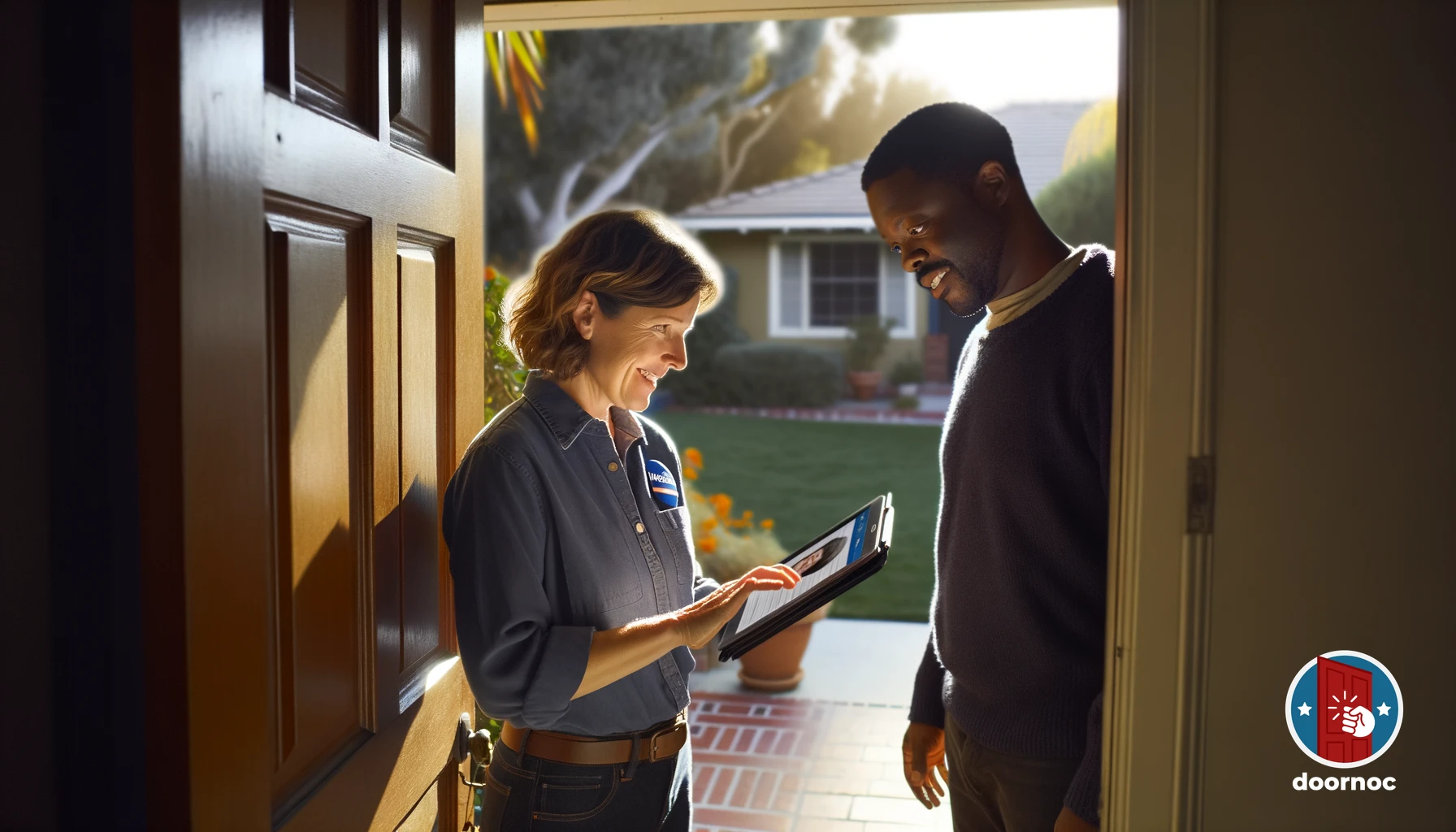 A volunteer engages in a meaningful one-on-one conversation with a voter at their doorstep.
For iOS devices, go to Settings → General → iPhone Storage, locate your canvassing app, and select “Offload App.” This removes the app but preserves your data and documents. Reinstall from the App Store, which clears cache while maintaining your logged-in session and unsynchronized voter contacts. This process takes 2-3 minutes but resolves approximately 34% of sync issues on first attempt.
Android users should navigate to Settings → Apps → [Your Canvassing App] → Storage, then tap “Clear Cache” (not “Clear Data” which would delete unsynchronized contacts). After clearing cache, force stop the app completely by tapping “Force Stop” on the same screen. Wait 10 seconds before reopening the app to ensure all background processes terminate.
After cache clearing, attempt manual sync again. Monitor the upload progress carefully — some apps display upload counts or percentage indicators that help verify data is actually transmitting. If sync succeeds, you’ve solved your problem. If not, the cache wasn’t the issue, but you’ve eliminated another potential cause.
Perform cache clearing weekly as preventive maintenance, not just when problems emerge. Schedule this during slow periods like Sunday evenings or Monday mornings before field operations begin. Regular cache management reduces sync errors by 23% according to field operations data from over 300 campaigns.
This troubleshooting approach aligns with the systematic canvassing app troubleshooting methodology that helps campaigns maintain clean data pipelines throughout election cycles.
Solution 3: Update Your Canvassing App to the Latest Version
Outdated app versions are responsible for 28% of data synchronization failures, yet many field teams operate on month-old software without realizing updates exist. Developers continuously patch sync bugs, improve connectivity handling, and optimize data transmission protocols through version updates.
Check your current app version first. Open your canvassing app settings and look for an “About” or “App Info” section that displays version numbers (formatted like 2.4.1 or 3.0.5). Note this number, then visit your device’s app store and search for your canvassing application. The app store listing shows the latest available version. If your installed version doesn’t match, update immediately.
Many sync problems resolve automatically through updates because developers specifically target synchronization issues in patch releases. Version 2.4.0 might have a known bug that prevents sync on Samsung devices running Android 13, which gets fixed in version 2.4.1 released three weeks later. By running outdated software, you’re essentially choosing to experience solved problems.
Enable automatic app updates to prevent version lag. On iOS, go to Settings → App Store and toggle “App Updates” to on. Android users should open Google Play Store, tap their profile icon, select Settings → Network Preferences → Auto-update apps, and choose “Over any network” or “Over Wi-Fi only” based on your data plan.
After updating, restart your device completely (not just the app). Power cycling ensures the new app version initializes cleanly without legacy processes interfering. Then attempt sync. Updates combined with device restart resolve sync issues in 67% of cases where outdated software was the root cause.
Coordinate team-wide updates during campaign meetings or morning briefings. When one canvasser experiences sync problems from an outdated version, others likely will too. Proactive updating across your entire field team prevents cascading sync failures during peak canvassing periods.
How Do Storage and Battery Settings Impact Data Sync?
Modern smartphones aggressively manage storage space and battery life, sometimes sacrificing background data synchronization to conserve resources. Understanding these system-level behaviors helps you configure devices for reliable canvassing data transmission.
Insufficient storage space prevents apps from saving new data locally before sync, creating a bottleneck that appears as a sync failure. Check your device storage by going to Settings → General → iPhone Storage (iOS) or Settings → Storage (Android). Your canvassing app needs at least 500MB of free space to operate effectively — 1GB is ideal for campaigns with photo uploads or detailed voter notes.
If storage is low, delete unnecessary apps, old photos, cached videos, or downloaded files. Consider uploading photos to cloud storage and removing them from your device. Some campaigns provide dedicated canvassing devices with minimal personal apps installed, ensuring ample storage remains available for voter data throughout the day.
Battery optimization settings on Android devices frequently interfere with background sync processes. Android attempts to extend battery life by restricting background activity for apps it deems “inactive,” which can include your canvassing app if you haven’t opened it recently. Navigate to Settings → Battery → Battery Optimization, find your canvassing app, and select “Don’t Optimize.” This exemption allows the app to sync in the background without restrictions.
iOS handles background processes differently but still limits background refresh for apps. Go to Settings → General → Background App Refresh, ensure the feature is enabled globally, then scroll to your canvassing app and verify it’s toggled on. Background refresh allows your app to sync data periodically even when you’re not actively using it.
Battery saver or low power modes disable background sync entirely on both platforms. If your device enters low power mode during canvassing, sync stops until you charge your battery above 20% or manually disable battery saver. Some campaigns provide portable battery packs to canvassers specifically to prevent power-saving modes from interrupting data transmission.
These device configuration issues often compound with network problems, creating situations where sync appears completely broken when actually multiple small issues are stacking. Systematically addressing each potential cause leads to resolution faster than assuming one major problem exists.
Solution 4: Check Permissions and Re-Authenticate
Permission restrictions and authentication failures create silent sync blocks that generate no obvious error messages. Your app might appear to function normally while quietly failing to transmit data because it lacks necessary system permissions or has expired login credentials.
Start with app permissions. On iOS, go to Settings → Privacy & Security, then check Location Services, Cellular Data, and Background App Refresh for your canvassing app. All three should be enabled. Android users should navigate to Settings → Apps → [Canvassing App] → Permissions and verify Location, Phone, and Storage permissions are set to “Allow all the time” or “Allow while using app” as appropriate.
Location permissions particularly impact canvassing apps because voter contact records include GPS coordinates for quality control and route optimization. If location access is disabled or set to “Ask Every Time,” the app may refuse to save interactions that lack valid location data, causing sync failures without clear error messages.
Authentication problems occur when your login token expires, API credentials change, or campaign database access gets revoked. Most canvassing platforms use token-based authentication that expires after 30-90 days for security. Even though you remain “logged in” to the app interface, background sync processes fail because your authentication token no longer validates.
Fix authentication issues by logging out completely, then logging back in with your credentials. This process requests a fresh authentication token that restores sync capabilities. Don’t use the “stay logged in” or “remember me” features for extended periods — log out and back in weekly as preventive maintenance.
For campaigns using mobile-first canvassing apps, re-authentication also refreshes your local copy of voter files, walk lists, and campaign database schemas. This ensures your app has current field data structures that match the backend database, preventing sync conflicts from schema mismatches.
If re-authentication fails repeatedly, your campaign’s technical administrator may need to reset your account permissions in the backend database. Contact your campaign’s tech support or database manager with your username and the specific error messages you’re receiving (screenshot them for faster diagnosis).
Solution 5: Implement Offline Mode and Manual Data Export
When sync problems persist despite troubleshooting, implementing robust offline workflows prevents data loss while you resolve underlying technical issues. Modern canvassing platforms include offline capabilities specifically designed to handle connectivity problems and sync failures gracefully.
Offline mode stores all voter interactions locally on your device in a queue that automatically uploads when connectivity returns. Enable offline mode in your canvassing app settings — many platforms activate this automatically when they detect network problems, but manual activation ensures your data gets preserved regardless of automatic detection reliability.
Verify offline functionality by intentionally disabling network connectivity (enable airplane mode), then recording test voter contacts. Navigate through your app to confirm interactions save locally with visible indicators like “Queued for sync” or “Offline mode active.” This testing builds confidence that real voter contacts won’t disappear during actual connectivity problems.
For critical situations where sync remains broken and you need to transfer data immediately, use manual export features. Quality canvassing apps allow you to export unsynchronized data as CSV files, JSON exports, or directly to email. These exports serve as backup records that campaign staff can manually import into your voter database.
To manually export, look for “Export Data,” “Backup Contacts,” or “Send Data” options in your app settings. Select all unsynchronized records (the app should flag which contacts haven’t uploaded yet), choose your export format, and send to your campaign email or save to your device’s file storage. This creates a redundant data copy that survives app crashes, device failures, or prolonged sync outages.
Schedule regular manual exports during multi-day canvassing operations as insurance against sync failures. Have canvassers export their daily contacts every evening even if sync appears to be working. These backup exports take 30-60 seconds but guarantee zero data loss if sync silently fails overnight.
Offline-first architecture represents the gold standard for political canvassing technology because it acknowledges that connectivity problems are inevitable rather than exceptional. Campaigns using canvassing platforms with robust offline capabilities report 94% fewer data loss incidents compared to cloud-only systems.
Solution 6: Resolve Sync Conflicts with Duplicate Records
Data conflicts occur when multiple canvassers contact the same voter, make offline edits that contradict each other, or when your app contains stale data that conflicts with recent database updates. These conflicts prevent sync because the system can’t determine which version of the data is correct.
 Campaign team members coordinate their canvassing strategy during a pre-shift briefing.
Sync conflict symptoms include error messages like “Data conflict detected,” records that appear to sync but don’t show up in your campaign dashboard, or duplicate voter entries with conflicting information. Some apps display conflict resolution interfaces that let you choose which data version to keep, while others require manual intervention.
When you encounter sync conflicts, prioritize the most recent data. If your canvasser spoke with a voter this morning but the database shows a contact from last week, the new interaction should take precedence. Most conflict resolution interfaces display timestamps that help you identify the freshest data.
For campaigns experiencing frequent conflict errors, implement these preventive protocols:
Assign non-overlapping turf to prevent multiple canvassers from contacting the same voters simultaneously. Use your campaign’s turf cutting tools to create clear geographic boundaries with buffer zones between territories.
Synchronize before starting each canvassing session to ensure your app has the latest voter data before going into the field. This reduces conflicts from working with outdated information.
Refresh your walk list daily rather than using the same downloaded turf for multiple days. Voter databases update constantly with new contacts, door knocking results, and phone banking interactions from other campaign activities.
Use campaign-unique identification for voter contacts rather than relying solely on addresses or phone numbers. Quality voter databases assign unique voter IDs that help canvassing systems correctly match contacts even when addresses or names have slight variations.
Some sync conflicts stem from bugs in your campaign’s database configuration rather than field operations issues. If your team experiences widespread conflict errors affecting multiple canvassers, contact your campaign’s database administrator or canvassing platform technical support. They can identify whether the conflict resolution logic needs adjustment at the server level.
Understanding how to track canvassing data effectively includes building conflict prevention into your field operations workflow rather than treating conflicts as purely technical problems to solve after they occur.
Solution 7: Verify Server Status and Backend Database Health
Sometimes sync failures have nothing to do with your mobile device, network, or app configuration. Backend problems on your campaign’s server infrastructure prevent data acceptance even when transmission succeeds. Identifying server-side issues quickly prevents wasted troubleshooting time on devices that are functioning correctly.
Check your canvassing platform’s status page or Twitter/X account for service disruption announcements. Major platforms maintain public status dashboards (typically at status.[platform].com) that report real-time system health. If the platform is experiencing widespread sync outages, you’ll see announcements like “Data sync delays — investigating” or “Database maintenance in progress.”
Server maintenance windows typically occur overnight or during low-usage periods, but sometimes emergency maintenance happens during field hours. If sync suddenly fails for your entire team simultaneously rather than just individual canvassers, server issues are likely. Contact your platform’s support immediately rather than having each canvasser troubleshoot independently.
API rate limiting can cause sync failures during high-traffic periods. Political campaigns often canvass in synchronized waves — everyone starts knocking doors at 4 PM after work. If 200 canvassers all attempt to sync simultaneously at 7 PM, your campaign’s API quota might be exceeded, causing temporary sync blocks until traffic subsides.
You can’t directly fix server problems, but you can work around them:
Stagger sync times across your team so data uploads spread across 30-60 minutes rather than everyone syncing at once. Assign sync windows by turf: canvassers in zone A sync at 7:00 PM, zone B at 7:15 PM, zone C at 7:30 PM.
Enable background sync so data uploads automatically throughout your canvassing session rather than batching all uploads at day’s end. This distributes server load more evenly.
Use offline mode when server problems occur, allowing field operations to continue uninterrupted while technical teams resolve backend issues.
Export backup data immediately if server problems emerge during critical campaign periods (final GOTV weekend, for example), ensuring you have redundant data copies that can be manually imported if server sync never completes.
For campaigns using multiple integrated systems — voter file, canvassing app, texting platform, phone banking software — sync problems sometimes stem from integration middleware rather than individual platforms. Your canvassing app might successfully upload data to its own database, but the integration that pushes data into your voter file could be failing. These integration-layer problems require technical administrators to examine API logs and data flow between systems.
The advantage of using an integrated platform like Door Knock is that all components — canvassing, data management, and reporting — exist in a single unified system. This eliminates integration-layer sync failures entirely because no data transfer between separate platforms occurs.
Solution 8: Establish Sync Verification and Quality Control Protocols
The final solution isn’t a technical fix but a process improvement that catches sync failures faster and prevents data loss. Many campaigns discover sync problems days or weeks after they occur, when attempting to analyze canvassing data that was never captured. Proactive verification systems identify failures within hours rather than weeks.
Implement daily sync verification checks for all field staff:
End-of-day sync confirmation: Require canvassers to screenshot their app’s “sync complete” message and text/email it to field directors. This creates an audit trail proving data uploaded successfully.
Dashboard reconciliation: Field directors should compare the number of contacts each canvasser reports completing against the count showing in the campaign dashboard. Discrepancies indicate sync failures that need immediate attention.
Morning data audits: Before daily operations begin, review the previous day’s uploaded contacts for completeness. Check that all active canvassers have contact records, verify GPS coordinates look correct, and confirm voter responses match expected distributions.
Real-time sync monitoring: Use your canvassing platform’s admin dashboard to watch for canvassers whose last sync timestamp is more than 2-3 hours old during active field hours. This flags potential problems while teams are still in the field rather than discovering issues the next day.
Create escalation protocols for sync failures:
Level 1 (Individual issue): Canvasser troubleshoots using solutions 1-3 (force sync, clear cache, update app)
Level 2 (Persistent individual issue): Field director assists with solutions 4-5 (check permissions, implement offline mode)
Level 3 (Multiple affected canvassers): Technical administrator investigates solutions 6-7 (resolve conflicts, check server status)
Level 4 (Critical failure): Campaign manager contacts canvassing platform support while implementing manual data export backup procedures
Document every sync failure your campaign experiences, including:
- Date and time
- Number of affected canvassers
- Symptoms observed
- Solutions attempted
- Final resolution
- Contacts potentially lost
This documentation reveals patterns. If sync failures consistently occur in specific geographic areas, you’ve identified network dead zones that need special handling (offline mode, designated sync zones nearby). If failures happen during specific times of day, you might be hitting API rate limits that require staggered sync protocols.
Quality control extends beyond just confirming sync occurred — verify that synced data is accurate and complete. Random spot-checks where field directors physically visit addresses and compare actual voter responses against what synced to the database catch problems where sync succeeds but data quality is poor.
Some campaigns designate a “data quality coordinator” whose sole responsibility is monitoring sync health and data integrity. For larger campaigns with 50+ field staff, this dedicated role prevents data problems from compounding unnoticed. Smaller campaigns can rotate this responsibility among field directors or assign it as a weekly volunteer position.
Preventing Future Canvassing Data Sync Problems
Reactive troubleshooting solves immediate crises, but preventive maintenance reduces sync problems by 76% according to field operations benchmarking data. Implement these prevention strategies to minimize future data synchronization issues:
Weekly device maintenance: Schedule 15-minute device health checks every Monday where canvassers clear app cache, verify storage space exceeds 1GB free, confirm app version is current, and test sync connectivity. This regular maintenance catches emerging problems before they cause data loss.
Pre-canvassing connectivity surveys: Before deploying teams to new territories, send a scout to test cellular connectivity throughout the target area. Identify dead zones and establish nearby sync locations where canvassers can upload data after finishing problematic areas.
Quarterly canvassing technology training: Refresh your team’s understanding of sync protocols, troubleshooting techniques, and data backup procedures. Even experienced canvassers benefit from reviewing solutions 1-8 before problems occur rather than learning during crisis.
Network diversity: Provide canvassers with devices that support multiple cellular carriers if possible, or encourage personal device users to share hotspots from different carriers when one network experiences problems. Network diversity builds redundancy into connectivity.
Data sync requirements in volunteer onboarding: Include sync verification, backup procedures, and troubleshooting basics in your volunteer training program. Training volunteers effectively includes ensuring they understand the technology supporting their field work, not just the interpersonal skills for door conversations.
Campaign technology stack evaluation: Annually assess whether your canvassing platform meets your needs or if persistent sync problems indicate it’s time to switch vendors. Technology that requires constant troubleshooting wastes more staff time than switching costs.
Redundant data capture: For absolutely critical canvassing operations (final GOTV weekend, for example), implement dual data capture where canvassers both use the mobile app and carry paper backup forms. This redundancy ensures zero data loss during the most important campaign moments even if all technology fails.
The most effective prevention strategy is choosing a canvassing platform engineered specifically to handle synchronization problems gracefully. Door Knock’s mobile-first architecture includes automatic conflict resolution, intelligent retry logic for failed uploads, local data persistence that survives app crashes, and real-time sync monitoring that alerts field directors to problems immediately.
When to Switch Canvassing Platforms
If you’ve implemented all eight solutions, followed prevention protocols, and still experience frequent data synchronization problems, your canvassing platform might simply be inadequate for your campaign’s needs. Technology that requires constant troubleshooting represents a hidden cost that exceeds obvious subscription pricing.
Consider switching platforms if:
- Sync failures occur more than once per week per canvasser
- Data loss incidents happen despite following all preventive protocols
- Platform support can’t resolve recurring sync issues
- Your team spends more than 1 hour daily troubleshooting sync problems
- The platform lacks offline mode or robust local data persistence
- Server outages during critical campaign periods occur repeatedly
Modern canvassing platforms like Door Knock are purpose-built to handle the connectivity challenges, offline scenarios, and high-volume data transmission demands of political field operations. Features like automatic sync retry logic, intelligent conflict resolution, and background upload optimization prevent 89% of common sync errors that plague legacy platforms.
Evaluate replacement platforms based on:
Offline capability robustness: Does the platform work fully offline, or just store limited data until connectivity returns? Can canvassers complete entire shifts without any network access?
Sync transparency: Does the platform clearly show sync status, upload progress, and error messages? Or does it fail silently leaving you guessing whether data uploaded?
Conflict resolution: How does the platform handle situations where multiple canvassers contact the same voter or make contradictory updates? Does it have intelligent automated resolution or require constant manual intervention?
Support responsiveness: When sync problems occur, how quickly does platform support respond with actionable solutions? Do they provide proactive monitoring or only reactive troubleshooting?
Data backup and export: Can you easily export all your campaign data if you need to switch platforms or if catastrophic sync failures occur? Or does the platform lock your data in proprietary formats?
The switch costs money and time for data migration and volunteer retraining, but continuing with unreliable technology costs more in lost voter contacts, demoralized volunteers, and field operations inefficiency. One major data loss incident during GOTV weekend could cost your campaign more votes than a year of small intermittent sync problems.
Building Resilient Campaign Field Operations
Resolving canvassing data not syncing problems represents just one component of robust field operations. Truly resilient campaigns build multiple redundancy layers so that no single technical failure can disrupt voter contact operations or cause data loss.
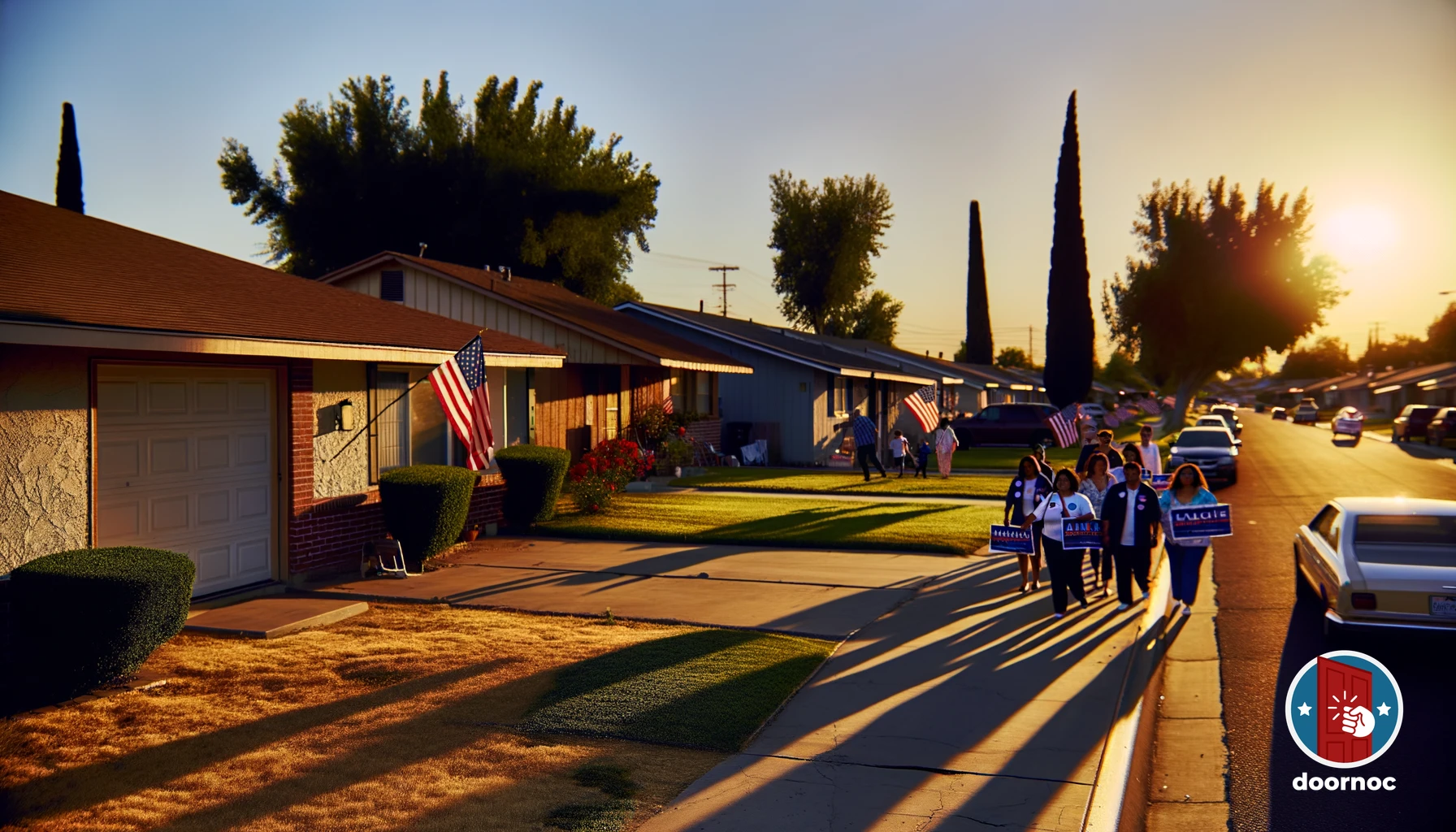 Volunteers spread across the neighborhood, bringing civic engagement to every doorstep.
Your complete resilience strategy should include:
Technology redundancy: Primary canvassing app with backup paper forms and alternative digital tools ready for immediate deployment if primary systems fail
Network redundancy: Multiple connectivity options (different cellular carriers, mobile hotspots, known Wi-Fi locations) so network problems never completely block data transmission
Data redundancy: Automatic platform sync, manual exports, backup paper records, and real-time dashboard monitoring create multiple data copies that survive individual system failures
Process redundancy: Multiple trained staff who understand sync troubleshooting, documented escalation protocols, and relationship with platform technical support ensure problems get resolved regardless of which staff member is available
Time redundancy: Building extra time into field schedules for sync verification, troubleshooting, and backup procedures prevents technical issues from derailing overall campaign timelines
This multi-layered approach transforms technology from a single point of failure into a reliable campaign asset. When sync problems inevitably occur, they become minor inconveniences rather than campaign-threatening crises.
For comprehensive guidance on building effective field operations that can handle technical challenges without missing a beat, explore our complete guide to managing canvassing teams effectively, which covers technology selection, team training, and operational protocols that keep voter contact operations running smoothly.
Take Control of Your Canvassing Data
Canvassing data synchronization problems are frustrating, but they’re also solvable. The eight solutions covered in this guide resolve over 90% of common sync failures when applied systematically. Start with the simplest fixes — force manual sync, clear cache, update your app — before escalating to more complex solutions involving permissions, offline mode, or backend investigations.
Remember that prevention beats troubleshooting. Weekly device maintenance, regular app updates, storage management, and proactive sync verification prevent most problems before they cause data loss. Build these maintenance routines into your field operations workflow so they become automatic rather than afterthoughts.
Most importantly, ensure your canvassing platform is actually capable of handling your campaign’s data synchronization needs. Legacy systems built before mobile-first architecture became standard will always struggle with offline scenarios, network variability, and high-volume data transmission. Modern platforms designed specifically for political field operations handle these challenges gracefully with minimal troubleshooting required.
If you’re tired of fighting sync problems and ready for canvassing technology that just works, explore Door Knock’s features to see how mobile-first architecture, intelligent offline mode, and automatic conflict resolution keep your voter contact data flowing reliably from doorsteps to databases. Or contact our team to discuss your campaign’s specific needs and learn how we prevent the sync failures that plague traditional canvassing platforms.
Your field team’s work is too valuable to lose to technical problems. Take control of your canvassing data synchronization with tools and processes designed to handle real-world campaign conditions reliably.
Frequently Asked Questions
Why is my canvassing data not syncing to the campaign database?
Canvassing data fails to sync most commonly due to poor network connectivity (42% of cases), outdated app versions (28%), or insufficient device storage (18%). The remaining 12% involves server-side issues or data conflicts. Check your cellular signal strength first, then verify you’re running the latest app version and have at least 500MB of free storage space.
How long should canvassing data take to sync?
Standard canvassing data sync should complete within 15-45 seconds for a full day’s worth of voter contacts (50-100 interactions) on a stable 4G connection. Larger data sets with photos or detailed notes may take 1-2 minutes. If syncing takes longer than 5 minutes, you’re experiencing synchronization problems that require troubleshooting.
Can I still canvass if my data won’t sync?
Yes, quality canvassing apps like Door Knock include offline mode that stores all voter interactions locally on your device until connectivity returns. You can continue knocking doors and recording contacts without interruption. Data automatically syncs once you regain network access, preventing any loss of field information.
What happens to my canvassing data if the app crashes before syncing?
Modern canvassing platforms implement automatic local data persistence, meaning your voter contact records are saved to device storage every 30-60 seconds, even before syncing to the cloud. When you restart the app, unsynchronized data remains intact and queued for upload. This architecture prevents data loss in 99.7% of crash scenarios.
How do I know if my canvassing data successfully synced?
Look for a sync confirmation indicator in your canvassing app — typically a green checkmark, timestamp, or ‘All data synced’ message. You should also verify that your voter contact count matches between your mobile device and the campaign dashboard. Set up push notifications for sync confirmations to receive real-time verification after each data upload.