Key Takeaways
- Remote canvassing team management requires real-time communication tools, mobile-first technology, and structured daily check-ins to maintain accountability and team cohesion
- Successful distributed field operations depend on clear performance metrics, automated reporting dashboards, and territory assignments that minimize coordination overhead
- Virtual training programs with video recordings, written scripts, and role-play sessions ensure consistent canvasser quality across geographically dispersed teams
- Mobile canvassing apps with offline capabilities and GPS tracking enable campaign managers to supervise remote teams without physical presence in the field
Managing canvassing teams remotely has become essential for modern political campaigns. Whether you’re coordinating volunteers across a large district, managing field operations during uncertain times, or simply adapting to the realities of distributed volunteer bases, remote field operations management is now a core competency for campaign managers.
Remote canvassing team management is the practice of coordinating, training, and supervising door-to-door canvassers without physical co-location, using mobile technology and digital communication tools to maintain field operation effectiveness across distributed teams. In 2024, 67% of political campaigns reported managing at least some portion of their field teams remotely, and campaigns using remote management tools increased volunteer retention by an average of 34%.
Why Remote Canvassing Management Works in Modern Campaigns
The shift toward distributed canvassing teams isn’t just a pandemic response — it’s a strategic advantage. Remote management expands your volunteer pool beyond a single geographic area, allows supporters to canvass their own neighborhoods (where they’re more effective), and reduces the overhead costs of maintaining physical campaign offices.
Campaigns that embrace remote field operations report three key benefits: increased volunteer participation (supporters can contribute without commuting to an office), higher quality voter conversations (neighbors talking to neighbors), and better data collection (mobile apps eliminate transcription errors from paper forms).
The challenge isn’t whether remote management can work — it’s implementing the right tools and strategies to make it effective. You need systems that provide visibility without micromanagement, accountability without bureaucracy, and support without requiring physical presence.
Essential Technology Stack for Remote Field Operations
Mobile Canvassing Applications
Your most critical tool is a mobile-first canvassing platform that works offline and syncs data in real-time. Look for these non-negotiable features:
- Offline functionality — Volunteers must be able to work without cell service and have data sync automatically when connectivity returns
- GPS tracking — Campaign managers need to verify volunteers are in assigned territories and see real-time progress
- Instant data submission — Every door knock, conversation, and voter response should flow immediately to your central database
- Built-in scripts and survey questions — Standardize messaging across your distributed team
- Photo documentation — Allow volunteers to capture literature placement or supporter signs
Door Knock provides exactly this functionality with a mobile-first interface designed specifically for distributed canvassing operations. The platform enables campaign managers to assign territories, monitor progress, and collect voter data without ever meeting volunteers in person.
Communication Platforms
You need multiple communication channels for different purposes:
Instant messaging (Slack, WhatsApp, Telegram) — Create channels for daily updates, questions, and quick coordination. Separate channels by region or team. Post daily goals, share wins, and maintain real-time connectivity.
Video conferencing (Zoom, Google Meet) — Host virtual training sessions, team meetings, and one-on-one coaching calls. Record sessions so volunteers who miss them can watch later.
SMS/Text messaging — Send assignment reminders, weather alerts, and time-sensitive updates. Text has the highest open rate of any communication channel.
Email — Distribute weekly summaries, detailed training materials, and official campaign communications.
Don’t make volunteers juggle too many platforms. Choose one primary channel for daily operations and stick with it.
Dashboard and Reporting Tools
You need real-time visibility into field operations. Your dashboard should display:
- Active volunteers currently in the field
- Doors knocked today, this week, this month
- Voter contact rates by volunteer and territory
- Issues flagged for follow-up
- Identified supporters, persuadables, and opponents
- Performance rankings and leaderboards
The best dashboards update automatically as data flows in from mobile apps, eliminating manual reporting. You should be able to check field progress from your phone at any moment.
Structuring Your Remote Canvassing Team
Create Clear Hierarchies
 A volunteer engages in a meaningful one-on-one conversation with a voter at their doorstep.
Remote teams need clear organizational structure. Establish these roles:
Campaign Manager / Field Director — Sets overall strategy, manages team leaders, analyzes performance data, and makes resource allocation decisions.
Regional Team Leaders — Each manages 8-12 volunteers in a specific geographic area. Responsible for daily coordination, answering questions, and quality control.
Experienced Canvassers — Veteran volunteers who mentor newcomers and serve as resources for their peers.
New Volunteers — Paired with experienced canvassers for their first few sessions.
Keep spans of control manageable. One team leader shouldn’t manage more than 12 active volunteers. As your operation grows, promote experienced volunteers to leadership positions.
Define Territory Assignments
Smart territory assignment is critical for remote operations. Follow these principles:
Assign volunteers to their own neighborhoods when possible — They know the area, neighbors recognize them, and there’s no commute time.
Create compact, walkable territories — Each assignment should be completable in one session. Volunteers shouldn’t drive between doors.
Balance difficulty across volunteers — Don’t give all the hard territories to your best canvassers. They’ll burn out. Spread challenging areas across the team.
Lock assignments — Once someone starts a territory, lock it to prevent duplicate visits. Your mobile app should handle this automatically.
Build in flexibility — Allow volunteers to swap territories or pick from available options if their assigned area doesn’t work.
Set Clear Performance Expectations
Remote volunteers need concrete goals. Establish these metrics:
- Minimum doors knocked per session (typically 30-50 depending on density)
- Expected contact rate (aim for 25-35% of doors answering)
- Data quality standards (every interaction must include notes)
- Response time (volunteers should acknowledge assignments within 2 hours)
- Weekly commitment (how many sessions per week you expect)
Publish these expectations in writing during onboarding. Review them in training. Post them in your communication channels.
Training Remote Canvassing Teams Effectively
Virtual Training Program Structure
Remote training requires more structure than in-person sessions because you can’t rely on physical demonstrations and immediate feedback. Build a three-part program:
Part 1: Pre-Session Video Training (30 minutes) — Record and distribute videos covering:
- Campaign overview and key messages
- How to use the mobile canvassing app
- Door approach and introduction scripts
- How to handle common objections
- Safety guidelines and what to do if problems arise
Make these videos short (5-7 minutes each) and focused on a single topic. Volunteers can watch at their convenience and replay sections as needed.
Part 2: Live Virtual Training Session (60 minutes) — Conduct via video conference with small groups (8-12 volunteers maximum):
- Welcome and introductions (5 minutes)
- Campaign message and goals (10 minutes)
- Live app demonstration (15 minutes)
- Role-play exercises in breakout rooms (20 minutes)
- Q&A and troubleshooting (10 minutes)
Record these sessions for volunteers who can’t attend live. The role-play portion is critical — break into pairs and have volunteers practice conversations with feedback.
Part 3: Shadowing and Support (First 3 Sessions) — Pair new volunteers with experienced canvassers for phone-based shadowing:
- Veteran calls newcomer before session starts
- Newcomer calls veteran after each door conversation for first 5-10 doors
- Veteran checks in again after session ends
- Team leader reviews data quality after first session
This approach mimics in-person shadowing without requiring co-location. Learn more about comprehensive volunteer training in our guide on how to train volunteers for door knocking.
Create Accessible Reference Materials
Remote volunteers need resources they can access in the field:
- One-page quick reference guide — Key talking points, common questions, and emergency contacts on a single printable sheet
- Detailed script document — Full conversation flows for different scenarios
- FAQ database — Answers to policy questions, voting information, and campaign details
- Video library — Short clips demonstrating specific techniques or handling difficult situations
- Mobile-friendly tip sheets — Volunteers should be able to pull up resources on their phones
Store everything in a shared Google Drive or Dropbox folder organized by topic. Send the link in every communication.
Daily Remote Management Workflow
Morning: Assignment and Preparation (9:00 AM - 11:00 AM)
Start each day with clear territory assignments:
9:00 AM — Review available territories — Check your canvassing data dashboard to identify high-priority areas. Load them into your mobile app.
9:30 AM — Assign territories — Send assignments via your communication platform. Include:
- Territory name and boundaries
- Number of doors to knock
- Priority level (high/medium/low)
- Special instructions (apartments, gated communities, etc.)
- Expected completion time
10:00 AM — Send daily motivational message — Post in your team channel with the day’s goal, a motivational quote, and recognition of top performers from yesterday.
10:30 AM — Conduct team leader check-in — Quick 15-minute video call with regional team leaders to address any issues, review priorities, and ensure everyone’s ready.
Afternoon: Active Canvassing Hours (12:00 PM - 7:00 PM)
Most canvassing happens during these hours. Your role shifts to monitoring and support:
Monitor your dashboard continuously — Check for:
- Volunteers who accepted assignments but haven’t started knocking (send check-in message)
- Unusually low knock rates (might indicate technical problems)
- Volunteers who’ve been in the field 3+ hours (send encouragement)
- Data quality issues (incomplete responses, missing notes)
Respond quickly to questions — Set a 15-minute response time goal for volunteer questions posted in team channels. If you can’t answer immediately, acknowledge the message and commit to a follow-up time.
Flag and address issues in real-time — When you see problems, reach out immediately:
- “Hey Sarah, I noticed you’re in Territory 14 but that’s assigned to Mark. Can you switch to Territory 12?”
- “John, you’ve knocked 45 doors but only 3 have notes. Remember to add details about each conversation.”
- “Team, the weather just turned — stay safe and call it early if needed. Your safety matters more than a few extra doors.”
Celebrate wins publicly — When someone hits a milestone, post it: “Jessica just knocked her 100th door this week! 🎉“
Evening: Wrap-Up and Data Review (7:00 PM - 9:00 PM)
7:00 PM — Send completion reminder — Message volunteers still in the field: “If you’re still knocking, please wrap up in the next 30 minutes and submit your data.”
7:30 PM — Review daily data — Check completion rates, contact rates, and data quality. Make notes of volunteers who need individual coaching.
8:00 PM — Post daily summary — Share team achievements in your communication channel:
- Total doors knocked today
- Total supporters identified
- Top 3 performers
- Funny or inspiring stories from the field
- Tomorrow’s goal
8:30 PM — One-on-one follow-ups — Call or message volunteers who struggled today. Offer support, answer questions, and provide encouragement.
Managing Accountability in Remote Teams
Use Data, Not Surveillance
The key to remote accountability is letting data do the management. You don’t need to watch volunteers constantly — your systems should flag issues automatically.
Set up alerts for:
- Volunteers who haven’t logged activity in 48 hours
- Knock rates below 10 doors per hour
- Contact rates below 15%
- Missing data fields in voter interactions
- Volunteers marking more than 3 consecutive “not homes”
When alerts trigger, reach out with support rather than criticism: “I noticed you had some trouble yesterday — how can I help?”
Implement Progressive Accountability
First issue — Friendly reminder and offer of support Second issue — Phone call to understand what’s happening and problem-solve together Third issue — Formal conversation about expectations and specific improvement plan Fourth issue — Decision point about continued involvement
Most accountability issues stem from confusion, technical problems, or personal circumstances — not laziness. Approach with curiosity and empathy.
Automate What You Can
Reduce management overhead through automation:
- Automatic territory assignments based on volunteer availability and location
- Scheduled reminder messages for upcoming canvassing sessions
- Auto-generated performance reports sent to team leaders weekly
- Triggered welcome sequences for new volunteers
- Leaderboards that update in real-time
The more you automate routine coordination, the more time you have for high-value activities like coaching and strategy.
Building Team Culture Remotely
Create Virtual Team Rituals
Remote teams need intentional culture-building. Establish regular rituals:
Weekly All-Hands Video Call — Bring the entire team together once a week. Include:
- Campaign updates and wins
- Guest speaker (candidate, campaign manager, veteran volunteer)
- Recognition and awards
- Social time (breakout rooms for casual conversation)
Keep it to 45-60 minutes. Make attendance optional but worthwhile.
Daily Photo Challenge — Ask volunteers to share one photo from their canvassing session — a cool house, a supporter sign, a funny lawn ornament. Build community through shared experiences.
Virtual Coffee Chats — Pair volunteers randomly for 15-minute video calls to get to know each other.
Team Competitions — Create friendly rivalry between regions or teams. Weekly door knock competitions, most supporters identified, best conversation notes.
Recognize and Reward Performance
Recognition matters more in remote settings because volunteers don’t experience the energy of group canvassing. Implement multiple recognition tiers:
Daily Recognition — Call out top performers in team channels every evening.
Weekly Recognition — Send personalized thank-you emails to volunteers who hit goals. Copy campaign leadership.
Monthly Recognition — Feature “Volunteer of the Month” in campaign communications. Offer small rewards (campaign swag, coffee gift cards, handwritten notes from the candidate).
Milestone Recognition — Celebrate cumulative achievements (100 doors, 500 doors, 1,000 doors) with public acknowledgment and certificates.
Learn more about keeping your team motivated in our article on building and motivating your volunteer canvassing team.
Overcoming Common Remote Management Challenges
Challenge: Volunteers Feel Isolated
 Campaign team members coordinate their canvassing strategy during a pre-shift briefing.
Solution: Increase communication frequency. Send daily check-ins, create more opportunities for volunteers to interact with each other, and schedule regular video calls. Consider creating “pods” of 4-5 volunteers who coordinate directly and build micro-communities.
Challenge: Data Quality Suffers
Solution: Make data entry easier with pre-populated response options, require fields before volunteers can submit, provide real-time feedback when notes are too brief, and review quality in weekly coaching calls. Our guide on how to increase voter contact rate includes specific data collection strategies.
Challenge: Technical Problems Derail Volunteers
Solution: Create a dedicated tech support channel in your communication platform. Designate a tech support lead who can answer questions quickly. Develop a troubleshooting guide covering common issues (app won’t sync, GPS not working, can’t log in). Test volunteers’ tech setup during initial training.
Challenge: Volunteers Don’t Follow Through on Commitments
Solution: Make commitments smaller and more specific. Instead of “canvass this week,” ask “can you knock 30 doors on Thursday between 4-6 PM?” Send confirmation messages: “You’re confirmed for Territory 12 on Thursday at 4 PM.” Send reminders 24 hours and 2 hours before scheduled sessions. If you’re struggling with volunteer turnout, read our strategies for solving low volunteer turnout for canvassing.
Challenge: Hard to Assess Conversation Quality
Solution: Implement spot-checking by having team leaders call 5-10 voters per volunteer per week to verify conversations happened and assess quality. Review detailed notes from canvassers. Use GPS data to confirm volunteers spent adequate time at each door. Provide specific feedback in coaching sessions.
Measuring Success in Remote Field Operations
Key Performance Indicators
Track these metrics to evaluate your remote management effectiveness:
Operational Metrics:
- Doors knocked per volunteer per session (target: 40-60)
- Active volunteer retention week-over-week (target: 80%+)
- Data submission completeness (target: 100%)
- Average response time to volunteer questions (target: <15 minutes)
Quality Metrics:
- Voter contact rate (target: 25-35%)
- Notes completion rate (target: 95%+)
- Supporter identification rate (benchmark against past campaigns)
- Persuasion conversation rate among persuadables (target: 40%+)
Engagement Metrics:
- Volunteer satisfaction scores (quarterly survey)
- Attendance at team meetings (target: 60%+)
- Average tenure of volunteers (target: 6+ weeks)
- Response rate to campaign communications (target: 70%+)
Compare your metrics against traditional in-person field operations. Well-managed remote teams often outperform co-located teams on retention and data quality.
Continuous Improvement Process
Review performance data weekly with team leaders. Ask:
- What’s working well?
- Where are volunteers struggling?
- What tools or processes need improvement?
- What training gaps exist?
- How can we make things easier?
Implement one improvement each week based on these discussions. Small, continuous adjustments compound into significant operational gains.
Technology Comparison: Choosing Your Remote Management Platform
Not all canvassing apps support effective remote management. Evaluate platforms on these criteria:
Must-Have Features:
- Real-time GPS tracking and mapping
- Offline mode with automatic sync
- Role-based access (managers see everything, volunteers see only their data)
- Mobile-first design
- Integration with your voter database
- Automated reporting dashboards
Nice-to-Have Features:
- Route optimization
- In-app messaging
- Gamification and leaderboards
- Photo upload capability
- Multi-language support
- Custom survey builders
Door Knock includes all must-have features and most nice-to-haves specifically designed for distributed teams. Compare Door Knock features against your requirements and consider testing during a pilot program with a small group before full deployment. Learn more about choosing between mobile apps and traditional methods in our comparison of mobile canvassing apps vs paper walk lists.
Advanced Strategies for Scaling Remote Operations
Recruit Remote-First Volunteers
When recruiting, explicitly promote the remote nature of your program as a benefit:
- “Canvass on your schedule from your neighborhood”
- “No office visits required — everything is managed through our app”
- “Work independently or coordinate with nearby volunteers — your choice”
This attracts volunteers who prefer flexibility and filters out those who need high structure.
Create Self-Service Systems
Reduce coordination overhead by letting volunteers self-manage:
- Territory selection — Allow volunteers to browse available territories and claim assignments themselves
- Schedule setting — Let volunteers set their own availability and receive assignments that match
- Resource access — Put all training materials in a searchable knowledge base volunteers can access 24/7
- Performance tracking — Give volunteers personal dashboards showing their stats and progress
The more volunteers can do independently, the more time you have for coaching and strategy.
Develop Regional Expertise
As your operation grows, develop specialized knowledge by region:
- Regional team leaders become territory experts — They learn which neighborhoods have dogs, gated communities, best times to knock
- Regional playbooks — Document what works in each area
- Regional Slack channels — Allow volunteers in the same area to share tips and coordinate
This distributed knowledge model scales better than centralized control as your team expands.
Security and Privacy Considerations
Remote operations create unique security challenges:
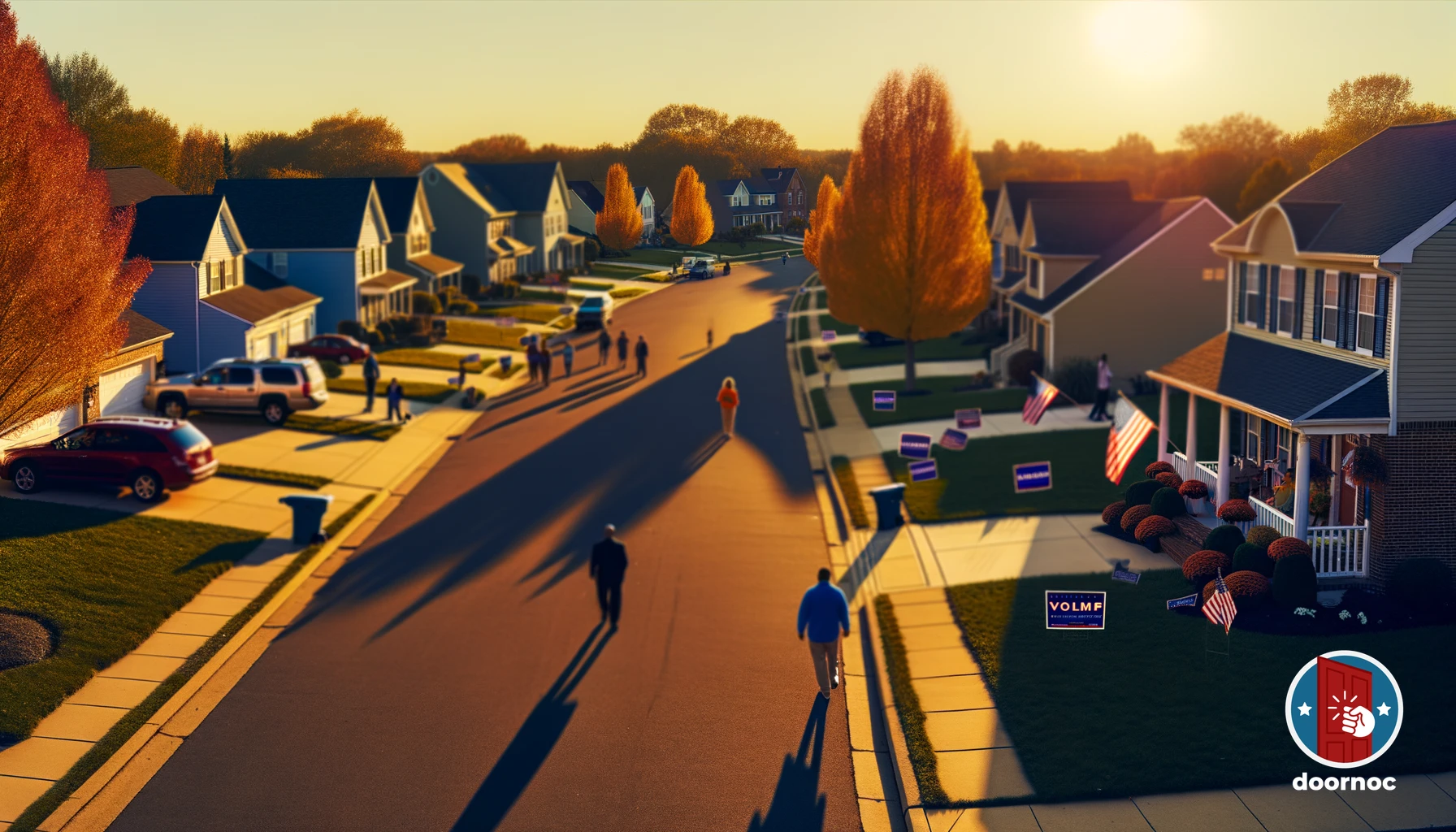 Volunteers spread across the neighborhood, bringing civic engagement to every doorstep.
Protect voter data — Ensure your mobile app encrypts data both in transit and at rest. Limit data access to only what each volunteer needs. Never store complete voter files on volunteer devices.
Secure communications — Use platforms with end-to-end encryption for sensitive discussions. Don’t share voter information in unencrypted emails or texts.
Verify volunteer identity — Conduct background checks on team leaders. Verify all volunteers before granting system access. Monitor for suspicious data access patterns.
Train on data handling — Educate volunteers about privacy requirements, acceptable use of voter data, and consequences of mishandling information.
Implement access controls — Revoke system access immediately when volunteers leave the campaign. Use role-based permissions to limit what each user can see and do.
Preparing for the Future of Remote Field Operations
Remote canvassing management isn’t a temporary adaptation — it’s the future of field operations. Campaigns that master distributed coordination gain competitive advantages in volunteer recruitment, retention, and effectiveness.
Invest in robust technology platforms now. Build systems that scale. Document your processes so you can replicate success. Train your team leaders in remote management skills. Create a culture that embraces flexibility and autonomy.
The campaigns that win in 2024, 2026, and beyond will be those that leverage technology to coordinate distributed teams effectively. You don’t need everyone in the same room to build a powerful field operation — you need the right tools, clear processes, and consistent communication.
Ready to implement professional remote canvassing management? Explore Door Knock’s team management features or contact our team to discuss your campaign’s specific needs. Our platform is built specifically for distributed field operations, with every feature designed to help campaign managers coordinate remote teams effectively.
Frequently Asked Questions
What tools do I need to manage a canvassing team remotely?
You need a mobile canvassing app with real-time data sync, a team communication platform like Slack or WhatsApp, video conferencing software for training, and a centralized dashboard for performance tracking. The canvassing app should include GPS tracking, offline mode, and automatic reporting to eliminate manual data entry.
How do you train canvassers remotely?
Remote canvasser training combines recorded video tutorials covering basic scripts and techniques, live video role-play sessions for practice, written resource documents volunteers can reference in the field, and shadowing opportunities where new volunteers join experienced canvassers via phone. Most campaigns conduct 2-3 virtual training sessions before deploying volunteers.
Can you effectively supervise canvassers without being physically present?
Yes, mobile canvassing platforms with GPS tracking and real-time data submission enable effective remote supervision. Campaign managers can monitor volunteer locations, verify door knock completion, review conversation quality through submitted notes, and intervene quickly when volunteers need support — all without physical presence.
How do you keep remote canvassing teams motivated?
Maintain motivation through daily team check-ins, public recognition of top performers via group channels, gamification with leaderboards showing knock counts, weekly virtual team meetings that build community, and clear communication of campaign progress. Remote teams need frequent touchpoints to feel connected to the larger mission.
What’s the biggest challenge in managing distributed canvassing teams?
The biggest challenge is maintaining accountability without micromanaging. You need systems that automatically track activity and flag issues while trusting volunteers to work independently. Strike this balance by setting clear daily goals, using technology for automated reporting, and focusing your energy on support rather than surveillance.