
A constituent calls about a delayed benefits payment. Another sends a message through social media about a housing problem. A volunteer brings in a handwritten request from a doorstep conversation, while an email sits unanswered because nobody knows whether it belongs with the caseworker, the policy director, or the campaign manager. By the end of the day, staff may remember the conversations, but they can’t reliably answer three basic questions: what happened, who owns the next step, and when should the constituent hear back?
That gap is where constituent case management earns its place. A serious system turns scattered interactions into traceable case histories, assigns responsibility, preserves communication, and produces data that staff can use to identify recurring problems. It isn’t just an inbox with better labels. It’s the operational backbone connecting constituent service, field intelligence, agency follow-up, and institutional memory.
Why Constituent Case Management Matters Now
Most offices don’t lose trust because staff don’t care. They lose trust because the workflow breaks under pressure. A request arrives through one channel, a referral goes out through another, and the promised follow-up lives in someone’s personal calendar. When that staff member is pulled into a meeting or leaves the organization, the case history becomes difficult to reconstruct.
That failure has consequences beyond one unanswered message. A constituent may need to repeat the same story to multiple staff members. A caseworker may contact an agency twice because the first response wasn’t logged. A field director may hear the same complaint at several doors without realizing the issue already appears across constituent contacts. The office then treats each interaction as a separate anecdote instead of recognizing a pattern.
Constituent case management creates a shared record for each matter. The record should show the original request, consent and supporting details, contacts with agencies, internal notes, promised actions, deadlines, updates, and final disposition. That history gives staff a reliable operating picture, even when several people contribute to the work.
Practical rule: If another trained staff member can’t understand the case and take the next appropriate action without asking for a private explanation, the record isn’t complete enough.
The distinction between ticket closure and constituent service matters. Closing a record may mean that someone sent an email. Resolution means the office documented what it did, communicated the status, and recorded whether the matter was resolved, referred, awaiting information, or outside the office’s authority. Those outcomes support better judgment and more useful reporting.
A well-run system also protects institutional memory. Staff turnover, election cycles, changing assignments, and bursts of urgent requests shouldn’t erase what the office has learned. Over time, structured case records can reveal recurring agency delays, confusing forms, service gaps, and issues that deserve legislative or campaign attention.
The field perspective adds another layer. Door knocking, surveys, phone banking, and walk-in conversations generate constituent intelligence before someone submits a formal request. If those interactions remain separate from casework, the office loses context. If staff capture them in a consistent structure, field conversations can help identify where a formal case should open, what information is missing, and which problems deserve escalation.
The Shift from Isolated Tracking to Centralized Analytics
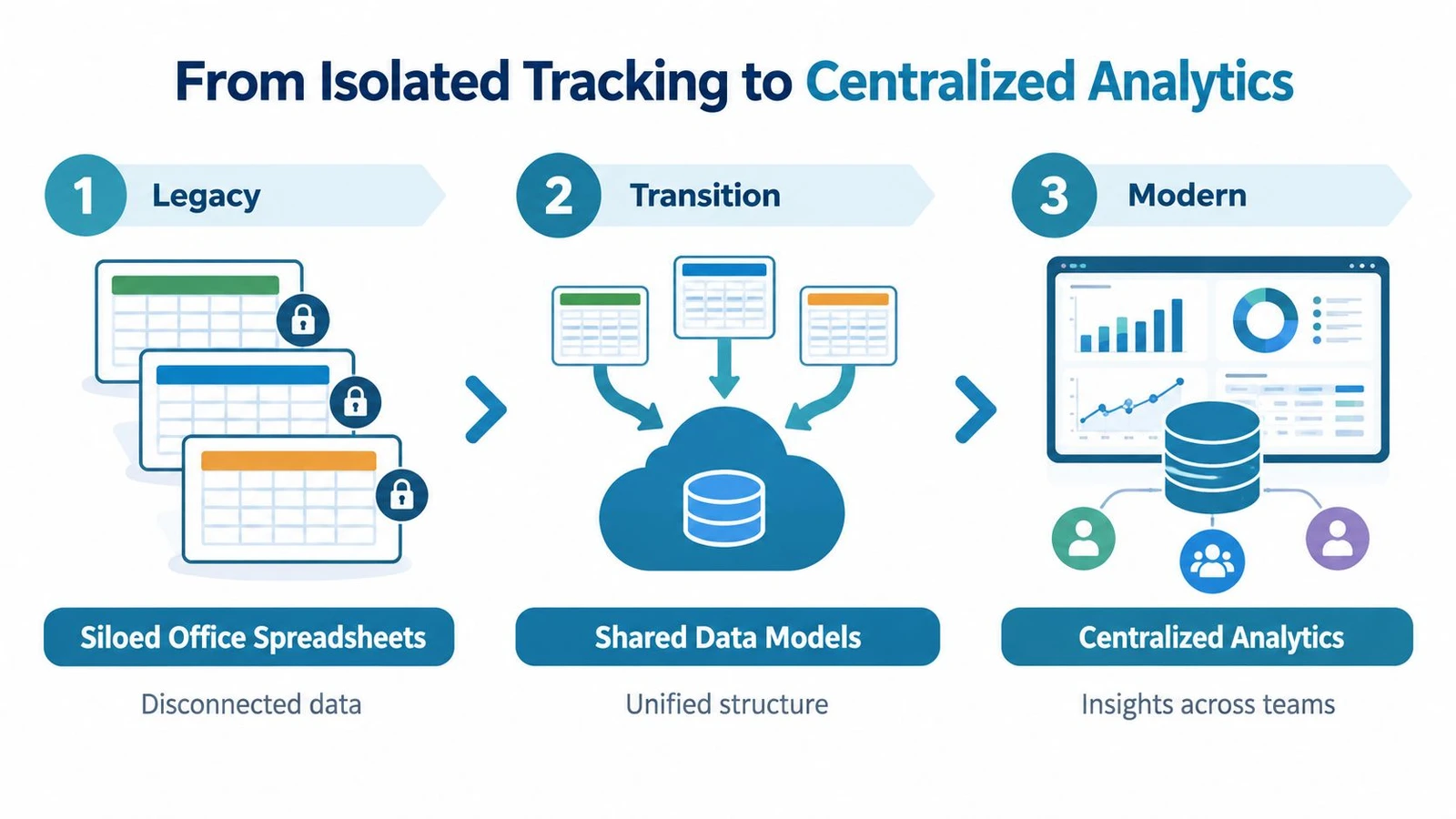
For years, many offices managed constituent requests with spreadsheets, email folders, shared drives, and personal notes. Those tools can work for a small volume of straightforward contacts, but they rarely provide a consistent data model. One office may classify a problem as housing, another as benefits, and a third as agency delay. Even when everyone works hard, the records can’t support reliable comparison.
The 2022 U.S. House committee report described this institutional problem directly. Constituent casework data was still captured by individual offices, which prevented House-wide visibility into trends and systemic problems. The report recommended standardized categories and tracking standards, along with an optional shared system using an API to aggregate anonymized casework data across offices. The report also called for unified analytics and a dashboard or report for participating offices. Read the U.S. House committee report on standardized constituent casework data for the underlying recommendations.
The important lesson isn’t that every campaign needs a chamber-wide database. It’s that common structure creates useful information. Without shared definitions, teams can’t compare issue categories, resolution activity, agency bottlenecks, or recurring constituent needs. A polished interface won’t fix inconsistent fields.
The record matters more than the screen
Modern government case management systems generally organize work around a single case record. That record can hold related interactions, attachments, audit history, complaints, referrals, and related people in one searchable place. This structure gives staff a complete history instead of forcing them to reconstruct the matter from disconnected tools.
A central record also makes permissions and accountability easier to manage. Staff can see who changed a status, which documents were added, and whether an agency response was acknowledged. Supervisors can review open work without asking every caseworker for a separate report.
The House’s later direction reflects this move toward aggregation. House Digital Services had been working on Case Compass since 2024, and the House unveiled a framework to aggregate anonymous constituent casework data across participating offices on September 9, 2025, as reported by Government Executive’s coverage of the Case Compass framework. The significance is operational: scattered records become more valuable when offices can analyze patterns without exposing personally identifying information.
For campaign and advocacy teams, the same principle applies at a smaller scale. A useful system should answer:
- What happened? A chronological interaction history.
- What is needed? Required information, documents, consent, or referral details.
- Who owns the case? A named staff member, not a shared inbox.
- What comes next? A dated task, escalation, or constituent update.
- What can we learn? Consistent categories and outcomes that support trend analysis.
That is the difference between storing contacts and building an operational dataset. Teams evaluating constituent relationship tools should look beyond dashboards and review the underlying citizen relationship management software data model, especially how it handles case history, relationships, permissions, and exports.
Core Features and Workflows Every Team Needs
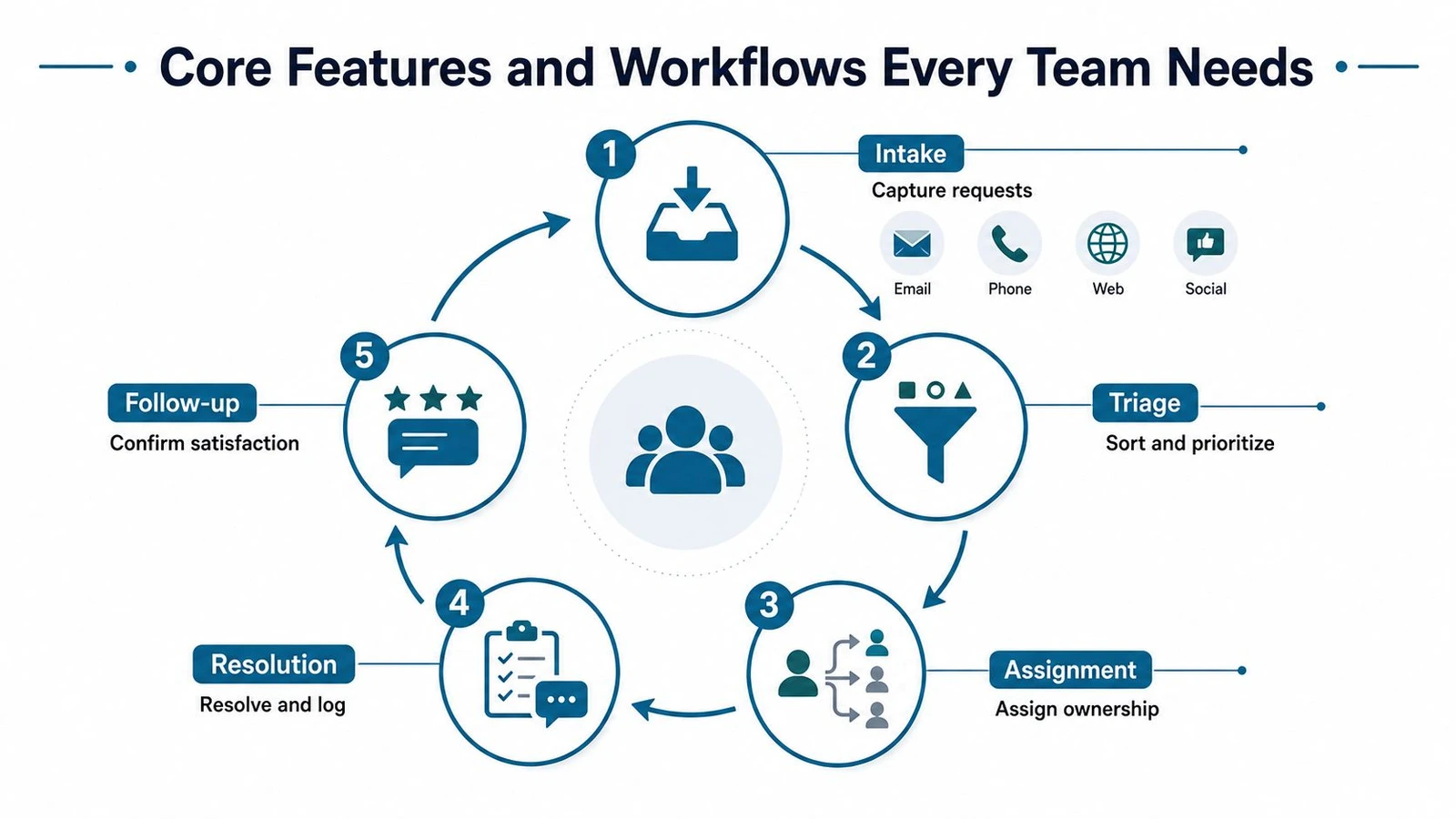
A reliable workflow starts before a staff member decides whether a request is urgent. It begins with intake, the point where information enters the organization. Email, phone, web forms, social media, in-person conversations, and field contacts should feed a consistent process rather than create separate queues.
The first pass should capture the constituent’s contact details, location or jurisdiction, request type, relevant agency, consent requirements, supporting documents, and preferred communication method. Don’t force staff to fill every field before saving a case. Do require the fields needed to identify ownership and determine the next action.
Intake and triage need different rules
Intake records what the constituent said. Triage decides what the organization should do next. A useful triage process identifies the issue category, checks jurisdiction, flags urgency, detects duplicate cases, and determines whether the matter needs a referral, a request for more information, or direct staff action.
Consider a constituent reporting a delayed veterans’ benefits payment. The intake record should preserve the original description and documents. Triage should verify whether the office has authority to assist, identify the relevant agency contact, assign a caseworker, and create a follow-up task. If the constituent’s submission lacks a claim number or authorization, the case shouldn’t disappear into a closed folder. The system should mark the missing requirement and tell the assigned staff member how to obtain it.
A small business owner seeking help with a licensing problem may follow a different path. The case could require a jurisdiction check, a referral to a state or local office, and an explanation that the congressional or campaign office can’t decide the license itself. The workflow still needs one owner, a clear status, and a documented communication plan.
Ownership prevents the shared-inbox trap
Assignment is more than routing by topic. The system should identify a responsible person, a backup or supervisor where appropriate, and the next deadline. Status names should be specific enough to guide action. “Open” tells a manager very little. “Awaiting agency response,” “awaiting constituent documentation,” and “interim update due” tell staff what needs attention.
Escalation rules should cover missed agency responses, sensitive matters, repeated constituent contacts, media attention, safety concerns, and cases that reveal a broader service failure. Staff shouldn’t invent escalation standards in the middle of a crisis.
The Administrative Conference advisory report on managing congressional constituent service inquiries found that agency reply times to new cases commonly ranged from about one week to one month. Suggested resolution timelines ranged from roughly 10 days to 8 weeks, and complex matters could require interim updates within 2 to 6 weeks.
Those ranges make proactive communication essential. The office can’t control every agency response, but it can control whether the constituent receives a clear status update, whether the caseworker records the contact, and whether the next follow-up is assigned.
A complete resolution log should record:
- Action taken: Who contacted which agency or partner.
- Response received: What the agency or organization said.
- Constituent communication: When and how staff explained the status.
- Outcome: Resolved, referred, awaiting information, outside jurisdiction, or another defined result.
- Next review: Whether the case needs monitoring after apparent closure.
A case isn’t finished because an email was sent. It’s finished when the office can explain the outcome and support the record later.
Connecting Case Management to Field Operations and Voter Data
Casework usually begins in the back office, but constituent problems often surface in the field first. A volunteer hears that several residents can’t reach a local agency. A canvasser learns that a benefits problem affects an entire apartment building. A survey response reveals a service complaint that doesn’t fit the campaign’s existing issue categories.
If field data only feeds persuasion scores or turnout lists, the organization misses this service intelligence. Field operations should have a controlled path for turning a constituent concern into a follow-up record, while preserving the distinction between a political contact, a constituent service request, and a policy opinion.
Build a handoff instead of another silo
The handoff needs simple rules. A canvasser should be able to record the interaction, capture permission for follow-up where required, identify the issue, and flag whether staff action is requested. A caseworker then reviews the submission, verifies missing details, checks jurisdiction, and either opens a case or records the contact as intelligence for future outreach.
Offline-first mobile collection matters in neighborhoods with weak connectivity. The canvasser shouldn’t have to postpone data entry or keep paper notes that later require rekeying. A system that stores the interaction locally and synchronizes it after reconnection reduces duplicate work, but staff still need validation rules so bad or incomplete submissions don’t flow straight into formal casework.
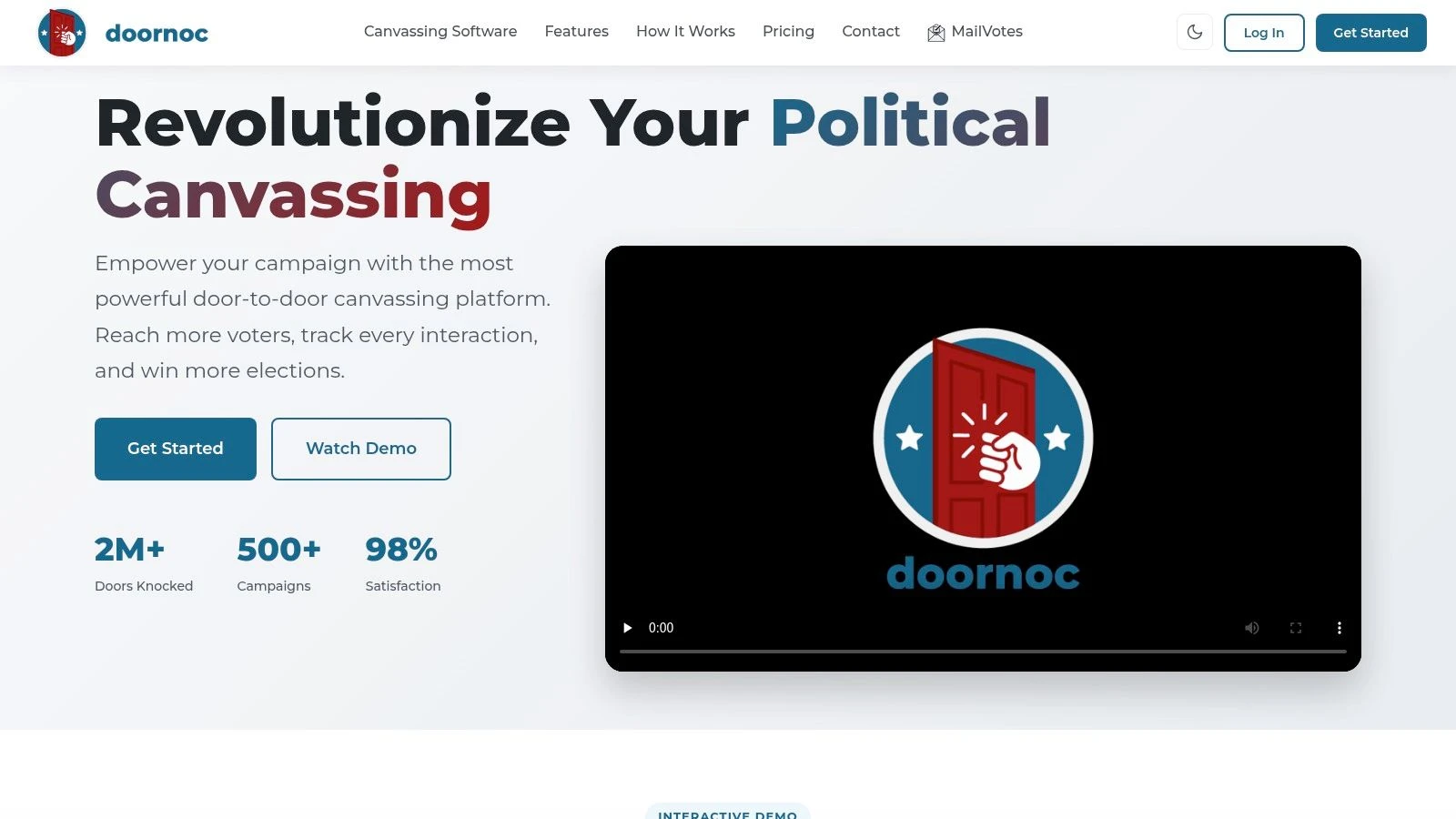
Platforms such as doornoc support mobile canvassing, offline data capture, interaction logging, automatic synchronization, route planning, dashboards, constituent intelligence, and API access. Its MailVotes integration is designed to move targeted voter lists into field workflows without CSV exports or manual imports. The practical value isn’t that a canvassing app replaces case management. The value is a defined data pipeline between what field staff hear and what service staff can act on.
Field directors also need visibility into whether the handoff is working. A live dashboard can show activity and route progress, while casework reporting can show whether flagged issues are being reviewed, accepted, returned for missing information, or converted into cases. The guide to real-time canvassing analytics for campaigns provides useful context for thinking about same-day field visibility.
Keep political data and service data properly separated
A voter file may include contact information and campaign history. A case record may include sensitive personal details, agency correspondence, or documents. Combining those records without clear permissions creates unnecessary privacy risk and can confuse staff about how information may be used.
Use a stable constituent identifier where appropriate, but limit access by role and purpose. A field volunteer may need to record that a resident requested follow-up. They may not need access to the full agency correspondence or sensitive documents associated with the resulting case.
The strongest integration doesn’t turn every doorstep conversation into a formal case. It creates a disciplined decision point. Staff can distinguish between an issue to analyze, a message to deliver, a request requiring consent and documentation, and a matter that belongs with another organization.
The Hidden Bottlenecks Teams Underestimate
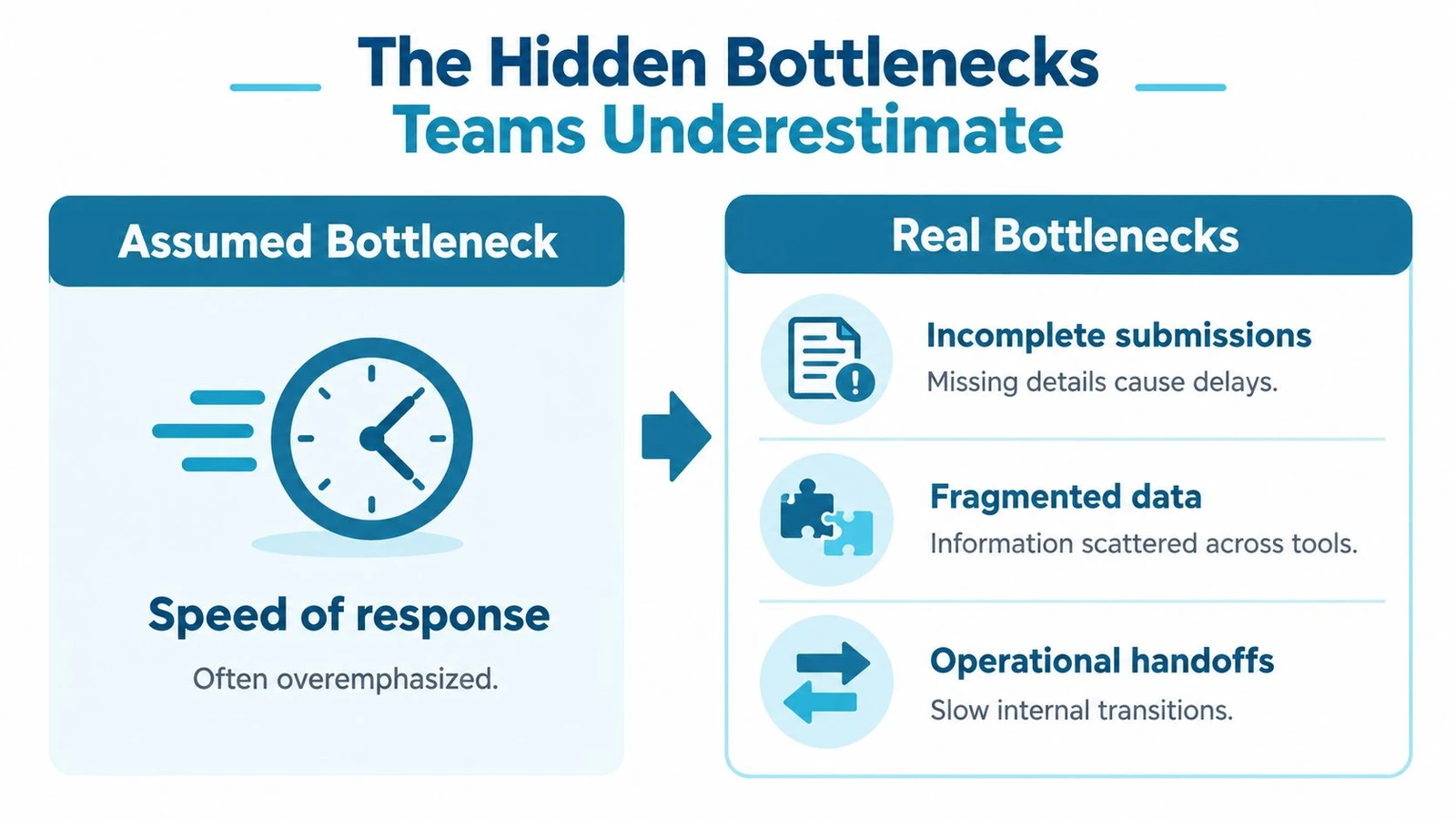
Teams often focus on response speed because it is easy to understand and easy to report. The harder problems are less visible: incomplete submissions, incorrect routing, fragmented agency contacts, inconsistent categorization, and staff who haven’t been trained to handle exceptions.
A fast workflow that routes the wrong case to the wrong person only moves the problem quickly. A polished intake form that rejects incomplete submissions may reduce the visible queue while leaving constituents without help. A dashboard that counts closures without distinguishing referrals, unresolved matters, and duplicate records can reward the wrong behavior.
Design for incomplete and misclassified requests
The Administrative Conference of the United States recommends that agencies not automatically close incomplete casework. Instead, agencies should notify congressional caseworkers and help remedy missing information, while using standard operating procedures, web portals, and structured data to improve throughput, as described in its guidance on agency management of congressional constituent service inquiries.
That principle should shape the entire workflow. Treat missing information as a status with an owner and a recovery action. Give staff a reusable request template. Record what was requested, when it was requested, and whether the constituent responded. If the matter is misclassified, preserve the original intake while adding the corrected category and documenting the reason for the change.
Common failure points include:
- Wrong agency: Require a jurisdiction check before referral and preserve the referral rationale.
- Missing authorization: Create a clear request for the required permission instead of closing without explanation.
- Duplicate records: Link related cases and identify the primary owner.
- Unclear urgency: Use defined escalation criteria, not personal judgment alone.
- Staff turnover: Maintain complete notes and backup ownership.
Use AI for preparation, not judgment
Newer public-sector implementations use AI to summarize, categorize, and route incoming messages. That can reduce repetitive data entry, but it doesn’t remove the need for review. A summary can omit a critical detail. A category can be plausible but wrong. A routing suggestion can send a sensitive matter to a staff member without the right role or training.
Keep a human in the loop for sensitive cases, legal or benefits matters, safety concerns, and any communication that could materially affect a constituent’s expectations. Log whether staff accepted, edited, or rejected an automated suggestion. That audit trail helps supervisors understand where the system performs reliably and where it needs stricter controls.
The contrarian lesson: Speed is useful, but exception handling determines whether a case management system earns trust.
Privacy controls should follow the data, not the convenience of the interface. Limit access to sensitive records, separate field permissions from caseworker permissions, and define retention and export rules before adopting automation. Staff training should include practice cases involving incomplete, duplicate, misrouted, and emotionally urgent requests. Those are the moments when a workflow reveals its real quality.
Measuring Success and Getting Started
A useful evaluation starts with the work, not the vendor demo. Map how a request arrives, who reviews it, what information staff need, where referrals go, how updates are scheduled, and how the office decides a matter is complete. Then compare that actual path with the system’s proposed workflow.
The most useful measures balance speed, quality, completeness, and learning. Average response time matters, but it shouldn’t stand alone. A team that responds quickly with incomplete answers may create more follow-up work. A team with strong resolution activity but poor records won’t be able to identify recurring agency problems.
One government and public-sector deployment reported a 70% reduction in average constituent response time, from 6.2 days to 1.9 days, after using automated intake, routing, and tracking to reduce manual handoffs and follow-up delays. The figures come from the government public-sector case management deployment report. Treat this as an example of reported deployment performance, not a promise that every implementation will produce the same result.
| KPI | What It Measures | Why It Matters |
|---|---|---|
| Average response time | How quickly the office acknowledges or responds to a request | Shows whether intake and assignment create avoidable delays |
| Resolution rate | The share of cases reaching a defined outcome | Helps distinguish active service work from unresolved queues |
| Case completeness | Whether required contact, action, referral, and outcome fields are present | Protects continuity and makes records usable for review |
| Aging by status | How long cases remain awaiting information, agency response, or internal action | Reveals bottlenecks hidden by a single open-case count |
| Escalation volume | How often cases require supervisory or specialized attention | Tests whether triage rules match operational reality |
| Trend detection | Whether recurring categories, agencies, or service problems appear in reports | Converts casework into policy and management intelligence |
A practical selection checklist
Before choosing a platform, ask whether it can:
- Model the full record: Store contacts, attachments, referrals, related people, notes, tasks, and audit history together.
- Support structured intake: Accept multiple channels while preserving a consistent schema.
- Assign ownership: Set a responsible staff member, backup, status, and next action.
- Handle exceptions: Keep incomplete cases active, request missing information, and support reassignment.
- Integrate safely: Provide API access and controlled connections to field, voter, email, and document systems.
- Protect sensitive data: Apply role-based permissions, review access, and define retention practices.
- Support reporting: Filter by category, status, agency, geography, owner, and outcome without relying on manual spreadsheet work.
- Train the team: Provide repeatable procedures for intake, escalation, updates, closure, and correction.
Start with a workflow audit before importing old records. Sample recent requests from every channel, mark each handoff, and identify where ownership or status becomes unclear. Then build a small shared taxonomy, test it with staff, and expand only after the team can use it consistently. For teams measuring the field side of the operation, this resource on tracking canvassing data and campaign metrics can help connect contact activity with broader operational reporting.
Turning Case Management into a Strategic Advantage
Constituent case management becomes strategic when it connects three things that teams often keep apart: the constituent’s story, the staff workflow, and the pattern across records. Centralized analytics makes comparisons possible. Clear ownership keeps requests moving. Exception handling protects the people whose cases don’t fit a clean form. Field integration adds context before a constituent ever reaches the main office.
The winning system isn’t the one with the most features. It’s the one staff can use accurately during a busy week, supervisors can audit without detective work, and leaders can trust when deciding which service problems require broader action. Start by auditing where requests enter, where handoffs stall, and where records lose context. Fix the highest-risk break first, then measure whether the new workflow improves completeness, ownership, follow-up, and useful insight.
doornoc connects mobile canvassing, offline interaction capture, field visibility, constituent intelligence, voter data workflows, and integrations that can support a more structured constituent case management pipeline. Visit doornoc to review the platform and assess how it can fit your campaign or advocacy operation.
Running constituent services for an office? doornoc’s constituent intelligence keeps casework, contact history and voter-file data in one record instead of three systems.