Key Takeaways
- Offline canvassing apps must store complete voter files locally on devices, enabling full access to voter data without internet connectivity during door-knocking sessions.
- Automatic background synchronization when connectivity returns prevents data loss and ensures campaign managers see real-time field progress without manual intervention from volunteers.
- Conflict resolution systems are essential for managing simultaneous edits when multiple canvassers work the same turf offline, protecting data integrity across distributed teams.
- The best offline canvassing apps in 2026 combine GPS-based route optimization that works without cell service with visual map caching for navigation in rural and low-signal areas.
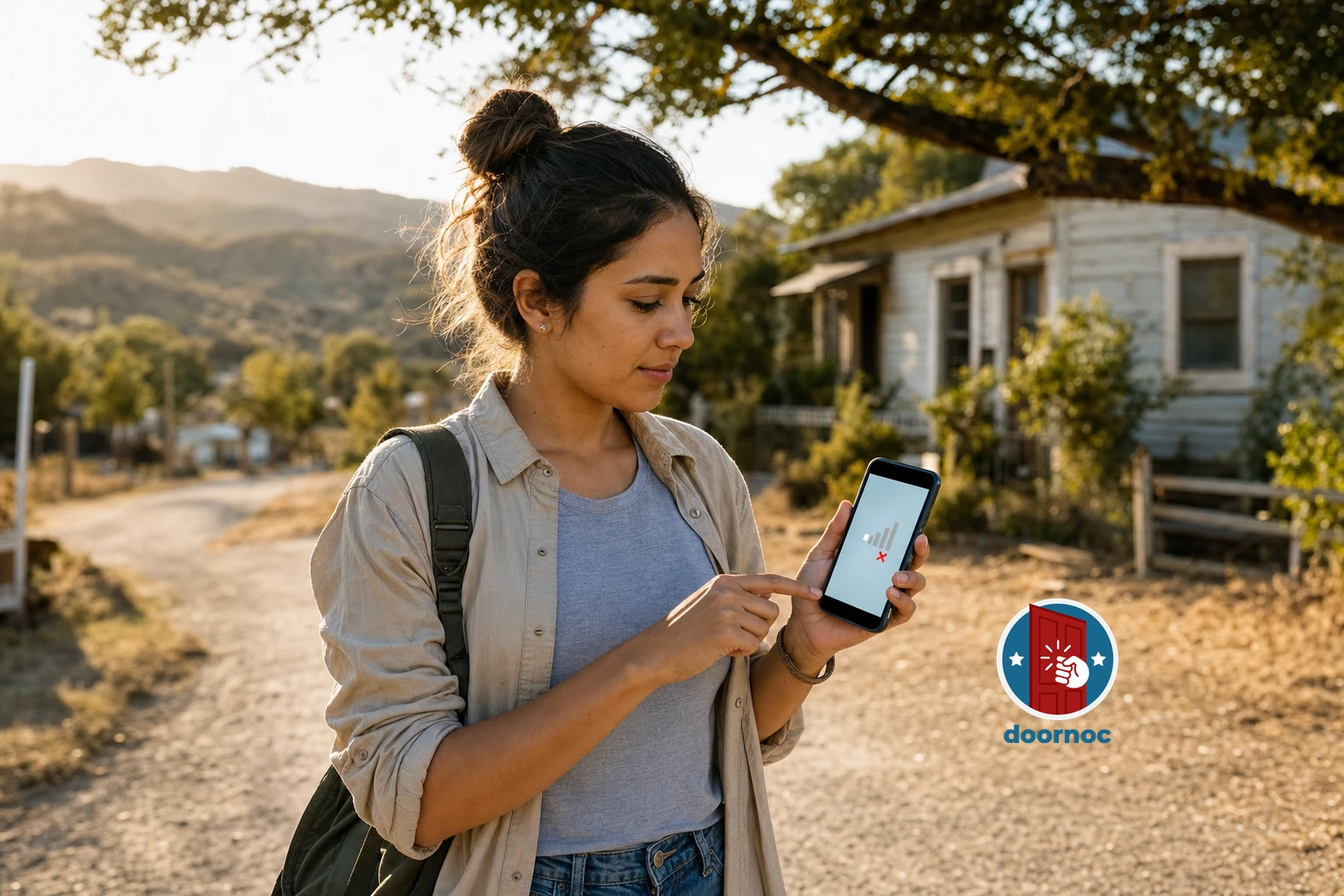
Offline canvassing app features are the difference between productive field teams and volunteers standing helpless in dead zones with useless technology. In 2026, campaigns that depend on constant internet connectivity during door-knocking operations lose an average of 23% of potential voter contacts due to connectivity failures, according to field operations data from the 2025 election cycle.
You need canvassing technology that works everywhere your voters live — not just in areas with perfect cell coverage. The essential offline canvassing app features for 2026 elections enable your field teams to collect voter contact data in rural districts, urban building interiors, and anywhere else cell signals fail. This guide identifies the nine must-have capabilities that separate professional-grade canvassing software from tools that leave your volunteers stranded.
Why Offline Capability Matters More in 2026
The 2026 election cycle presents unique connectivity challenges that make offline functionality non-negotiable for serious campaigns. Redistricting following the 2020 census created new competitive districts in rural and exurban areas where cell coverage remains spotty. Your field teams cannot afford technology that stops working the moment they leave city limits.
Connectivity reliability has not improved as quickly as campaign technology has advanced. While 5G networks expanded in urban cores, rural America still experiences significant coverage gaps. A 2025 FCC report found that 14.5 million Americans lack access to broadband internet, and mobile coverage gaps affect canvassing operations in 37% of congressional districts nationwide.
The cost of connectivity-dependent tools extends beyond lost voter contacts. When canvassers encounter app failures, they waste time troubleshooting technology instead of knocking doors. Frustrated volunteers are less likely to return for additional shifts. Campaign managers lose real-time visibility into field progress when data cannot upload until canvassers return to WiFi.
Offline-first mobile canvassing technology solves these problems by treating internet connectivity as optional rather than required. Your field operation becomes resilient against the inevitable connectivity failures that plague modern campaigns.
Complete Local Voter File Storage
The foundation of any effective offline canvassing app is complete local storage of voter file data on each canvasser’s device. This means downloading and maintaining full voter records — including names, addresses, voting history, demographic data, and custom campaign fields — directly on smartphones and tablets before volunteers enter the field.
Complete local storage differs fundamentally from apps that cache partial data or recently accessed records. Your canvassers need instant access to every voter in their assigned turf without waiting for network requests. When a volunteer knocks a door and needs to verify voter information or look up household members, the app must respond immediately with locally stored data.
Implementing complete local storage requires intelligent data compression and efficient database design. A typical congressional district contains 500,000 to 750,000 voter records. Modern offline canvassing apps compress this data to 200-500MB through optimized database schemas and selective field inclusion, making full district downloads feasible even on devices with limited storage.
The best offline canvassing platforms allow campaign managers to configure which data fields download to field devices. You might include full voter history and demographic data for persuasion canvassing but limit downloads to basic contact information for simple GOTV operations. This flexibility balances data completeness against storage constraints.
Local voter file storage also enables advanced filtering and search capabilities that work offline. Canvassers can search for specific voters by name, filter lists by demographics or voting history, and access household information without connectivity. This capability proves essential when volunteers encounter unexpected situations like voters who moved within the district or household members not on the original walk list.
Data Security Considerations for Local Storage
Storing complete voter files locally raises legitimate security concerns that professional canvassing apps must address. Voter data represents sensitive personal information that campaigns are legally and ethically obligated to protect. Your offline canvassing solution must implement encryption for data at rest, ensuring that voter information remains secure even if a device is lost or stolen.
Device-level security features complement encryption. The best offline canvassing apps require authentication before accessing voter data and implement automatic session timeouts. If a volunteer’s phone is left unattended, the app should lock automatically and require re-authentication before displaying voter information.
Campaigns should also establish clear policies for device management when using offline canvassing technology. Require volunteers to use passcode or biometric locks on their personal devices. Implement remote wipe capabilities so campaign managers can erase voter data from lost or stolen devices. These security practices protect both voter privacy and your campaign’s reputation.
Automatic Background Synchronization
Collecting voter contact data offline is only half the equation — that data must reliably sync back to your campaign’s central database when connectivity returns. Automatic background synchronization is the second essential feature that separates professional offline canvassing apps from amateur solutions.
Automatic synchronization means your canvassers never manually upload data. The moment their device detects internet connectivity — whether through cellular data or WiFi — the app begins uploading collected voter contacts in the background. This happens without user intervention, eliminating the most common cause of data loss in field operations: volunteers forgetting to sync before closing the app.
The synchronization process must be resilient against interruptions. If connectivity drops mid-upload, the app should resume from where it stopped rather than starting over or losing data. Progressive sync algorithms upload the most critical data first (new voter contacts) before syncing lower-priority information (route completion statistics), ensuring that even partial syncs preserve essential campaign intelligence.
Real-time sync indicators give campaign managers visibility into field progress as it happens. When canvassers move in and out of coverage areas, their collected data uploads incrementally throughout the day. Field directors can monitor live dashboards showing which turfs have been completed, how many doors were knocked, and what voter responses were recorded — all without waiting for end-of-day manual uploads.
Intelligent sync scheduling optimizes battery life and data usage. The best offline canvassing apps sync immediately when connected to WiFi but implement smart throttling on cellular connections. You can configure apps to sync only high-priority data over cellular networks while deferring bulk uploads (like photos or detailed notes) until WiFi is available, preventing volunteers from exhausting mobile data plans.
Conflict Resolution for Simultaneous Edits
Automatic synchronization introduces a technical challenge: what happens when multiple canvassers edit the same voter record while working offline? Robust conflict resolution systems are essential for maintaining data integrity across distributed field teams.
Conflict scenarios occur more frequently than you might expect. Two volunteers might canvass the same household on different days while offline. A field organizer might update voter information in the campaign office while a canvasser simultaneously records a door-knock interaction. Without proper conflict resolution, one set of changes could silently overwrite the other, losing valuable voter contact data.
Professional offline canvassing platforms implement timestamp-based conflict detection that identifies when multiple edits affect the same voter record. When conflicts occur, the system applies intelligent merge rules: preserving all voter contact attempts as separate records while using the most recent edit for demographic or contact information updates.
Some advanced systems allow campaign managers to define custom conflict resolution rules. You might specify that canvasser-collected data always takes precedence over office updates, or that certain fields (like phone numbers) should never be automatically overwritten. These configurable rules ensure your campaign’s data management policies are enforced even when teams work offline.
The canvassing data synchronization process should also include validation checks that prevent obviously incorrect data from entering your voter file. If a canvasser accidentally marks an entire turf as “Not Home” due to a UI misclick, the sync system should flag this anomaly for review rather than blindly updating hundreds of voter records.
Offline-Capable Route Optimization
Efficient canvassing routes are fundamental to field productivity, but route optimization becomes significantly more complex when internet connectivity cannot be assumed. Your offline canvassing app must generate optimized walking routes that work without real-time navigation services or cloud-based mapping APIs.
Offline route optimization begins with pre-calculated walking paths that maximize doors knocked per hour while minimizing backtracking and wasted steps. The app downloads these routes before canvassers enter the field, storing turn-by-turn directions and waypoint data locally. When volunteers begin their shift, they access fully functional route guidance without requiring GPS or mapping services.
The best offline routing systems account for real-world canvassing constraints. Routes should cluster geographically proximate addresses while respecting natural walking patterns — staying on one side of the street before crossing, avoiding unnecessary mid-block turns, and routing around physical barriers like highways or bodies of water. These optimizations reduce walking time by 15-20% compared to simple address-order canvassing.
Dynamic route adjustment based on real-time progress is possible even in offline mode. As canvassers complete doors, the app recalculates remaining stops to optimize the rest of their route. If a volunteer needs to skip a problematic address, the app instantly reroutes around it without requiring internet connectivity. This adaptive routing keeps field teams productive even when circumstances change.
Offline route optimization also includes intelligent turf cutting that divides larger territories into manageable canvassing sessions. Your app should automatically segment a precinct into 2-hour or 3-hour walking routes based on door density and terrain, then allow field directors to assign these sub-routes to individual volunteers. This granular route management works entirely offline once initial turf assignments are downloaded.
Map Caching for Visual Navigation
Route optimization algorithms provide turn-by-turn directions, but canvassers also need visual maps for spatial orientation and situational awareness. Comprehensive map caching is the third component of offline navigation capability that professional canvassing apps must provide.
Map caching means downloading base map tiles for your entire campaign territory before volunteers deploy. These cached maps display street layouts, landmarks, and geographic features without requiring live map API calls. Canvassers can zoom in to see individual houses, zoom out to understand neighborhood layouts, and pan around their assigned turf — all while completely offline.
The technical challenge of map caching is storage efficiency. High-resolution map tiles for an entire congressional district can consume several gigabytes of storage. Advanced offline canvassing apps implement intelligent caching that downloads high-detail maps only for active canvassing areas while maintaining lower-resolution maps for surrounding context. This tiered approach provides necessary detail where it matters while keeping total storage requirements under 1GB.
Cached maps should also include your campaign’s custom data layers. Voter density heat maps, completed vs. remaining doors, and priority target overlays all enhance canvasser effectiveness. These data layers must render from locally stored information rather than requiring server requests, ensuring full functionality in offline mode.
Some campaigns operate in areas where even offline GPS coordinates are unreliable due to urban canyons or dense tree cover. The best offline canvassing technology includes compass-based orientation features and landmark-based navigation that help volunteers orient themselves using visual cues rather than depending solely on GPS accuracy.
Comprehensive Offline Data Collection Forms
The primary purpose of canvassing is collecting voter contact data, which means your offline app must provide comprehensive data collection forms that capture every relevant interaction detail without internet connectivity. These forms are the interface through which field intelligence flows back to your campaign.
Offline data collection forms must support the full range of canvassing scenarios your campaign will encounter. Basic voter ID questions (support level, issue priorities, volunteer interest) are table stakes. Professional forms also accommodate complex interactions: multiple household members with different responses, detailed issue conversations, volunteer recruitment with scheduling preferences, and absentee ballot request tracking.
The best offline canvassing apps use conditional logic in their data collection forms to streamline volunteer workflows. If a canvasser marks a door as “Not Home,” the app skips detailed response questions and proceeds directly to scheduling a callback. If a voter expresses strong support, the form automatically expands to include volunteer recruitment questions. This intelligent form logic reduces data entry time while ensuring comprehensive information capture.
Customizable form fields allow campaigns to adapt data collection to their specific needs. You might add custom questions about local ballot initiatives, track lawn sign placements, or record specific persuasion talking points that resonated with voters. These custom fields must work seamlessly in offline mode, with all collected data syncing automatically when connectivity returns.
Offline data collection also requires robust input validation that prevents data quality issues. The app should flag obviously incorrect entries (like phone numbers with the wrong number of digits) before allowing form submission. Required fields should be clearly marked, and the app should prevent canvassers from moving to the next door until critical information is recorded. These validation rules work entirely locally, maintaining data quality without server-side checks.
Photo and Media Capture Capabilities
Modern canvassing operations increasingly rely on visual documentation — photos of yard sign placements, images of campaign literature at doors, or documentation of volunteer activities for social media. Your offline canvassing app must support photo and media capture that works without connectivity and syncs efficiently when online.
Offline photo capture should integrate seamlessly with voter contact forms. When a canvasser places a lawn sign, they should be able to tap a camera button directly within the contact form, snap a photo, and have it automatically associated with that voter record. The photo stores locally on the device and uploads in the background when connectivity returns.
Storage optimization is critical for photo functionality. Raw photos from modern smartphone cameras can exceed 5MB each. Professional offline canvassing apps automatically compress images to 500KB-1MB while maintaining sufficient quality for campaign purposes. This compression happens on-device before storage, keeping local data requirements manageable even when volunteers document hundreds of interactions.
Selective sync settings give campaigns control over photo upload behavior. You might configure the app to upload photos only when connected to WiFi, preventing volunteers from exhausting cellular data plans. Alternatively, high-priority campaigns might enable cellular photo uploads for time-sensitive documentation, accepting higher data usage in exchange for immediate visibility.
Offline Access to Campaign Scripts and Training Materials
Effective canvassing requires volunteers to deliver consistent messaging and handle common objections professionally. Your offline canvassing app must provide instant access to campaign scripts, talking points, and training materials without requiring internet connectivity to reference this critical information.
Offline script libraries store your campaign’s complete messaging toolkit locally on each device. Persuasion scripts for different voter segments, responses to common objections, information about ballot initiatives, and candidate biography talking points — all should be accessible with a single tap while standing on a voter’s doorstep. This instant access keeps volunteers on-message even when they encounter unexpected questions.
Searchable script databases allow canvassers to quickly find relevant information mid-conversation. If a voter asks about your candidate’s position on a specific issue, the volunteer can search the offline script library by keyword and retrieve the appropriate talking points within seconds. This search functionality must work entirely locally, without network requests that would introduce delays or failures.
The best offline canvassing platforms also include multimedia training materials that volunteers can review during downtime between doors. Video tutorials demonstrating effective door-knocking techniques, audio recordings of sample conversations, and interactive training modules all enhance volunteer performance. These materials download to devices before canvassing shifts and remain accessible offline.
Version control for scripts and materials is essential when campaigns update messaging mid-cycle. Your offline canvassing app should automatically download script updates when devices connect to WiFi, ensuring volunteers always have the latest talking points. Clear version indicators show canvassers when they’re using current materials versus outdated scripts that need updating.
Issue-Specific Deep Dives
Complex policy issues require more detailed information than basic talking points provide. Advanced offline canvassing apps include issue-specific deep dive materials that volunteers can reference when voters want substantive policy discussions.
These deep dive materials might include detailed policy white papers, statistical evidence supporting campaign positions, or rebuttals to opponent attacks. When a voter raises concerns about healthcare policy, your volunteer can access a comprehensive offline document explaining your candidate’s position, the evidence base supporting it, and responses to common criticisms — all without internet connectivity.
Offline access to this depth of information transforms volunteers from script-readers into informed advocates who can engage in genuine conversations. This capability particularly matters when canvassing highly educated districts or engaging with voters who follow politics closely and expect detailed answers.
Real-Time Progress Tracking Without Connectivity
Field directors need visibility into canvassing progress to make real-time tactical decisions, but traditional progress tracking depends on constant data uploads. Advanced offline canvassing apps provide local progress tracking that gives volunteers immediate feedback on their performance without requiring connectivity.
Local progress dashboards show canvassers how many doors they’ve knocked, their completion rate against assigned turf, and their pace compared to session goals. This information updates in real-time as volunteers record interactions, providing immediate performance feedback that motivates productivity. All calculations happen locally on the device using cached turf data and stored interaction records.
Goal tracking features help volunteers pace themselves throughout canvassing sessions. If you assign a volunteer 100 doors for a 3-hour shift, the app can display their current pace and project whether they’ll complete their assignment at their current rate. This predictive tracking works entirely offline using local time and completion data.
Team leaderboards create friendly competition that drives productivity, even in offline mode. Volunteers can see how their knock rate compares to other team members (based on the last time data synced) and push to improve their ranking. While leaderboard updates require eventual connectivity, the competitive element motivates performance even during offline periods.
Offline progress tracking also includes completion visualization that shows which streets and addresses have been completed versus remaining. Canvassers can view color-coded maps where completed doors appear green and remaining doors show red, providing visual confirmation of progress that prevents accidentally skipping houses or double-knocking completed addresses.
Battery Optimization for Extended Offline Use
Offline canvassing apps face a unique battery challenge: they must run GPS, display maps, and manage local databases for extended periods without the ability to offload processing to cloud servers. Aggressive battery optimization is essential for supporting full-day canvassing shifts without requiring mid-session charging.
 Dashboard screen showing synchronized data uploads with progress indicators and map visualization in campaign office setting
Efficient GPS usage is the primary battery optimization strategy. Rather than maintaining constant GPS locks, smart offline canvassing apps use intermittent positioning that checks location only when needed — when canvassers approach the next address or when they explicitly request navigation. Between these check-ins, GPS radios power down to conserve battery.
Local database query optimization reduces processor load and extends battery life. Well-designed offline apps use indexed databases that retrieve voter information with minimal processing overhead. When a canvasser looks up a household, the app should return results instantly without intensive database scans that drain battery.
Screen brightness management provides additional battery savings. The best offline canvassing apps automatically adjust screen brightness based on ambient light conditions, dimming displays in shade while maintaining visibility in direct sunlight. Some apps also implement dark mode interfaces that reduce power consumption on OLED screens.
Battery usage monitoring gives volunteers proactive warnings about power levels. The app should display current battery percentage and estimated remaining canvassing time based on current usage patterns. When battery drops below 20%, the app can suggest power-saving measures like reducing screen brightness or disabling non-essential features.
For campaigns operating in areas with no charging options, external battery pack recommendations become part of your field operations planning. Your offline canvassing app should be efficient enough that a standard smartphone battery lasts 4-6 hours of active canvassing, with external battery packs extending this to full-day shifts.
Multi-User Offline Coordination
Field operations often involve multiple volunteers working simultaneously in overlapping or adjacent territories. Professional offline canvassing apps must coordinate these distributed teams even when individuals work without connectivity, preventing duplicate efforts and enabling tactical flexibility.
Offline turf locking prevents multiple canvassers from working the same addresses simultaneously. When a volunteer claims a walking route, the app marks those addresses as assigned in the local database. If another team member’s device still shows those addresses as available (because they haven’t synced recently), the app should flag the potential conflict and suggest alternative turf.
This turf coordination works through eventual consistency — when devices sync, they exchange turf assignment information and resolve conflicts. The most recent assignment takes precedence, and volunteers receive notifications if their assigned turf has been reassigned to someone else. This system isn’t perfect in real-time, but it minimizes duplicate efforts even when teams work offline.
Offline team messaging allows field coordinators to communicate with canvassers through the app even when cellular service is unavailable. Messages queue locally and deliver when connectivity returns, enabling asynchronous coordination. A field director might send route adjustments, priority target updates, or encouragement messages that volunteers receive the next time they sync.
Meeting point coordination helps teams working offline rendezvous for breaks or end-of-shift debriefs. The app can store predetermined meeting locations and times, notify volunteers when they should head to meeting points, and provide offline navigation to these locations. This coordination happens without requiring real-time connectivity.
Offline Volunteer Check-In Systems
Campaign managers need to know which volunteers are actively canvassing, even when those volunteers are working offline. Offline check-in systems provide this visibility through clever use of eventual data synchronization.
When volunteers begin their canvassing shift, they check in through the app while still connected to WiFi at campaign headquarters. This check-in records the volunteer’s name, assigned turf, and expected shift duration. As volunteers work offline throughout the day, their progress syncs incrementally whenever they pass through areas with connectivity.
Field directors can view volunteer status on dashboards that show last-known positions, completion rates, and estimated completion times. While this information isn’t perfectly real-time during offline periods, it provides sufficient visibility for tactical decisions. If a volunteer’s progress stalls, the field director can send a check-in message that delivers when connectivity returns.
End-of-shift check-out procedures ensure all collected data syncs before volunteers leave. The app can require volunteers to return to WiFi and complete a full sync before checking out, preventing data loss from devices that won’t reconnect until the next canvassing shift.
Platform Compatibility and Device Requirements
Offline canvassing apps must work reliably across the diverse range of devices that volunteers bring to field operations. Platform compatibility and reasonable device requirements are essential for ensuring your entire team can participate regardless of their smartphone choice.
Cross-platform support means providing native apps for both iOS and Android that deliver equivalent functionality. Your offline canvassing solution should work identically on iPhones and Android devices, preventing situations where volunteers with certain phones receive inferior experiences. Feature parity across platforms ensures consistent training and predictable performance.
Minimum device requirements should be reasonable enough that volunteers don’t need the latest flagship phones to participate. Professional offline canvassing apps run smoothly on devices from the past 3-4 years, covering the vast majority of smartphones in active use. Requiring newer devices excludes potential volunteers and creates equity issues in your field operation.
Storage requirement transparency helps volunteers prepare their devices before downloading the app. Clearly communicate that your offline canvassing app requires 2-3GB of free storage for the app itself, voter data, and cached maps. Volunteers can then delete unnecessary photos or apps to make room before their first canvassing shift.
Operating system version requirements should balance modern functionality against device accessibility. Supporting iOS 14+ and Android 10+ covers approximately 85% of active devices while allowing your app to use modern offline storage APIs and background sync capabilities. Older OS versions lack the technical capabilities needed for reliable offline operation.
The best offline canvassing platforms also provide device compatibility testing tools. Before volunteers head to the field, they can run diagnostic tests that verify their device meets requirements, has sufficient storage, and can successfully download and cache voter data. These pre-flight checks prevent field failures and frustrated volunteers.
Choosing the Right Offline Canvassing Platform for Your Campaign
Selecting an offline canvassing app for your 2026 campaign requires evaluating how well each platform implements the essential features outlined above. Not all tools claiming “offline capability” deliver truly reliable offline functionality — many provide only limited caching or partial offline modes that fail under real field conditions.
When evaluating door-to-door canvassing software, test offline functionality extensively before committing. Download the app, enable airplane mode on your device, and attempt to complete a full canvassing workflow — accessing voter data, recording contacts, navigating routes, and reviewing scripts. If any functionality breaks or requires internet connectivity, the app isn’t truly offline-capable.
Consider your campaign’s specific geographic challenges when choosing an offline canvassing platform. If you’re running in rural districts with extensive coverage gaps, prioritize apps with robust offline capabilities and efficient map caching. Urban campaigns in areas with better connectivity might accept lighter offline features in exchange for other capabilities.
Data synchronization reliability matters more than any other single factor. Request references from campaigns that used the platform in previous cycles and ask specifically about sync failures, data loss incidents, and technical support responsiveness. A platform with beautiful interfaces but unreliable sync will cost you more in lost voter contacts than it saves in volunteer productivity.
Pricing models for offline canvassing apps vary significantly. Some platforms charge per-user monthly fees, others use per-contact pricing, and some offer unlimited usage for flat campaign fees. Calculate your total cost based on realistic estimates of volunteer numbers and expected voter contacts, then compare total campaign cost rather than headline per-user pricing.
Door Knock provides professional-grade offline canvassing capability designed specifically for the connectivity challenges of 2026 campaigns. Our platform stores complete voter files locally, syncs automatically in the background, and provides full functionality in zero-connectivity environments. Explore Door Knock features to see how offline-first technology keeps your field teams productive everywhere voters live.
Implementation Best Practices for Offline Canvassing Operations
Acquiring offline canvassing technology is only the first step — successful implementation requires training volunteers, establishing field protocols, and creating backup procedures that ensure reliable operations even when technology fails.
Volunteer training must explicitly cover offline functionality and sync procedures. Don’t assume volunteers understand how offline apps work. Demonstrate that the app functions without internet, explain when and how data syncs, and show volunteers how to verify their data uploaded successfully. This training prevents volunteers from worrying about connectivity during canvassing and builds confidence in the technology.
Establish clear device preparation protocols before canvassing shifts. Require volunteers to fully charge devices, connect to WiFi, and complete initial data sync before leaving campaign headquarters. This preparation ensures everyone starts their shift with current voter data and full batteries, preventing avoidable field failures.
Create backup procedures for technology failures that will inevitably occur. Provide paper walk lists as last-resort backups for volunteers whose devices fail completely. Train field directors to manually record data from volunteers who experience app crashes. These backup procedures prevent complete loss of field time when technology fails.
Monitor sync status actively throughout canvassing days. Field directors should watch dashboards showing which volunteers have synced recently and which haven’t uploaded data in several hours. Proactive outreach to volunteers with stale sync status can identify and resolve problems before data is lost.
Conduct post-shift debriefs that include technology feedback. Ask volunteers about app performance, connectivity issues they encountered, and features they needed but couldn’t access. This feedback loop helps you refine field operations and identify platform limitations that need addressing.
The Future of Offline Canvassing Technology
Offline canvassing capability will remain essential for political campaigns regardless of improvements in cellular coverage. The fundamental physics of radio signals mean that connectivity gaps will persist in buildings, valleys, and remote areas. Smart campaigns invest in offline-first technology that works reliably everywhere rather than hoping connectivity improves.
Emerging technologies like mesh networking could enhance offline canvassing coordination in the future. Imagine field teams whose devices automatically sync with each other when they pass on the street, exchanging turf updates and voter contact data without requiring cellular or WiFi connectivity. This peer-to-peer sync would enable real-time coordination even in completely offline environments.
Artificial intelligence will improve offline canvassing apps through smarter local processing. On-device AI could analyze conversation patterns and suggest optimal talking points based on voter responses, provide real-time coaching to volunteers, and identify high-value persuasion opportunities — all without requiring cloud connectivity. These capabilities will emerge as smartphone processors become more powerful.
Augmented reality features may eventually enhance offline canvassing navigation. Volunteers could use their phone cameras to see overlay arrows pointing to the next door, visual indicators of which houses have been completed, and floating information cards about upcoming voters — all rendered locally without internet connectivity. While still experimental, AR canvassing tools could significantly improve volunteer efficiency.
The core requirement remains unchanged: your canvassing technology must work reliably without internet connectivity. As campaigns become more data-driven and field operations more sophisticated, offline capability becomes more critical rather than less. The campaigns that win in 2026 and beyond will be those that invest in technology built for the real-world conditions where canvassing actually happens.
Professional offline canvassing apps like Door Knock enable your campaign to operate confidently in any environment, maintaining productivity and data integrity regardless of connectivity. The nine essential features outlined in this guide — complete local storage, automatic sync, offline routing, comprehensive forms, script access, progress tracking, battery optimization, multi-user coordination, and broad device compatibility — separate tools that work from those that fail when your campaign needs them most. Choose technology that matches the reality of field operations, and your volunteers will deliver the voter contacts that win elections.
Frequently Asked Questions
What makes an offline canvassing app different from regular campaign apps?
Offline canvassing apps store complete voter data locally on your device and continue functioning without internet connectivity. Regular campaign apps require constant internet access and fail when canvassers enter areas with poor cell service, making offline capability essential for reliable field operations in 2026.
How does data sync work when canvassers come back online?
Modern offline canvassing apps use automatic background synchronization that detects when connectivity returns and uploads collected voter contact data without requiring manual action. The best systems employ conflict resolution algorithms to handle cases where multiple canvassers edited the same voter record while offline, ensuring no data is lost.
Can offline canvassing apps work in completely rural areas with no cell service?
Yes, properly designed offline canvassing apps function fully in zero-connectivity environments by pre-loading all necessary voter data, maps, and walking routes before canvassers enter the field. Teams should sync devices on WiFi before departing to campaign offices, then work entirely offline until returning to connectivity.
What happens if a canvasser’s phone dies while working offline?
Quality offline canvassing apps save voter contact data locally after each interaction, so information is preserved even if the device powers off unexpectedly. When the phone restarts, the app retains all collected data and syncs it when connectivity returns, though campaigns should still enforce battery management protocols.
Do offline canvassing apps require more phone storage than online-only tools?
Yes, offline canvassing apps require additional storage to maintain local copies of voter files, maps, and campaign scripts, typically consuming 500MB to 2GB depending on district size. However, this storage requirement is minimal on modern smartphones and enables reliable field operations that justify the tradeoff.