VoteBuilder is the Democratic Party’s voter contact database, operated by NGP VAN and accessed through state parties. If you’re asking what is VoteBuilder, the short answer is that it’s the system campaigns use to organize voter outreach, not a public app you can just download and use.
Hearing the name, one might think it’s a single piece of software. It’s closer to a managed stack, with the database, the vendor, and the state-level access layer all doing different jobs. That’s why one campaign volunteer might log into a state-specific portal, while another person hears “VoteBuilder” used as a catch-all for the whole Democratic field operation.
NGP VAN and the broader Democratic tech stack shape how the platform is used on the ground, but the practical question for a new volunteer is simpler. What can you log into, who gave you access, and what do you do once you’re inside? That’s the lens to use, because the system only makes sense when you separate the brand name from the gatekeepers and the workflow inside it.
A Direct Answer for Anyone Who Just Asked
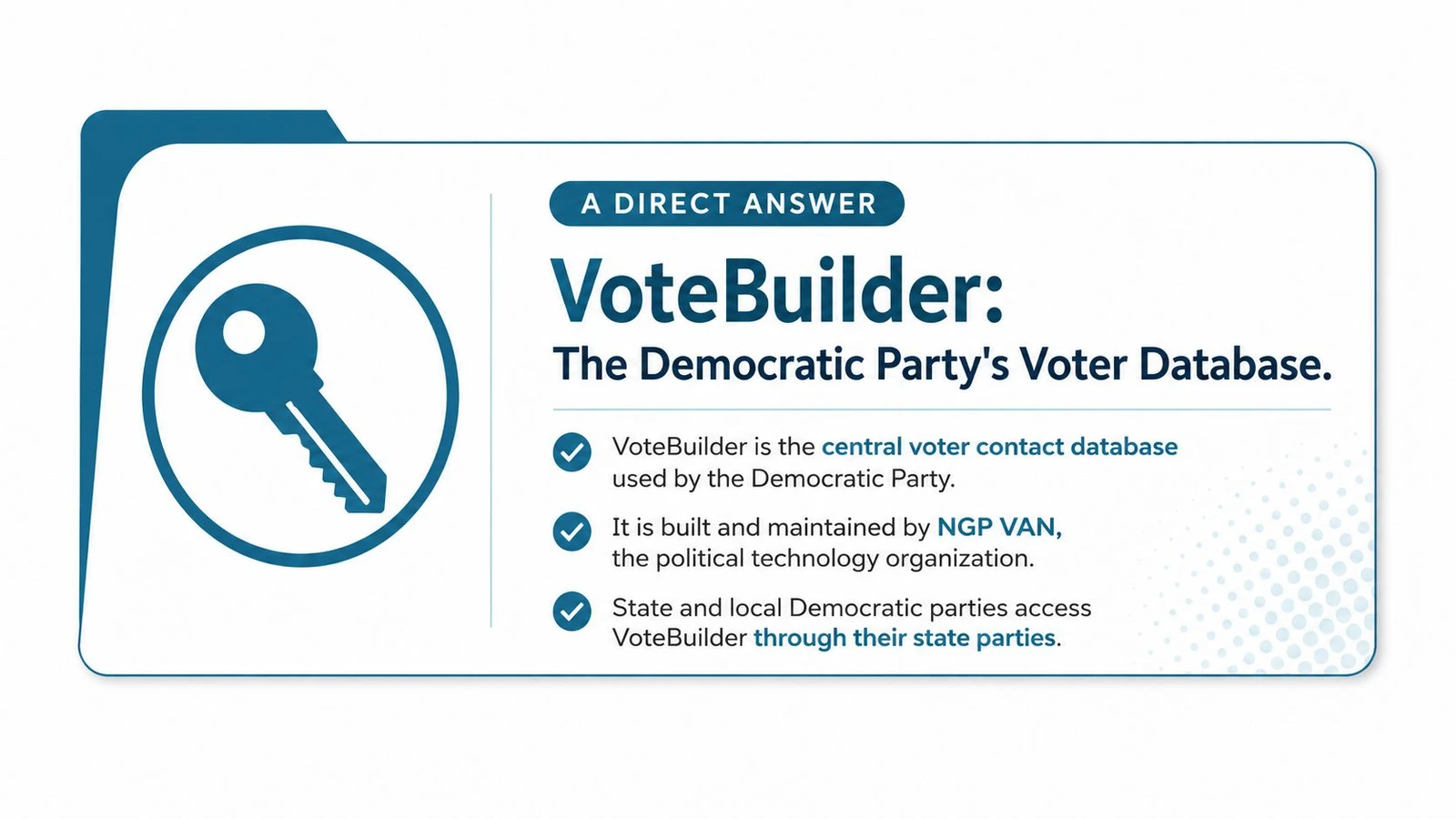
VoteBuilder is the Democratic Party’s voter contact database, built and operated by NGP VAN and granted through state parties. In plain language, it’s where campaigns keep track of who to contact, who already responded, and what field teams should do next.
That also means VoteBuilder isn’t a public signup product. It’s not a general-purpose CRM that any campaign can buy off a website, and it’s not meant for independent candidates who want a self-serve account on their own timetable. Access is tied to party structures, so the first question is usually not “what features does it have,” but “who in my party organization can grant me credentials?”
Practical rule: if someone hands you a login, ask which state party, committee, or campaign office controls it. The answer tells you a lot about what you can see, what you can edit, and what support you’ll get.
The reason this matters is simple. A field team doesn’t just need a database, it needs rules around turf, lists, permissions, and syncing. VoteBuilder sits in that middle layer, so the rest of this guide breaks down the operator, the access structure, the common workflows, and the privacy trade-offs you should know before you start entering voter data.
The Origins and Why VoteBuilder Still Feels Institutional
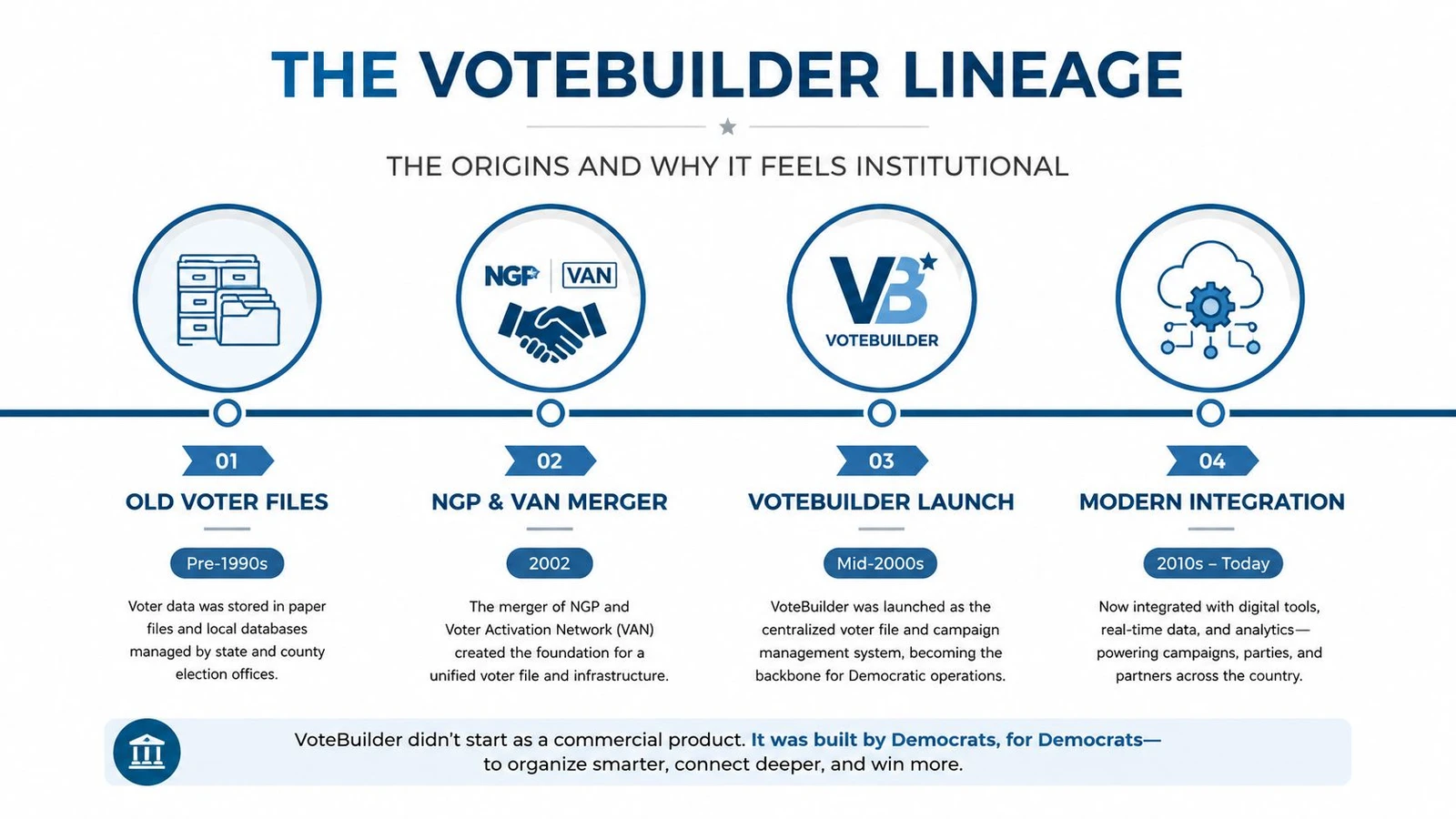
Before VoteBuilder, Democratic campaigns worked with earlier voter file systems like DataMart and Demzilla. Those tools came from a period when separate state systems and older workflows shaped how organizers learned the job, so many veteran staff still think in those terms even when they are using newer screens.
VoteBuilder’s reported rollout in 2007 helped bring the Democratic data environment into one place after the party moved on from earlier databases such as DataMart and Demzilla as described in the historical account of the platform’s rollout. Later reporting described it as a nearly 20-year-old system at the center of Democratic campaign operations per the encyclopedia entry on VoteBuilder’s development.
Why older training materials still circulate
That history explains a lot of day-to-day friction. If a training manual shows a screen that does not match the current interface, the problem is not always bad documentation. Sometimes it reflects staff teaching habits built on earlier versions of the system.
Campaigns do not replace institutional software the way a startup swaps out chat tools. They inherit it, rename pieces of it, and keep working. A field organizer may call VoteBuilder dated, but that feeling usually comes from its place inside party infrastructure, not from a polished public product. The interface has to support legacy workflows, state-specific practices, and a large network of users who expect slightly different things from it.
The oldest systems often survive because every committee already knows how to live with them.
That is why “what is VoteBuilder” can sound simple and still confuse experienced staff. The answer starts with software history, but it ends with campaign culture, because the platform carries the habits of the party that adopted it.
Who Owns It, Who Runs It, and What Pieces Make Up the Stack
The cleanest way to understand VoteBuilder is to split it into three layers. NGP VAN is the vendor that operates the platform. State Democratic parties and recognized partners control access. VoteBuilder is the working label many campaigns use for the system itself, even when they’re really talking about a mix of database, field tools, and state-managed permissions.
That separation matters because campaigns often talk as if everything is one product. It isn’t. The vendor runs the infrastructure, the state party decides who gets in, and the field team uses the tools to move lists, log contacts, and sync canvassing data.
The parts a campaign actually touches
The desktop web tool is where staff manage lists, segment voters, and look at the main database. MiniVAN is the mobile field app that canvassers use on phones or tablets while knocking doors. The VAN API is the integration layer that lets data move into or out of other systems when a team has the right credentials and technical setup.
A practical example helps. A state party might grant a House campaign access for a district it’s supporting. A field organizer can then assign a volunteer through MiniVAN, and an engineer or data staffer can pull contacts through the API into another model or reporting workflow. None of those people are using “VoteBuilder” in exactly the same way, even though they’re all inside the same ecosystem.
| Component | Operated By | Role in the Stack |
|---|---|---|
| VoteBuilder web system | NGP VAN | Main voter contact and list management environment |
| State access layer | State Democratic parties and partner committees | Controls credentials, permissions, and local setup |
| MiniVAN | NGP VAN, through the VoteBuilder ecosystem | Mobile canvassing app for field work |
| VAN API | NGP VAN | Integration layer for syncing and importing data |
VoteBuilder is often described like a brand name, but in practice it behaves more like an institutional utility. The user experience changes depending on who opened the door for you, and that’s why the stack is easier to understand when you ask who runs each layer instead of treating the whole thing like one login screen.
Core Workflows Campaigns Run Inside VoteBuilder
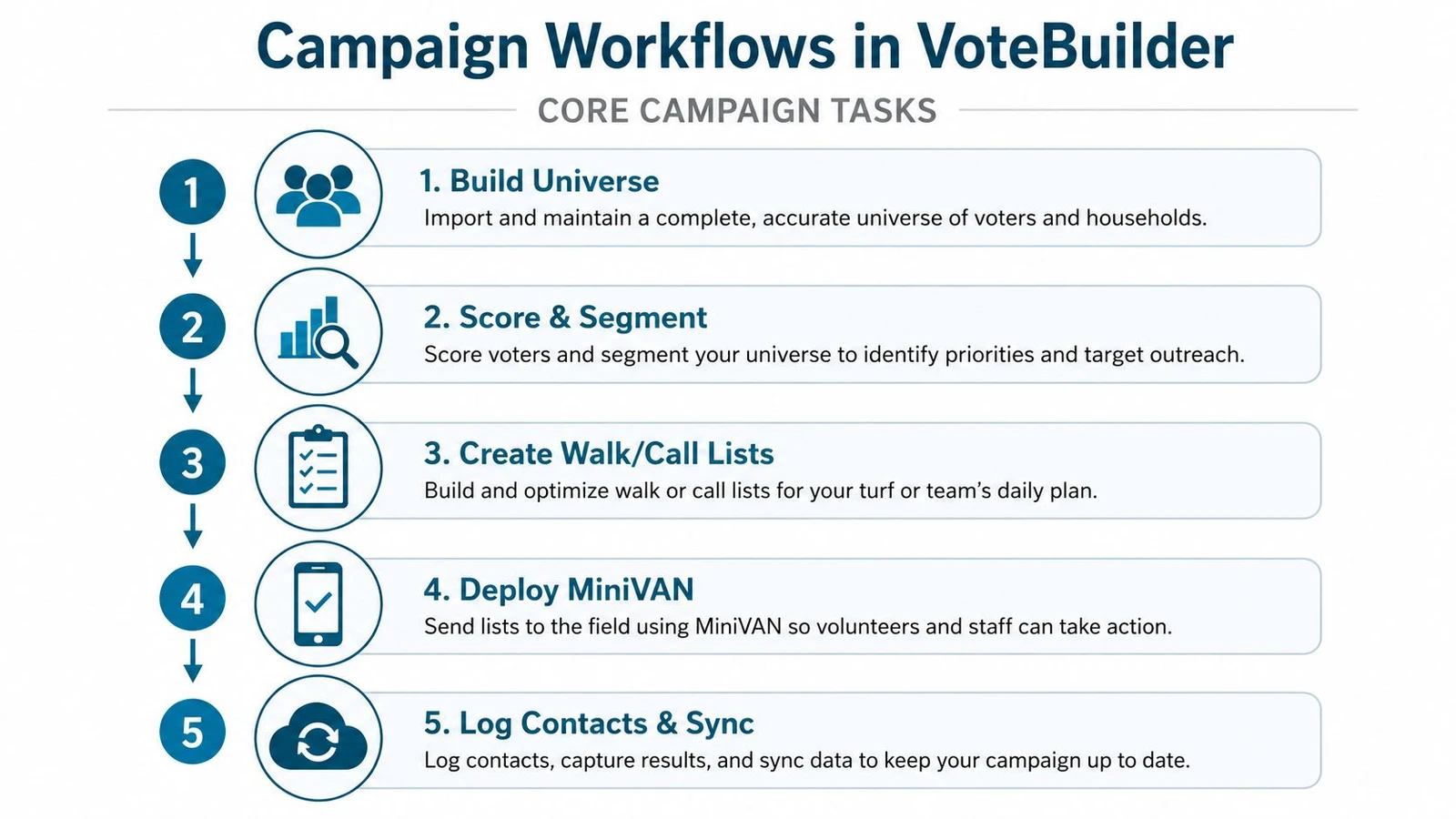
The daily job inside VoteBuilder usually starts before anyone knocks a door. Staff build a universe, which means they cut the voter file into a target group based on geography, turnout history, and campaign logic. One organizer might focus on a neighborhood, another on people who already supported the party, and another on households that need persuasion rather than simple turnout reminders.
From list building to volunteer deployment
Once the universe is set, the campaign turns it into work for volunteers. That can mean recruiting through linked sign-up tools, assigning a turf, and handing the volunteer a list that matches the shift. The point is not just to collect names, it’s to make sure the right people are doing the right kind of voter contact in the right places.
Canvassing is where the loop becomes visible. A volunteer uses MiniVAN to walk a list, record an attempt, mark whether someone answered, and log survey responses. Those results sync back into the central record, so the field team isn’t working from yesterday’s paper sheets or a spreadsheet someone forgot to update.
Phone programs work in a similar way. A caller follows a script, records the result, and updates the same household record that a canvasser may have touched earlier in the week. That shared record keeps the field operation from splintering into separate silos.
Field note: a contact attempt only matters if the result makes it back into the system people actually use for the next shift.
The final step is list pulling for direct mail, digital ads, turnout reminders, and other outside vendors. Campaigns still do a lot of handoff work here, which is why a field director’s job often includes translating one clean voter universe into several different vendor formats.
A volunteer on the ground doesn’t need to know the whole data stack to do their shift well, but they do need to know why the list matters. If the universe is wrong, the walk is wrong. If the contact code is sloppy, the next shift starts with bad information.
Access, Pricing, and API Integration in Practice
The first hurdle for many newcomers is simple. They cannot create a VoteBuilder account on their own. Access usually comes through a state party, a committee, or another recognized Democratic organization, and the approval path can vary by jurisdiction. Two people on different campaigns may both say they “use VoteBuilder,” while having very different login rights and support contacts.
Pricing works the same way, only less visibly. There is no public price list to compare with a commercial software subscription. Costs sit inside contracted relationships with party organizations, so campaigns usually hear about pricing through their state structure rather than through self-serve checkout. For a candidate, that can feel opaque, but it also reflects how the system stays tied to party-managed operations instead of open-market licensing.
Where the API fits
The VAN API is the connection point for technical teams. Official integration guidance shows that campaigns can request an API key from NGP VAN’s API key request guide, and MiniVAN data can be auto-committed back into VoteBuilder every 30 minutes, with reporting fields such as attempts, doors, canvassed, contact rate, and committed or pending status. That sync matters when a campaign wants a nightly walk-list update without manual copying.
A simple campaign use case makes the point clear. A field director finishes an evening canvass, and the next morning the system pushes the updated results into the central record so paid staff can print a new list for the next shift. It is plain operational work, but it keeps voter contact from going stale.
The contrast with a commercial canvassing platform like a commercial canvassing platform like doornoc is straightforward. Those tools are usually purchased directly by the campaign, while VoteBuilder sits behind party-managed access. The login path, the billing path, and the support path are not the same.
| Access Factor | VoteBuilder (NGP VAN) | Commercial Platforms (e.g., doornoc) |
|---|---|---|
| Who can log in | Campaigns and committees granted access through party structures | Campaigns can create their own account through the vendor |
| Pricing visibility | Usually handled through contracted party relationships | Typically tied to the campaign’s own purchase and plan choice |
| API use | Supported through platform integrations and key requests | Often included as part of the product’s integration stack |
| Setup path | Requires party or committee approval | Direct vendor onboarding |
Privacy and Data Governance Questions Most Guides Skip
A volunteer who treats VoteBuilder like a simple contact list can miss the bigger risk. These systems handle sensitive political data, and the privacy questions start with who can view a note, export a file, or keep access after a race ends. The issue is not just how a canvass result gets entered, but who can rely on it later and under what rules.
Independent research on political canvassing apps has flagged privacy and security concerns, and it noted that these tools may process data such as voting history, contact details, opinions, and other sensitive attributes in the Open Rights Group report on political app privacy concerns. Field teams should pay attention because the people entering records are often the first line of defense against careless sharing.
What a volunteer should treat carefully
Keep notes factual and narrow. If a campaign’s rules or state-party policies are unclear, only enter what the outreach script asks for, and avoid adding extra context that sounds useful in the moment but could be read as private household information later. That caution matters even more when a record may include issue preferences or other details that staff use as if they were settled facts.
If you want to understand how broad voter files can be, review a breakdown of voter file data fields, then compare that list with your campaign’s own handling rules before typing anything beyond the assigned fields. The point is not to memorize every possible field. It is to understand that each extra note creates another privacy decision.
Keep the work simple. Enter what the campaign asked for, not what feels useful in the moment.
A few habits reduce mistakes. Use separate devices for volunteer work when possible, lock laptops when you step away, and do not photograph voter screens for convenience. Those steps may feel basic, but they help campaigns avoid accidental leaks, loose access, and complaints that come from storing more than the team needs.
VoteBuilder Compared With Modern Canvassing Platforms Like doornoc
The comparison is really about who controls the work. VoteBuilder sits inside Democratic Party infrastructure, while a commercial canvassing platform like doornoc is licensed straight to the campaign. That changes setup, billing, and how quickly a field team can get people into the system.
The difference shows up in access. In VoteBuilder, party structures mediate login rights, so a campaign works inside a centralized ecosystem and depends on state or committee permissions. With a commercial platform, the campaign usually owns the account relationship and can manage lists and field workflow without waiting for party credentials.
Where each model tends to fit better
VoteBuilder fits campaigns that already operate inside party data and party-run field programs. Shared files, state-managed permissions, and familiar workflows can make that environment easier for staff who are already plugged into it.
Commercial tools usually fit faster onboarding and more direct control. They are often a better match for nonpartisan races, local campaigns outside party structures, or teams that want a mobile-first canvassing app without going through state-party access. doornoc fits that model as a political canvassing platform with route planning, offline data collection, and campaign operations tools.
| Dimension | VoteBuilder | Canvassing Platform (e.g., doornoc) |
|---|---|---|
| Data ownership | Tied to party-managed voter infrastructure | Directly licensed to the campaign |
| Access | Granted through state Democratic parties and related committees | Campaign opens its own account |
| Pricing | Contracted through party relationships | Clearer product-level purchasing model |
| Field workflow | Strong fit for party-based voter contact programs | Strong fit for fast onboarding and mobile canvassing |
A campaign that wants a centralized party database usually lands on VoteBuilder. A campaign that wants a field tool it can control directly usually has an easier time with a commercial platform, especially when the race does not sit neatly inside party-managed access.
Next Steps and Resources by Reader Type
If you’re a candidate or campaign manager, start with your state Democratic Party’s data or technology director. That office usually controls credentials, onboarding, and local access rules, so it’s the fastest path to learning what your campaign can use.
If you’re a volunteer, ask your local county committee or state organizing hub where training happens. Candidate schools, field bootcamps, and party-organized trainings are usually the most useful entry points because they explain the specific login process and the volunteer workflow together.
If you’re comparing tools, ask for a demo environment from both a party-connected stack and an independent vendor. Then test the same tasks in each one, building a list, assigning a turf, logging a contact, and reviewing the reporting fields. That side-by-side test tells you more than any sales pitch.
For follow-up reading, use NGP VAN’s official product pages, your state party website, and independent voter data research. Those sources will give you the clearest picture of what’s official, what’s local, and what’s still open to interpretation.
If your campaign needs a standalone canvassing setup that handles route planning, offline field work, and voter list workflows without depending on party credentials, doornoc is built for that kind of field operation. It’s a practical option to compare against VoteBuilder when you want direct account control and a modern canvassing workflow.