
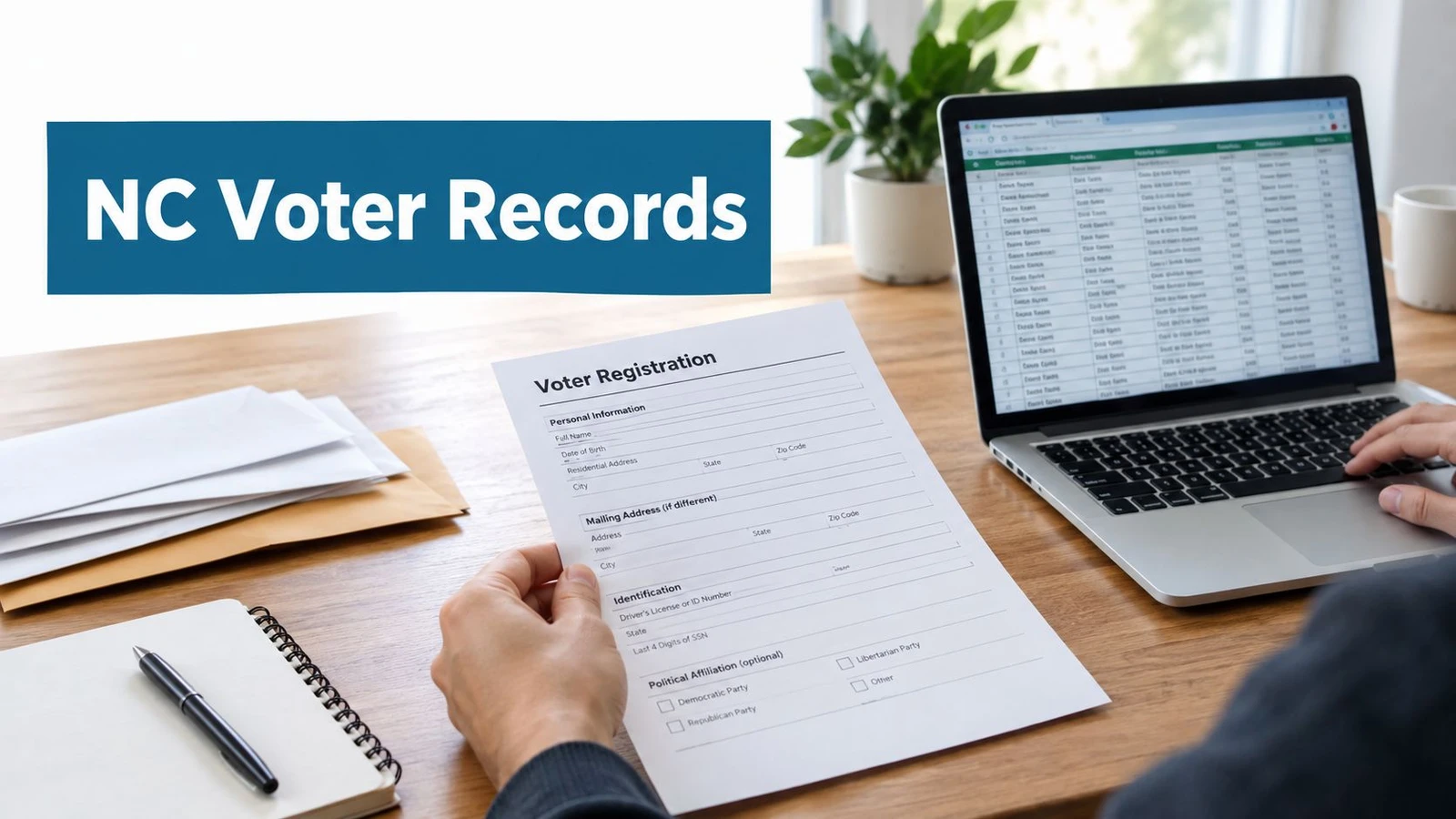
A campaign team pulls the North Carolina file, loads the rows into a turf plan, and then hits the same wall every cycle. Some records are clearly current, some are stale, some match the field list cleanly, and some look right until the precinct assignment or history window fails verification. NC voter records are public in a broad sense, but operationally they behave like a living system, not a static spreadsheet.
That difference matters before canvass launch, before ballot chase, and before any post-election analysis. North Carolina’s statewide record set is continuously maintained, its voter history is separated from registration data, and county-level workflows don’t all move on the same schedule. A team that treats the file as one clean download usually spends the next week cleaning up avoidable mismatches.
Why NC Voter Records Need a Real Strategy
The first mistake is assuming the phrase NC voter records refers to one file with one use case. In practice, campaigns and researchers usually need a registration snapshot, a turnout history file, or an individual lookup, and each one serves a different operational purpose. North Carolina also maintains voter data continuously through a statewide system, so the file you pull today can’t be treated as permanent.
The day-one friction is usually operational, not legal
A field director often needs the data for one of three moments. The team is either building a pre-canvass universe, segmenting turnout targets for GOTV, or pulling post-election history for analysis. Each of those uses requires a different level of detail, and that’s where the friction starts.
Practical rule: never build the walk program first and ask questions about the source file later. The file structure, update cadence, and allowed fields need to be settled before anyone starts assigning doors.
North Carolina’s state board says registration statistics are updated every Saturday, with data available by county and by demographic categories such as party, race, ethnicity, and gender, and the system keeps current voter-level records plus historical snapshots for long-range analysis. That means the file is useful for longitudinal work, but only if the team understands what’s current, what’s historical, and what’s been removed or marked inactive. The source of truth is the statewide system, but county boards still matter when a record needs local correction or verification, which is why county operations never feel perfectly uniform.
The main workflow decision is simple to name and easy to get wrong. Pull the official data, buy a matched file, or combine both. Each choice changes how much time the team spends on geocoding, deduplication, and refresh management after delivery.
The Three Official NC Voter Record Products
The term NC voter records covers three distinct products, not one. Treating them as interchangeable causes matching problems, bad assumptions about history, and wasted time when the field team tries to route voters by precinct or turnout behavior. The state’s public lookup, its registration file, and its voter history file solve different problems.
Voter search, registration data, and voter history are not the same thing
The public voter search tool is the fastest way to verify a single person’s status, precinct, district, sample ballot, and history fields through the statewide lookup system. It’s built for lookups, not for bulk work, so it’s useful when a volunteer, organizer, or analyst needs to confirm one record at a time. The registration data file is the bulk product, and it contains the administrative backbone of the statewide list, including core registration and district fields for qualified users.
Voter history is separate because it documents participation, not how someone voted. That distinction matters in the field, because turnout history can support targeting and follow-up while ballot confidentiality remains protected. The state’s materials also make clear that the records are updated continuously and that historical coverage is deep enough for longitudinal analysis, which is exactly why teams should avoid collapsing all three products into one working file.
| Product | What It Contains | How You Get It | Typical Use |
|---|---|---|---|
| Voter search | Individual status, precinct, district, sample ballot, and history lookup fields | Public web tool | One-off verification and issue resolution |
| Registration data | Bulk registration details and administrative fields | State request process for qualified users | List building, segmentation, analysis |
| Voter history | Participation by election, not ballot choice | Delivered as a separate history product or bundled with registration snapshots | Turnout modeling and post-election review |
The practical takeaway is that a campaign should decide up front whether it needs lookup, bulk extraction, or both. A team that asks for the wrong product first usually ends up reformatting the file later, which is slower than requesting the right data structure at the start.
Where to Actually Request the Records
The first place to go is the statewide voter search when the question is about one person, one address, or one status check. That path is useful for rapid verification, but it’s not the route for a canvass universe or a full analysis build. Once the need is bulk data, the process shifts to formal request channels and county coordination.
Start with the state, then use the county when the record needs local resolution
County boards still matter because North Carolina’s system is distributed across 100 counties, and intake details can differ by office. For a certified copy, a local subset, or a record that needs jurisdiction-specific review, the county board is the place to contact. For statewide work, the state board’s bulk request process is the cleaner route because it’s built around the official statewide system.
The bulk path usually requires a data request form and a use agreement before a file is released. That matters because the workflow isn’t just about obtaining rows, it’s about agreeing to the rules attached to those rows. Teams should plan their timing around election calendars, not the other way around, because the gap between request submission and delivery can affect whether the file is still aligned to the mobilization window.
A useful operating habit is to split the request plan into three checkpoints.
- Lookup first: confirm whether the need is a single-record check or a bulk extract.
- Local second: use the county board when a record looks wrong or the case is jurisdiction-specific.
- Bulk third: submit the statewide request only when the team has the handling process ready.
That sequence saves time because it prevents a common failure mode, pulling a large file before the team knows how it will be cleaned, matched, and refreshed. It also keeps local corrections from getting buried inside a statewide list upload.
What Is Public and What Is Exempt
A lot of teams hear that voter registration is public record and assume that means unrestricted access. That assumption is wrong in practice. North Carolina says most voter information is public, but it also exempts fields such as full Social Security numbers, dates of birth, driver’s license numbers, certain public-agency registration details, and military-overseas voter email addresses, and a voter’s signature can be viewed but not copied or traced.
Public doesn’t mean everything is downloadable
The public lookup experience is intentionally narrower than the full bulk file. That’s by design, because the state separates search access, registration data, and voter history data into different channels. The practical question isn’t just whether the data is public, it’s what can be seen in a lookup, what can be obtained in bulk under a signed agreement, and what stays exempt no matter who asks.
For teams that build workflows on top of the file, the boundary lines matter more than the headline. Bulk users need to confirm the handling terms before they build uploads, merge rules, or field list exports around the file. The wrong assumption can turn into an avoidable compliance issue, especially when the downstream workflow is designed for canvassing or targeting rather than simple reference work.
| Data Field | Public Lookup | Bulk File, Signed Agreement | Exempt |
|---|---|---|---|
| Name and address | Yes | Yes | No |
| Registration status and precinct | Yes | Yes | No |
| Party affiliation | Yes | Yes | No |
| Voter history participation | Yes, where available | Yes | No |
| Full Social Security number | No | No | Yes |
| Driver’s license number | No | No | Yes |
| Date of birth | No | No | Yes |
| Signature | Viewable, not copyable or traceable | Restricted | Protected from reuse |
| Race, ethnicity, gender | Not as raw individual lookup fields for general reuse | Restricted in bulk use, aggregate requests are the safer path | Limited for open reuse |
For a practical field reference on how record fields typically break down, see this voter-file field guide. The lesson is simple. Public status is not the same as unrestricted redistribution, and a campaign workflow should respect that difference before any file ever reaches the canvass team.
DIY Files Versus Paid Voter Data Services
A campaign usually ends up choosing between two workable paths. The first is to pull the official state file and do the cleaning, matching, and routing in-house. The second is to use a paid data layer that wraps the same voter base in enrichment, modeled scores, and formats that are ready for field systems.
The trade-off is control versus convenience
The DIY route gives the team the freshest state snapshot and direct control over refresh cadence. It also avoids per-seat subscription overhead, which can matter when the data team wants to reuse the same statewide file across multiple programs. But that control comes with real labor, because the file still needs geocoding, deduplication, history joins, and a process for cross-county updates.
The paid route reduces that burden. It usually adds address normalization, modeled turnout or partisanship outputs, householding, and exports designed for canvass applications. The downside is that the vendor layer can lag the state file, and the campaign is also accepting the vendor’s rules for sharing, licensing, and downstream use. For a team that needs speed, that convenience can be worth it. For a team that needs the newest registration snapshot, it can be a problem.
The choice also affects file hygiene after import. A bought list can make deliverability and list quality easier to break if the source isn’t maintained well, which is why teams that rely on purchased data should read why buying a list hurts deliverability before they assume the file will stay clean on its own.
| Dimension | DIY State Board File | Paid Voter Data Service |
|---|---|---|
| Freshness | Closest to the state system | Can lag behind the state |
| Control | Full control over the workflow | More limited, depends on vendor rules |
| Geocoding | Must be done in-house | Usually pre-cleaned |
| Matching | Built by the campaign | Usually built in |
| Turnout and modeling | Must be created or joined separately | Often included |
| Field integration | Needs custom export work | Usually ready for canvassing apps |
| Cost structure | No per-seat data layer, but more labor | Licensing and recurring fees |
For a broader buying workflow overview, see this guide to voter data acquisition. One practical option is to use the state file for the authoritative base and a downstream layer only where the campaign needs enrichment. That keeps the core record tied to the source of truth.
Cleaning and Matching an NC Voter List for Canvassing
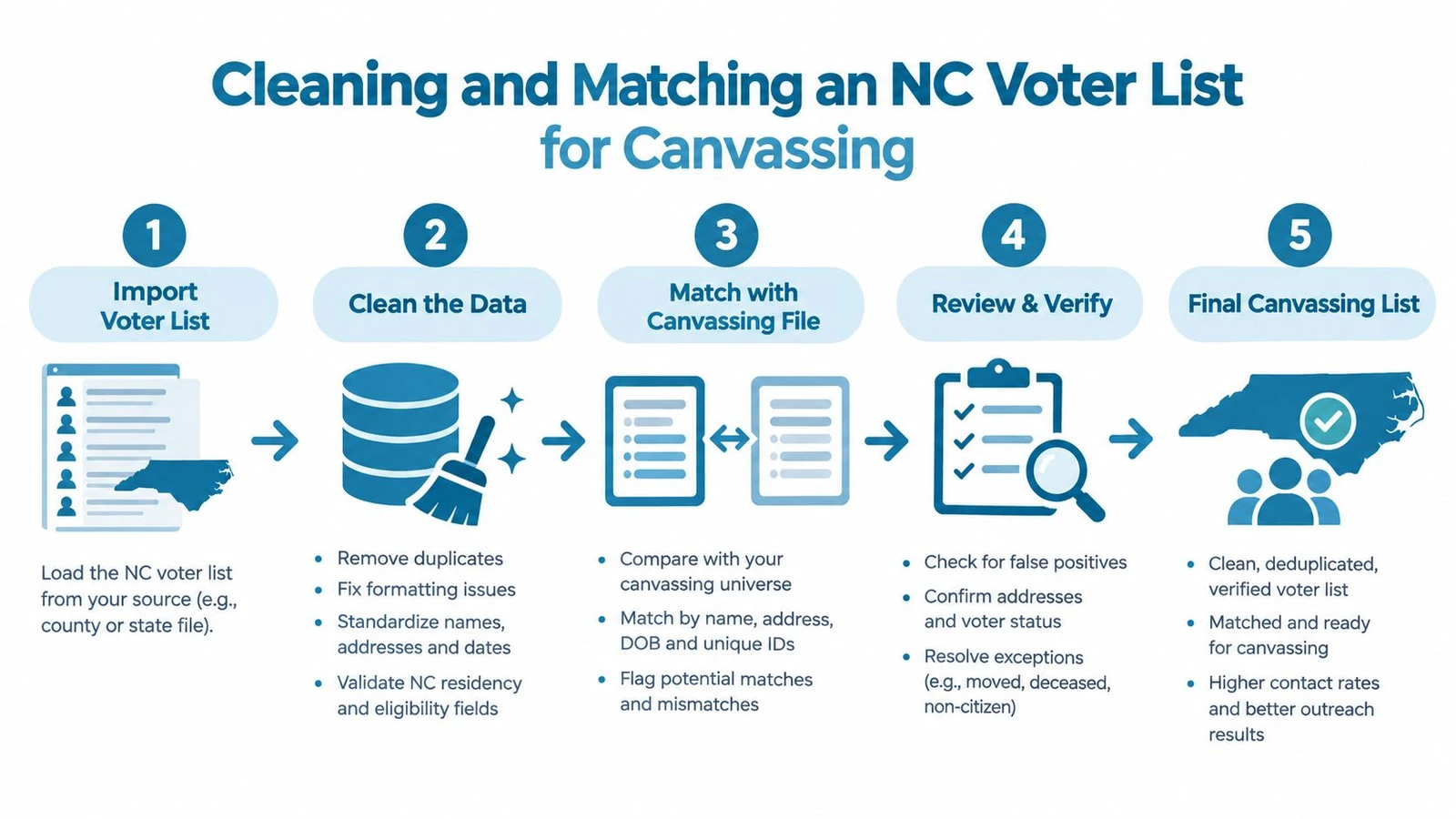
A usable walk file starts with address cleanup, not persuasion strategy. If the address format is inconsistent, precinct assignment and route planning will drift fast, especially when the same street appears in multiple county formats or a boundary split sits on a municipal line. The file has to be standardized before anyone tries to walk it.
Clean first, then match, then route
USPS-style normalization should happen before geocoding so that the rows line up with the actual door locations the canvass team will see in the field. After that, the list should be geocoded against a current parcel or street-centroid layer so precinct splits and municipal boundaries can resolve cleanly. The registration ID should be the deduplication key, not name and address, because name-only matching creates false merges and missed duplicates.
A sensible history check uses a rolling window rather than an abstract score. Analysts should compare recent participation patterns against the cycles they care about most, then separate likely regular voters from low-frequency voters and non-voters. Ambiguous matches should be quarantined for human review, not forced into the walk export just to fill a turf.
A canvass file is only as good as the worst unmatched row that got pushed through anyway.
When the list is ready for the field, split it by party, turnout logic, and doorability, then keep the unmatched tail separate. For practical route design and field workflows, OnRoute canvass optimization is a useful reference point for how route structure affects daily execution. If the team wants a quality-control checklist for the file before doors go out, this canvassing data fix guide is a helpful companion.
Keeping the File Useful After You Download It
A downloaded voter file only stays useful if the team treats it like a living asset. North Carolina’s maintenance program is continuous and systematic, so the working list has to be refreshed on a schedule instead of assumed stable. When the source changes, the campaign file needs a versioned update, not just a new export saved over the old one.
Refresh around the moments that actually move records
The highest-value refresh points are the regular county update cycle, any major purge or remediation pass, and the period right after an election cutoff when history rows settle. Address changes can shift precinct assignments, voters can move across counties, and a record that looked clean last month can become misleading by the next pull. A row that still exists isn’t necessarily a row that still belongs in the same walk universe.
| Field | What to Re-check | Refresh Trigger |
|---|---|---|
| voter_id | Duplicate IDs, county changes, inactive status | Each new statewide pull |
| county | Jurisdiction changes after moves | County update or re-pull |
| status | Active, inactive, removed | Maintenance update or purge notice |
| last_update | Whether the record changed since the last export | Every refresh cycle |
| history_2016 | Participation row present or absent | After history files update |
| history_2020 | Participation row present or absent | After history files update |
| history_2024 | Participation row present or absent | After the latest election history posts |
A concrete example helps. If a row shows a stable voter ID but a new county, a different status, and a changed last update stamp, that row needs re-verification before it goes back into the same canvass universe. If a record has a history gap where the team expected a turnout row, the safest move is to flag it rather than infer the missing data.
The operating discipline is straightforward. Keep versioned snapshots, maintain a match log, and refresh on a standing schedule. That’s what keeps NC voter records useful after the first download, instead of turning them into a stale list that still looks official but no longer routes cleanly.
If your team needs NC voter files turned into a clean walk program, doornoc helps campaigns upload lists, match voters to addresses, and route doors without rebuilding the process from scratch. Visit doornoc to see how its canvassing workflow can support list handling, field execution, and voter-contact programs built around North Carolina records.
Looking for a tool to run this? doornoc’s canvassing software bundles voter data, automatic turf cutting, the mobile app, and live reporting in one platform.