

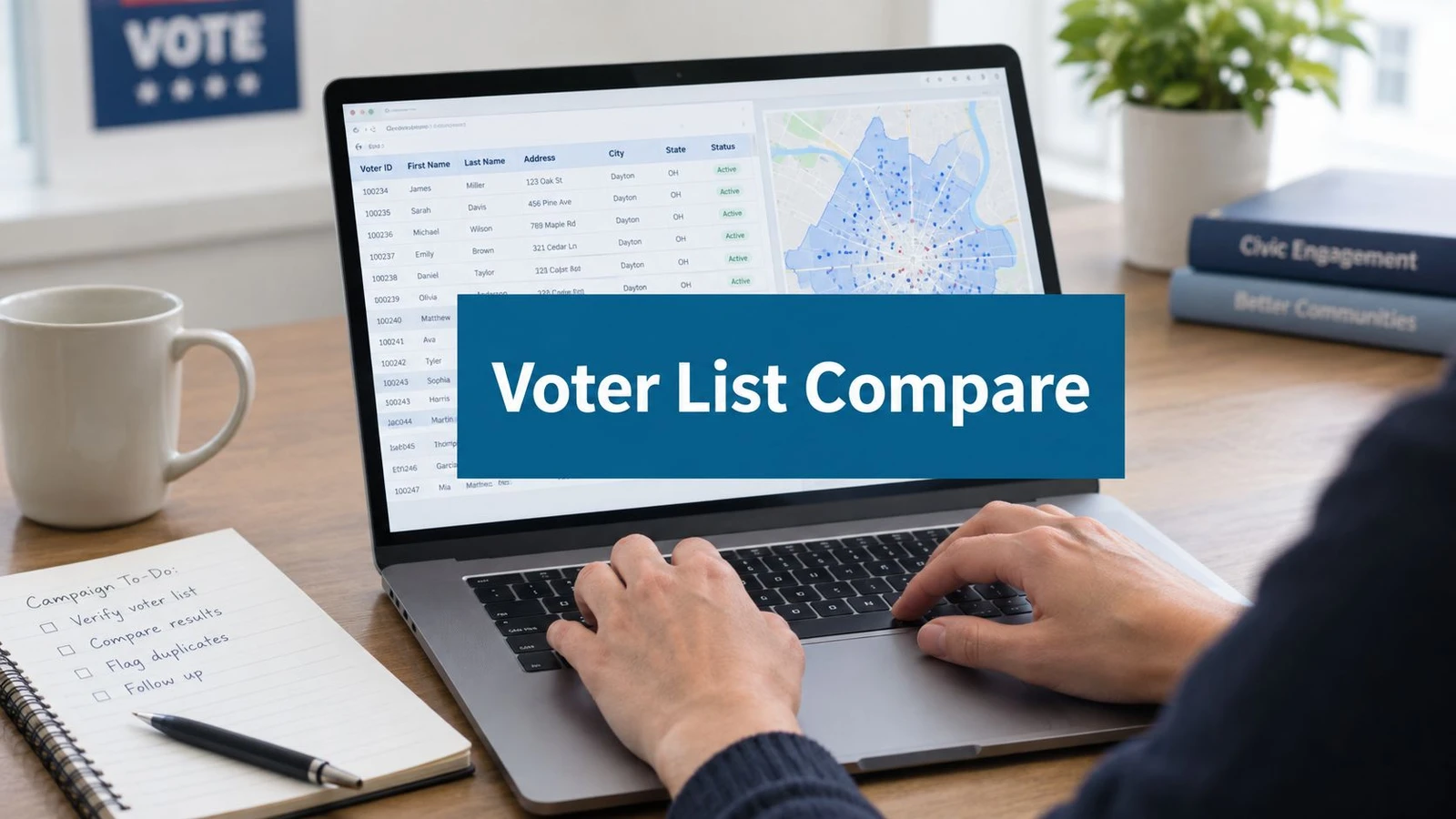
A field director opens a voter file on Tuesday night and expects a walk list by dinner. Instead, the team has a large spreadsheet, inconsistent street names, duplicate records, missing apartment details, and addresses that won’t map cleanly. The data volunteer spends the evening reconciling columns while organizers wait for turf assignments.
That gap, between a voter record and a usable door, is where most campaign data budgets disappear. Voter list management software should be judged by how reliably it turns raw records into assigned, walkable, trackable field work, not by how many filters appear in a product demo.
The buying decision comes down to four tests: matching fidelity, filtering depth, pricing transparency, and canvassing integration. Each model below handles those priorities differently.
The Voter List Problem Most Campaigns Underestimate
A legitimate voter file isn’t automatically a campaign-ready file. It may contain registration records, turnout history, district identifiers, and contact fields, but field staff still need to clean the data, resolve identities, validate addresses, assign geography, and create a route that a volunteer can follow from a phone.
The first mistake is treating import as a clerical task. A campaign may upload a CSV, see rows populate, and assume the work is finished. In practice, an unmapped column can disappear from the workflow, a shared household can create confusing contact records, and a small address variation can prevent a voter from joining the right turf.
Four tests for a serious buying decision
Matching fidelity determines whether a signup, supporter record, or canvass response connects to the correct voter. The software should show how confidently it matched records and give staff a way to review uncertain pairs rather than making every decision without oversight.
Filtering depth determines whether the campaign can build a defensible target universe. State, precinct, party, prior participation, household, and geography may all matter, but a useful system also needs nested logic and saved segments that staff can share without rebuilding every query.
Pricing transparency matters because a cheap record can become expensive after minimum orders, enrichment charges, geocoding fees, storage limits, and manual cleanup. The campaign should price the workflow through completed doors and usable contacts, not through the vendor’s smallest line item.
Canvassing integration is the operational test. A filtered universe has value only when it becomes a route, reaches a canvasser’s device, records an interaction, and returns to the master file without version confusion.
Practical rule: A voter list isn’t ready until a field organizer can open it, understand the turf, reach the doors offline if necessary, and sync the result without a data administrator standing beside them.
India’s electoral infrastructure illustrates the scale modern list systems must support. The Election Commission introduced EPIC cards in 1993, began computerization of electoral rolls in 1997, and decided in 1998 to computerize the entire rolls of 620 million voters. By 2017 to 2018, ERONET had become a unified national platform, and the Election Commission says the national photo electoral roll covers 92 crore electors, with ERONET handling close to 8 crore forms per year. The Election Commission presentation on ERONET and related applications shows why centralized governance, standardized workflows, and high-volume transaction processing belong at the center of the buying conversation.
Three Models of Voter List Management Software
Campaigns usually choose among three operating models. Each solves a different bottleneck, and confusion starts when a campaign buys a maintenance product for an acquisition problem or a field app for a modeling problem.
| Model Type | Primary Strength | Pricing Logic | Best Fit |
|---|---|---|---|
| Per-record data shop | Data depth and targeted pulls | Pay for matched or appended records, often with order minimums | Campaigns needing a specific universe or one-time refresh |
| Subscription platform | Ongoing list access and hygiene | Seat, file, or recurring access fee, sometimes with record charges | Teams that query and refresh data continuously |
| Integrated canvassing suite | Fast movement from list to field action | Platform or user subscription, with data often bundled or connected | Campaigns where turf, contact logging, and reporting are the main bottlenecks |
Per-record data shops
This model gives a campaign a file, an API response, or a targeted match. It tends to offer the deepest control over what gets pulled, especially when the campaign needs unusual combinations of geography, participation history, or modeled attributes. The trade-off is operational ownership. Staff still need to normalize the data, manage versions, geocode addresses, and move the result into the field system.
This is a sensible choice for a small race with a defined universe and a clear one-time need. It becomes awkward when the target changes every week and every new query requires a fresh export.
Subscription platforms
A subscription platform keeps the data environment available for repeated use. Staff can save audiences, update universes, and give multiple users access to the same working file. That makes it attractive for campaigns with recurring outreach, coalition partners, or a data team that needs ongoing list hygiene.
The limitation is flexibility. A web interface can simplify routine segmentation while restricting unusual combinations that require custom logic or scripting. Buyers should test the exact filters the campaign uses, not accept a generic demonstration.
Integrated canvassing suites
An integrated suite prioritizes activation. The system connects voter records, turf creation, mobile canvassing, contact history, and reporting in one workflow. This model sacrifices some data depth when compared with a specialist data environment, but it reduces the handoffs that cause field teams to knock the wrong doors or report against an outdated universe.
The right model depends on the constraint. Data acquisition, list maintenance, and field activation are different jobs. The product should match the job that currently slows the campaign.
Importing, Matching, and Geocoding the File
The import pipeline is where voter list management software either earns trust or creates invisible errors. Campaign managers should walk through each stage with a test file before signing a contract.
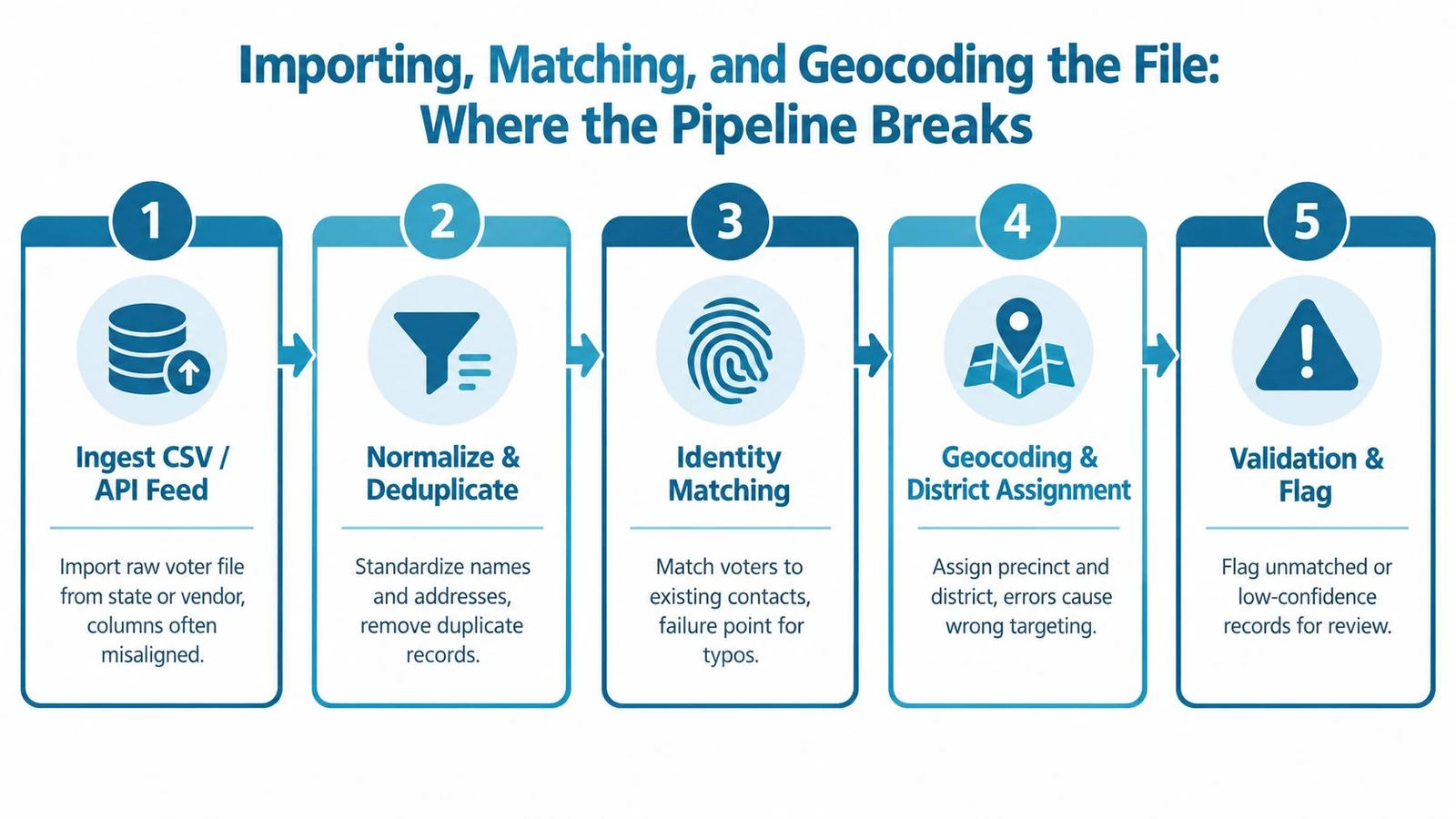
Stage one starts with ingestion
A state file, vendor export, volunteer signup sheet, or donor file rarely uses identical column names. One source may call a field street_address, another may split house number and street, and another may place the full address in one cell. Date formats, party labels, precinct codes, and phone fields create similar problems.
Good software maps columns visibly and reports what it couldn’t interpret. Silent omission is unacceptable. If the system can’t tell staff that a field was ignored, the campaign may build a segment without realizing its most important variable never entered the database.
Identity resolution needs evidence
Matching can use name, address, registration identifier, household information, or a probabilistic score. Exact matching misses legitimate variations, while overly aggressive fuzzy matching can merge two people with common names or similar addresses.
A reliable workflow displays a match confidence score, preserves the source values, and supports bulk review of low-confidence pairs. Staff should be able to accept, reject, or defer a match while retaining an audit trail. That review process matters more than a vendor’s claim that its matching is automatic.
Geocoding should flag problems, not erase them
The software must convert addresses into usable map locations and assign precinct or district geography. Rural routes, apartment buildings, new developments, and postal boxes are common failure points. A system that drops an unmapped address creates a false sense of cleanliness while shrinking the field universe.
The better pattern is to retain the voter, flag the geocoding issue, and provide a correction path. Campaigns evaluating an integrated workflow can review doornoc’s voter file upload process against these requirements.
A practical import test should ask staff to upload a deliberately messy sample and inspect the result. The review should cover retained columns, duplicate handling, confidence visibility, unmatched addresses, district assignment, and the final walk-list output.
Filtering by State, Race, Party, and Turnout History
Filtering turns a broad file into a working universe. The key question isn’t whether a platform has filters. It’s whether a field director can combine them quickly, save the result, share it, and send it directly to a route-building workflow.
A campaign might need residents inside a defined geography who belong to a particular party, show a selected participation pattern, and meet a household or contact condition. That query should produce a stable segment with a clear definition. If staff must export, edit, re-import, and rebuild turf after every change, the campaign has bought a database, not an operating system.
| Filter Type | Per-Record Data Shops | Subscription Platforms | Integrated Canvassing Suites |
|---|---|---|---|
| State and geography | Usually strong in the supplied file or API pull | Usually available in the maintained environment | Typically tied directly to turf and map geography |
| Race or ethnicity | May use modeled or registry-derived fields, depending on source | Often available with field-specific permissions and definitions | May be available, but depth varies by connected data source |
| Party | Usually supplied as a file field or selection parameter | Commonly available for saved audiences | Useful when connected directly to route creation |
| Turnout history | Often a major strength, with detailed historical fields | Available for repeated segmentation, subject to platform design | Often optimized for practical targeting rather than deep modeling |
| Nested Boolean logic | Can require scripting or a new pull | Usually available through a query interface | Valuable when it flows straight into a walk list |
| Saved and shared segments | Often managed outside the delivered file | Usually a core workflow feature | Most useful when staff and canvassers see the same live universe |
Race and ethnicity fields deserve particular scrutiny. Some systems use modeled values, some rely on registration information where available, and some don’t include the field. Campaign managers should ask how the field was created, how uncertainty is represented, and whether its use complies with applicable law and campaign policy.
The same discipline applies to turnout history. A label such as “high propensity” may hide the underlying definition. Buyers should request the actual field names, date coverage, missing-value behavior, and update process.
The operational filter test
Run three real queries before purchase:
- Geographic test: select a small, defined area and confirm that every resulting record belongs there.
- History test: combine participation conditions and inspect several records manually.
- Sharing test: save the segment, give it to another staff member, and confirm that both users see the same criteria and record count.
The strongest system makes a target universe reproducible. The weakest one makes every filter change a new spreadsheet project.
Pricing Models Compared Per Record vs Subscription
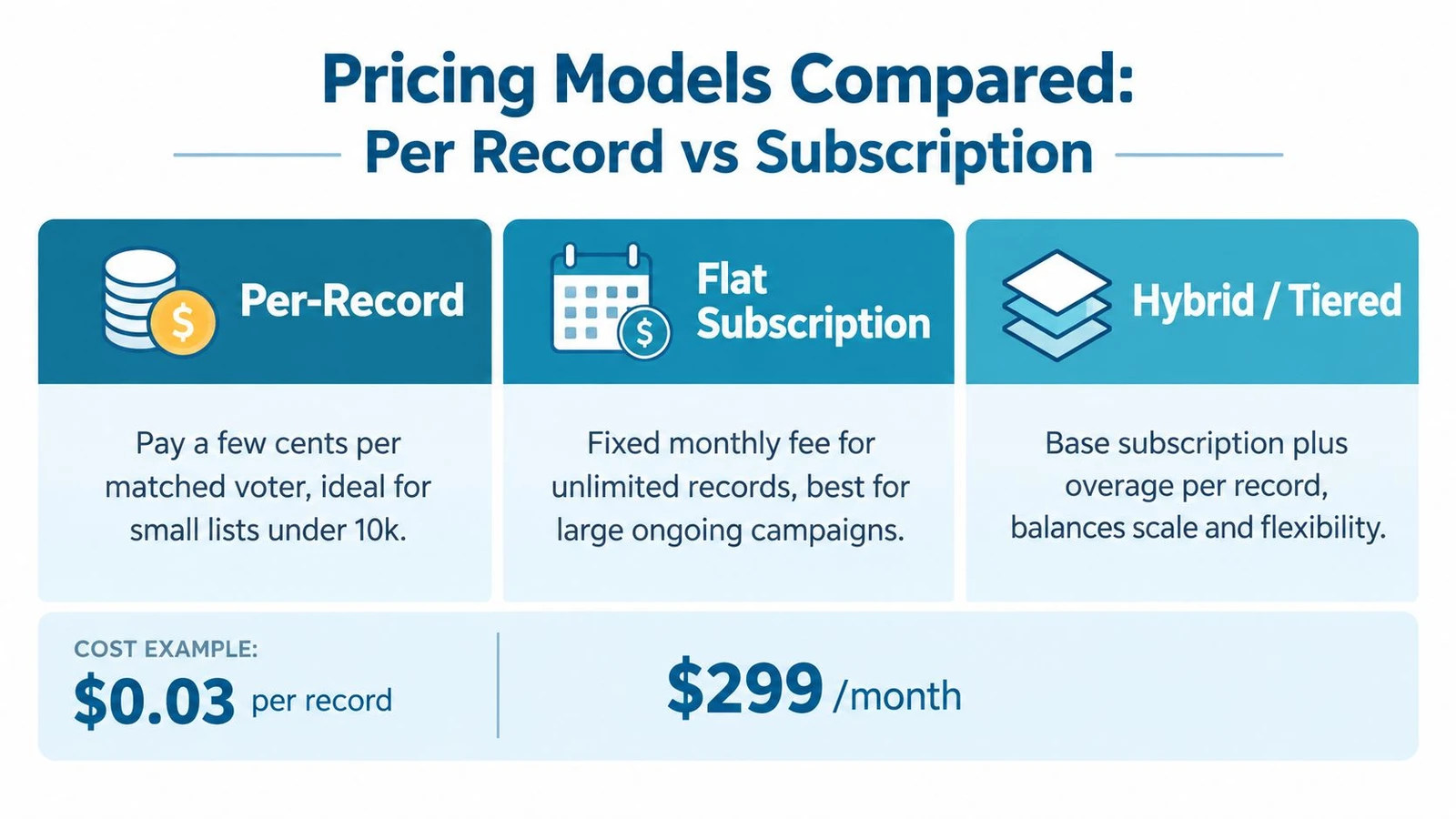
Pricing is often presented as a feature comparison, but campaign cost follows workflow volume. A per-record file can be efficient when the target is narrow. It becomes painful when staff repeatedly refresh a large universe. A subscription can look expensive at the start while reducing repeated purchasing and manual reconciliation.
Per-record pricing
Per-record pricing aligns payment with the number of matched or delivered records. It suits a campaign that needs a narrow universe, a defined append, or a single targeted pull. The quote should still disclose order minimums, match definitions, refresh rules, and whether rejected or unusable records count.
The risk is refresh friction. A campaign that changes its targeting regularly can pay repeatedly for similar data and spend staff time reconciling each new file.
Subscription pricing
A subscription charges for access, seats, a maintained file, or a recurring service layer. It makes more sense when staff query the data continuously, when several teams need shared access, or when the campaign requires a standing maintenance process.
The contract needs careful reading. Buyers should ask about user limits, state coverage, update timing, exports, API access, historical contact storage, and support during election periods. A recurring fee isn’t transparent if the campaign can’t predict the cost of ordinary operations.
Hybrid structures
Hybrid pricing combines a base platform charge with record, enrichment, export, or usage fees. It can balance flexibility and scale, but only if the overage rules are clear. A buyer should request a written example using the campaign’s expected workflow, including re-imports, geocoding, phone or email append, and staff access.
The comparison of voter data vendors and pricing approaches can help structure that vendor conversation, but the campaign still needs its own scenario.
Budget test: Convert every quote into a cost per voter reached, completed route, and usable contact. The record price alone won’t show what the field program actually pays.
The contract should also address privacy redaction, access roles, retention, deletion, and audit logs. The U.S. Election Assistance Commission materials emphasize that officials should retain control of voter records, use privacy-redacted outputs when appropriate, and rely on access controls and auditability rather than broad data sharing. The PairWise overview on voter list maintenance and data governance captures the governance questions buyers should ask before giving an outside system access.
Why Integration With Canvassing Changes the Decision
The decisive metric is not the cost of a record. It’s the time between selecting a universe and seeing a clean, assigned route on a canvasser’s phone.
A standalone stack creates a chain of handoffs. Staff export a file, import it into a field application, cut turf, distribute assignments, collect results, export contact attempts, and reconcile those results with the source file. Each handoff creates an opportunity for duplicate records, changed filters, missing columns, and conflicting versions.
An integrated workflow keeps the list and the field operation connected. A field director can change a participation filter, regenerate turf, distribute the revised assignment, and receive contact results into the same working environment. The campaign sees who has been attempted, which routes remain open, and where the universe needs review.
What integration buys the field team
Fewer wrong doors. Geocoding, precinct assignment, household grouping, and route construction happen against the same record set.
Faster iteration. A message test or turnout push can create a new target segment without waiting for a data administrator to rebuild an import.
Cleaner reporting. Organizers report against the same universe that managers use for planning, reducing disputes over whether a route was complete.
Lower training burden. A separated stack requires someone who understands data administration and someone who understands turf. An integrated stack lets the field lead handle more of the routine work.
Offline capability matters as well. Canvassers may work in neighborhoods with weak connectivity, so the mobile workflow should preserve contact capture and synchronize when the device reconnects. Any system evaluation should include an actual offline test, not just a product demonstration.
There are legitimate reasons to keep a specialist data environment separate. A coordinated operation may need advanced modeling, cross-committee permissions, or custom data engineering. For a campaign whose central problem is getting volunteers and paid canvassers to the right doors, however, integration usually matters more than a marginal difference in record price.
For teams troubleshooting broken handoffs, campaign data synchronization solutions provide a useful diagnostic frame. The central question remains simple: can a change made by the data team appear in the field workflow without manual reconstruction?
Matching the Right Model to Your Campaign Type
Campaign size helps, but it isn’t enough. The better decision uses three operational variables: volunteer count, door goal, and reporting demands. A small campaign with complicated compliance reporting may need stronger controls than a larger campaign with a simple neighborhood universe.
| Campaign Profile | Door Goal | Recommended Model | Example Tools |
|---|---|---|---|
| Volunteer-led local race | Defined neighborhood universe | Per-record data source plus a canvassing workflow | Data provider and field app |
| County or state legislative campaign | Repeated district-wide targeting | Subscription platform | Maintained voter data environment |
| Coordinated paid field operation | Large, changing universes across teams | Integrated canvassing suite | Unified data and field platform |
| Advocacy or constituent contact program | Ongoing list updates and mixed audiences | Integrated suite with configurable imports | Canvassing and constituent workflow |
Small local campaigns
A volunteer-led municipal campaign usually benefits from a narrow, clean pull rather than a broad recurring contract. The staff should define the doors first, purchase only the required universe, validate the addresses, and move the result into a simple field workflow.
The main danger is overbuying. Deep modeling won’t compensate for a campaign that lacks enough organizers to use it or a process to review the resulting records.
Mid-sized campaigns
A county or state legislative campaign with recurring outreach needs a maintained environment. Staff may need to re-query the same geography for persuasion, turnout, volunteer recruitment, and follow-up. Subscription access can reduce repeated file handling, provided the platform supports the campaign’s actual query logic and export requirements.
The buyer should prioritize update governance, shared segments, permissions, and reporting consistency. A model is less useful if organizers can’t understand how a target was built.
Large coordinated programs
Large paid field operations need integration because assignments change constantly. Organizers, regional managers, data staff, and coalition partners must work from a controlled universe while preserving role-based access and an audit trail.
doornoc fits the first two campaign tiers when the requirement is a connected workflow that supports file upload, voter matching, geocoding, route creation, mobile canvassing, offline collection, and synchronized reporting. It becomes a less suitable fit when the campaign specifically requires deep external modeling or complex multi-committee data sharing.
The recommendation should be made from the field backward. Count the people who will build and walk turf, define the reporting cadence, and identify how often targeting will change. Then choose the least complicated model that can execute that workflow without hidden manual labor.
Privacy, Data Decay, and Other Questions Buyers Ask
Accuracy isn’t the only standard. Voter list management software also controls sensitive records, staff permissions, exports, flagged matches, and contact history. A campaign needs to know who can view a record, who can download it, how long it remains available, and whether the system logs changes.
Who controls the data
Reputable election data arrangements should define permitted use, access, retention, redaction, and deletion. The campaign should retain control over its working list and train staff not to distribute sensitive fields casually. Vendors should explain how they separate administrative access from field access and how they document exports.
A privacy review should ask:
- Access: Can roles restrict sensitive fields and downloads?
- Redaction: Can reports hide information that field staff don’t need?
- Auditability: Does the system record imports, edits, exports, and match decisions?
- Retention: Can the campaign delete obsolete files and contact records?
- Suppression: Can opt-outs and internal suppression rules flow automatically into future lists?
Why lists decay
Voter records change as people move, die, update registration details, or change household circumstances. Great Britain’s electoral register evaluations demonstrate why reconciliation needs both identity and address validation. National administrative data confirmed roughly 72% of existing electors in the pre-canvass register, local match rates ranged from 58% to 84%, and post-canvass checks matched 73%. Among confirmed electors, 95% were later verified at the same address, according to the Electoral Commission evaluation of confirmation matching.
A separate evaluation found that around 70% or more of electors could be matched within DWP CIS data across pilot areas. It also reported that register accuracy declined by about 10% over a year and that completeness could be 85% to 87% after canvass, reinforcing the need for continuous refresh, careful matching, and frequent re-geocoding. The data-mining evaluation report is useful evidence against treating a voter file as a permanent asset.
Contact channels have their own decay problem. Campaign guidance notes that voter-file email addresses are often years old and can have invalid rates above 30%, making suppression, deliverability, and duplicate handling part of list management rather than separate marketing chores. The political email deliverability guidance supports a practical rule: never assume that a valid voter record has a usable outreach channel.
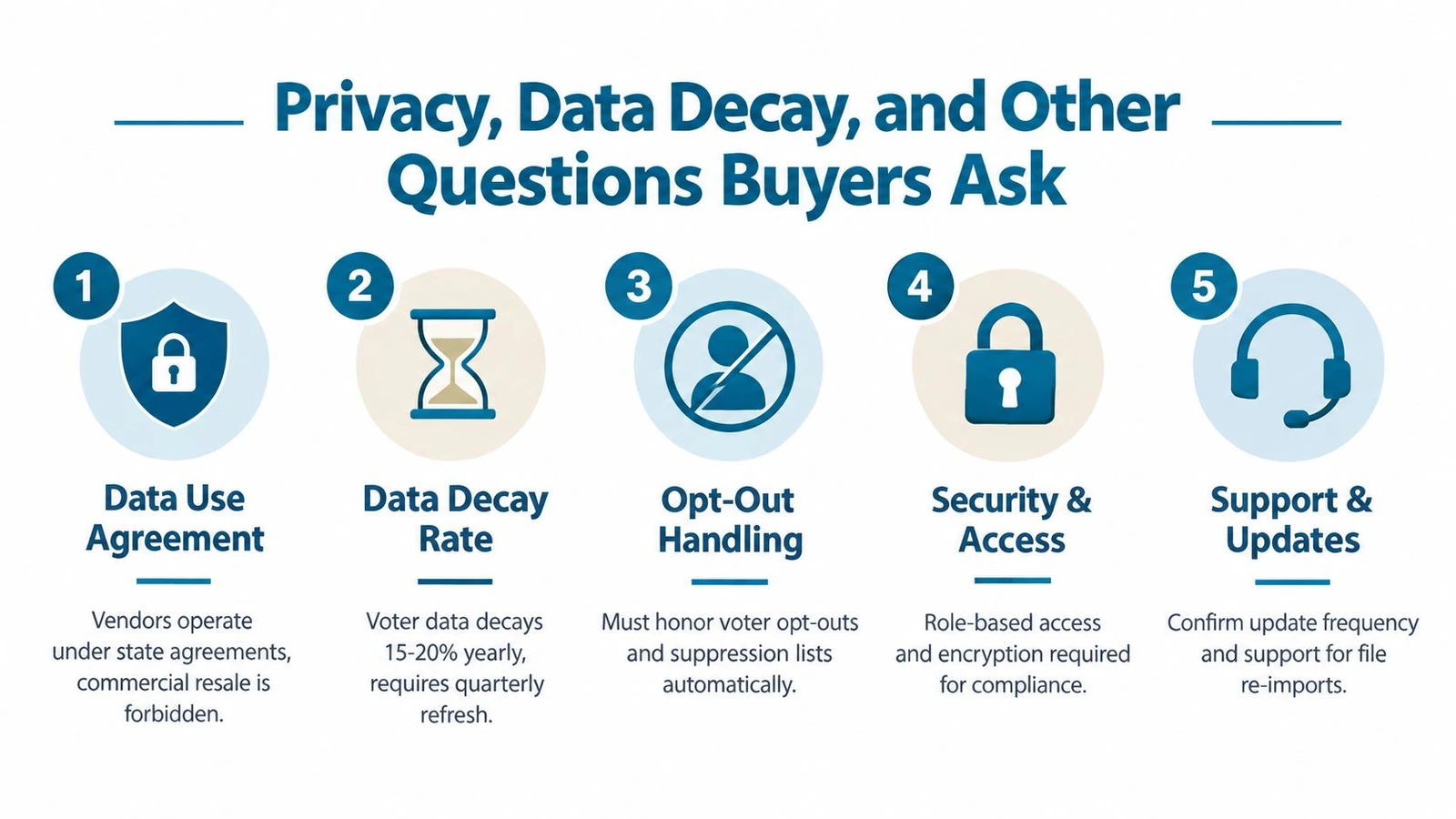
Before signing, the buyer should confirm update cadence, match review, geocoding exceptions, offline operation, role controls, export behavior, and support for re-imports. The right product is the one that protects the record, explains uncertainty, and gets a current universe into the hands of field staff without spreadsheet repair.
doornoc connects voter list uploads, automatic matching and geocoding, route creation, offline canvassing, and synchronized field reporting in one campaign workflow. Campaign managers who need to turn a raw file into usable turf should visit doornoc, test a representative list, and verify that the platform fits the campaign’s targeting and reporting process before the first canvass.
Looking for a tool to run this? doornoc’s canvassing software bundles voter data, automatic turf cutting, the mobile app, and live reporting in one platform.