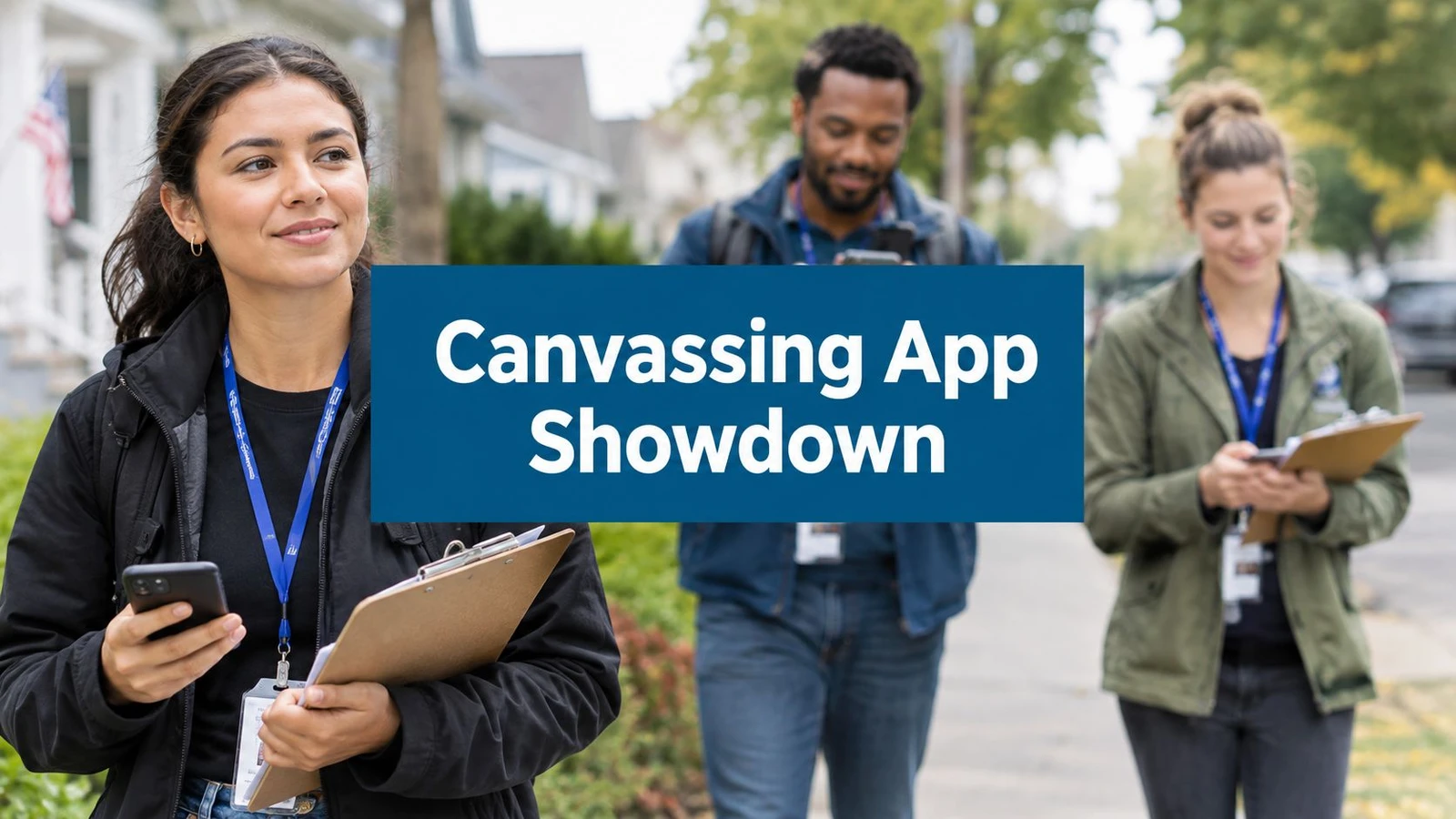
At 7:42 on a Saturday morning, the field office is already behind. Half the turf is printed, two volunteers have cancelled, and the walk list still shows a precinct boundary from the previous cycle. Someone is texting apartment numbers to a staffer editing a spreadsheet on a phone. The candidate wants a knock count by noon, while the field director is trying to decide which blocks can be completed before lunch.
That tension isn’t caused by a lack of effort. It comes from a weak handoff between voter data, routes, volunteers, and reporting. Election campaign management software exists to replace that fragile chain of paper lists, scattered messages, and manually updated spreadsheets with a field operation the team can trust under pressure.
Table of Contents
- The Saturday Morning Every Campaign Manager Recognizes
- What Election Campaign Management Software Actually Does
- Core Features That Drive Field Performance
- How to Evaluate and Compare Your Options
- Standalone Tools, All-in-One Platforms, and Best-of-Breed Stacks
- Rolling the Software Out to Your Team
- Voter Data, Privacy, and Integrations That Matter
- How Doornoc Solves Common Campaign Problems
The Saturday Morning Every Campaign Manager Recognizes
The first volunteer arrives carrying coffee and asks where to find the walk packets. The packets are in three piles because one staffer sorted them by precinct, another sorted them by priority, and a third printed a late list after the first two had gone home. Nobody is certain which version is current.
A volunteer coordinator starts calling people who haven’t checked in. One person says they can only walk for an hour. Another has never canvassed before and needs a route explained. A supervisor takes a photo of the whiteboard and sends it to a group chat, where it disappears beneath questions about parking and candidate literature.
By 10:30, the campaign has sent people into the neighborhood, but the office still can’t answer basic questions with confidence. Which doors have been attempted? Which route is unfinished? Did the volunteer who left early return the unused addresses? Are the survey responses attached to the right households, or will someone have to re-enter them later?
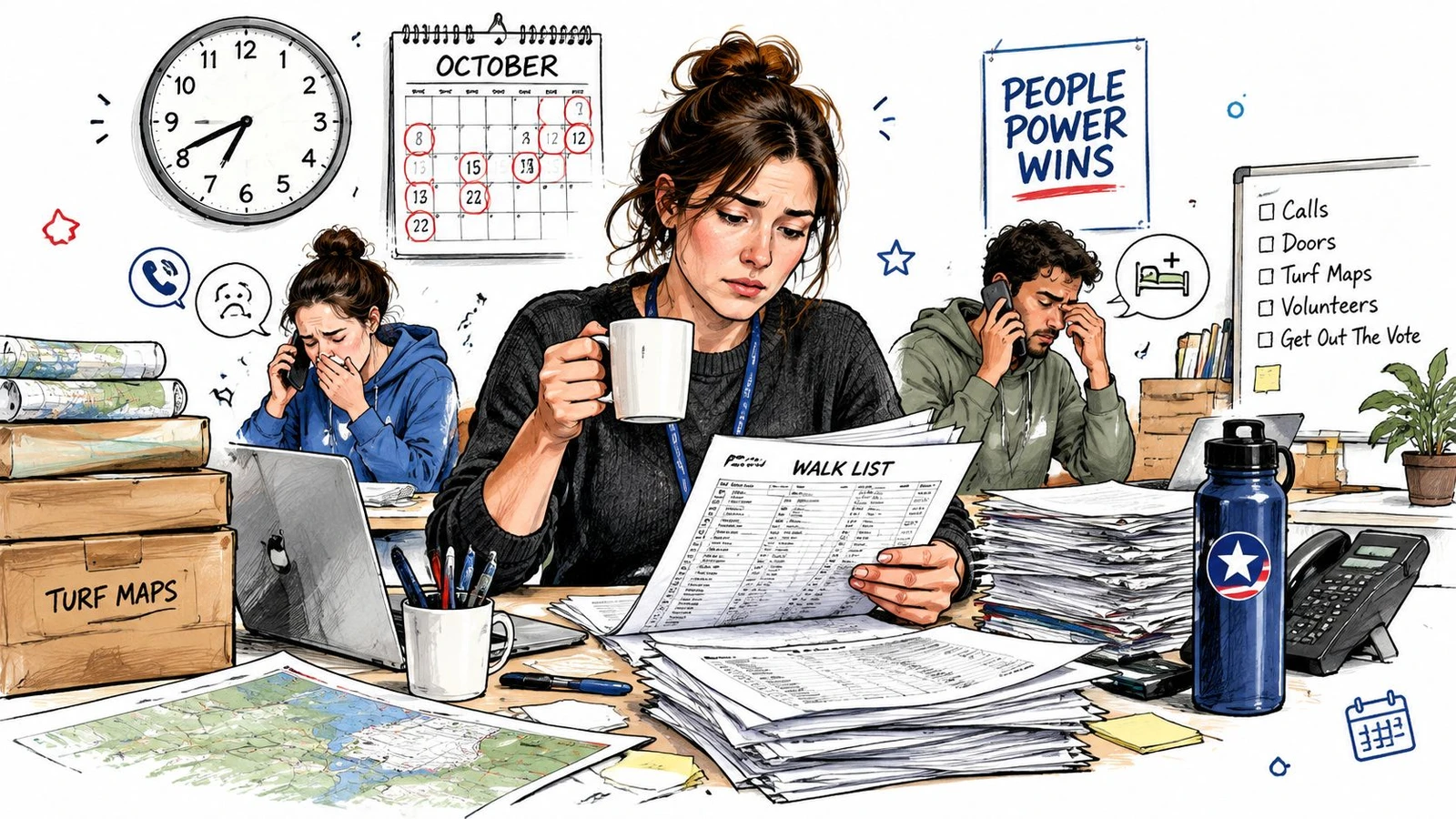
Field reality: Volunteers don’t experience a campaign’s database as a database. They experience it as the list on their phone, the route they were given, and the response they can record at the door.
Manual coordination works until several people need to change the same information at once. Then small errors become operational problems. An outdated address sends a canvasser to the wrong building. An uneven turf leaves one volunteer exhausted while another finishes early. A missed sync means the office thinks a block is untouched and assigns it again.
The technology category has grown because campaigns have had to solve this problem at scale. One market estimate puts the global political campaign software market at USD 2.81 billion in 2026, with a projection of USD 4.36 billion by 2035, while another estimates the related political campaign management software segment at USD 1,527 million in 2026 and USD 2,574 million by 2034. These estimates differ in scope, but both point to the same operational reality, campaign software is no longer a niche administrative service. (Business Research Insights market summary)
The best system doesn’t make a disorganized campaign magically strategic. It gives staff a dependable way to turn a voter file into routes, routes into volunteer assignments, and door activity into information the team can use before the day is over.
What Election Campaign Management Software Actually Does
Election campaign management software is purpose-built infrastructure for organizing voter contact and field work. It commonly covers voter-file management, canvassing, phone banking, volunteer scheduling, turf cutting, survey collection, and campaign reporting.
That definition matters because a generic customer relationship management system and a fundraising platform solve different problems. A CRM may organize donor conversations, volunteer records, or supporter follow-up. A fundraising platform may process contributions and track financial relationships. Neither necessarily tells a canvasser which doors to visit next, stores the route on a phone without a connection, or shows a field director which block needs reassignment.
The field system starts with a list and ends with a usable contact record. Between those points, it should help the team:
- Prepare the data: Import voter files, remove or flag records that shouldn’t be contacted, group household records, and preserve prior contact history.
- Create the work: Turn geography and campaign priorities into walk lists, phone lists, turfs, and assignments.
- Support the volunteer: Put scripts, surveys, route details, and contact history on a mobile device.
- Capture the interaction: Record whether someone answered, requested follow-up, expressed support, or wasn’t reached.
- Close the reporting loop: Sync field activity and make progress visible to supervisors and campaign leadership.
Historically, campaigns glued together spreadsheets, printed walk cards, mapping tools, volunteer sign-up forms, and a voter file. Digital campaign research shows that political parties were already using platforms such as Facebook, WhatsApp, YouTube, Twitter, Telegram, Instagram, and customized campaign systems for mobilization, internal communication, message promotion, infrastructure building, and voter interaction. (International Republican Institute study on political parties in the digital age)
The shift isn’t from paper to apps. It’s from disconnected tasks to a shared operational layer where the door becomes the unit of work. A campaign still needs strategy, volunteer leadership, legal review, finance processes, and human judgment. Software doesn’t replace those functions. It reduces the number of times staff must copy the same information between systems while a Saturday shift is already underway.
Core Features That Drive Field Performance
A useful way to assess features is to follow the life of a field record. It starts as voter data, becomes a route, moves through a volunteer’s phone, and returns as a report. If any layer breaks, the campaign loses time or confidence.
The data layer
The data layer should handle voter-file ingestion, householding, suppression flags, contact history, and same-day updates from the field. A volunteer shouldn’t receive two separate assignments for the same household because the system treated multiple records as unrelated doors. Staff also need a clear way to prevent contact with records that are outside the campaign’s targeting rules or require special handling.
The 11 a.m. check-in is where data quality becomes visible. If the dashboard reports completed doors but the records lack dispositions, the number isn’t useful. If a late list swap overwrites prior contact history, the campaign may repeat conversations or misread its remaining universe.
The field layer
The field layer turns geography into work. It should support turf assignment, walk-list generation, road-aware routing, GPS-tagged doors, and progress tracking. Route optimization isn’t just about finding the shortest path. A practical route must account for apartment buildings, dead ends, crossings, rail lines, rivers, steep walking areas, and the time a volunteer has.
Offline operation belongs here as a default requirement, not a bonus. An offline-first canvassing system preloads route data and voter records on the device, allowing volunteers to log knocks, survey answers, and dispositions without a live connection. When the signal returns, queued records sync automatically, reducing the risk of paper re-entry and incomplete contact history. (Doornoc overview of offline canvassing)
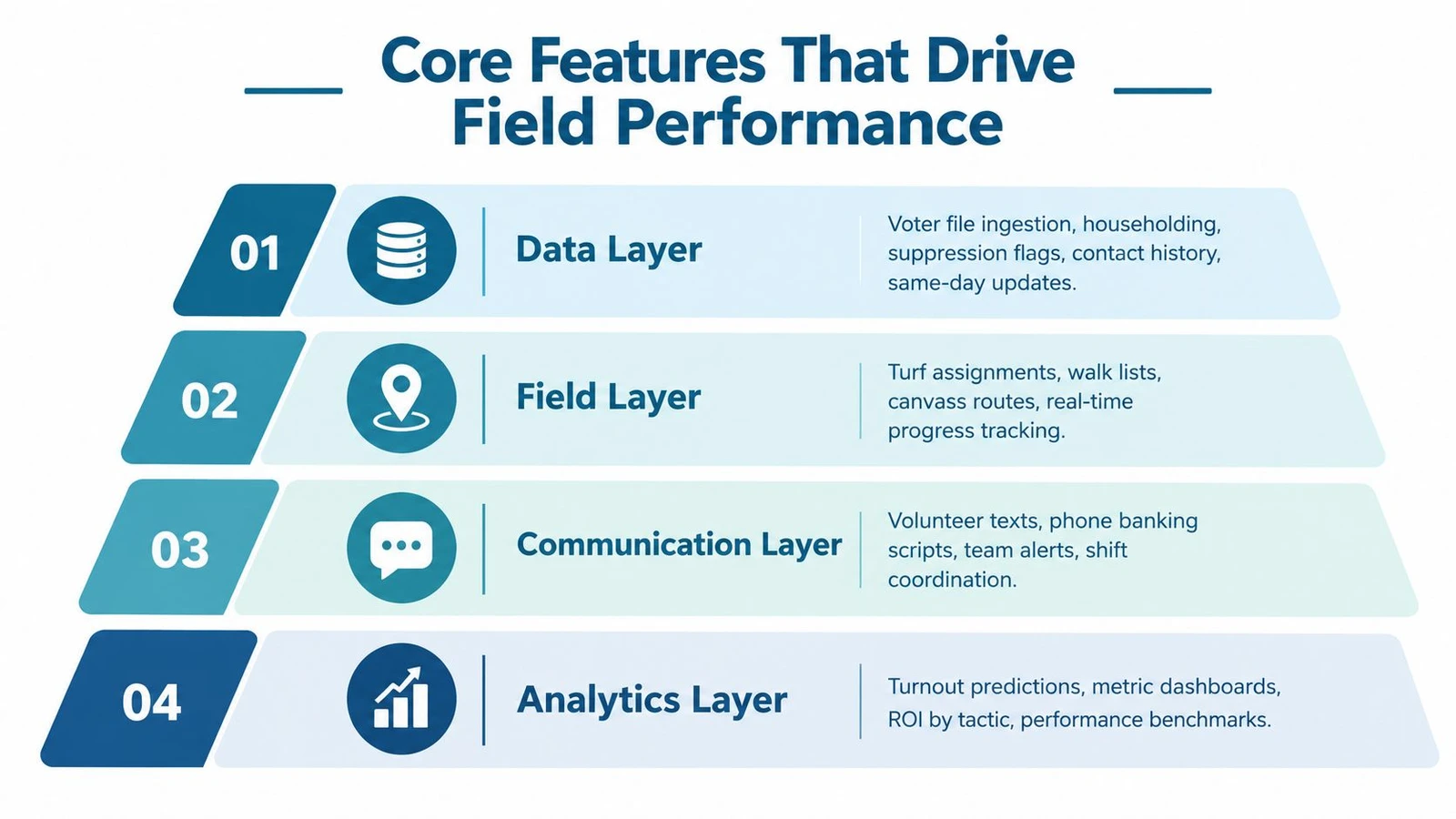
The team layer
A field director needs more than a map. The team layer manages volunteer rosters, shift schedules, turf assignments, supervisor permissions, alerts, and reassignment. It should be easy to see who has started, who has stopped moving, which route is nearly complete, and where a supervisor needs to intervene.
A leaderboard can create energy, but it shouldn’t become the main measure of performance. A volunteer who completes a smaller, difficult apartment route may have done more useful work than someone assigned an easy line of detached homes. Completion quality and accurate dispositions matter more than a single count.
The reporting layer
Reporting should answer operational questions while there’s still time to act. Useful views include completed doors, contact rates, support identification, follow-up needs, route completion, and activity by team or geography. Campaign leadership may want a concise summary, while a supervisor needs block-level detail.
A dashboard that updates quickly but doesn’t preserve reliable records is worse than a slower system the team understands. Before choosing a platform, test whether reports distinguish attempted doors from completed conversations and whether exports retain the fields staff need for later analysis.
The following video offers a visual introduction to the operational side of campaign field technology.
How to Evaluate and Compare Your Options
Start with your own field day, not a vendor’s feature page. Map the turf you expect to cover, the volunteer experience you can realistically support, the voter data you already own, and the reports the candidate will demand. A platform that looks impressive in a generic demonstration may fail when your team has to split an apartment complex, reassign an unfinished route, or work through a dead zone.
Write down the handoffs before you book demos:
- Where does the voter file enter the system?
- Who creates and approves turf?
- How does a volunteer receive a route?
- What happens when the phone loses service?
- How does a supervisor know the route is active?
- Where does the completed contact record go?
Ask vendors to demonstrate those actions with your workflow. Don’t accept a verbal assurance that offline mode exists. Ask what happens when a canvasser loses service inside an apartment building, closes the app, changes phones, or reconnects after several records have been queued. Then ask whether staff can identify unsynced work before the shift ends.
The list-to-route handoff deserves its own test. Have the vendor start with a voter list, create a route, assign it to a volunteer, record several different dispositions, reassign part of the turf, and produce a same-day report. If the demonstration requires manual downloads, duplicate imports, or staff intervention at every step, the process will be harder under election-week pressure. For a more detailed comparison framework, use this guide to field management software for political campaigns.
Questions that expose operational weakness
- Offline behavior: Are routes, scripts, voter records, and contact history available locally, and how does the user confirm that records are queued?
- Recovery: If the app crashes or a session expires, does the volunteer recover without losing entries?
- Data ownership: Can the campaign export its voter records, contact history, survey responses, and volunteer activity in usable formats?
- Pricing: Are there separate charges for users, records, campaigns, exports, support, or peak-period activity?
- Support: Can someone respond during the hours your Saturday and evening shifts operate?
- References: Can the vendor provide references from campaigns with similar geography, ballot complexity, and staff capacity?
Red flags include vague answers about ownership, no documented export path, hidden per-user charges, and a support window that ends before field teams finish working. Score each product against real field scenarios. Feature count matters less than whether a tired volunteer can complete the correct task without a staff member standing beside them.
Standalone Tools, All-in-One Platforms, and Best-of-Breed Stacks
Campaigns generally choose among three operating models. None is universally correct.
A standalone canvassing app is often quick to deploy and easy to limit to field work. It can be a sensible choice when a campaign already has a reliable voter database and finance system. The trade-off appears at the handoffs. Staff may need to move lists into the app, export results for analysis, and reconcile volunteer activity elsewhere.
An all-in-one platform puts field, communications, supporter management, and sometimes fundraising or compliance under one login. That reduces the number of systems volunteers encounter and gives leadership a more consolidated view. It can also be heavier than necessary for a small race, with workflows and permissions that staff don’t have time to configure.
A best-of-breed stack combines specialized tools. A campaign might choose one system for voter data, another for canvassing, a separate dialer, and a finance platform built for compliance. This approach can give each team a stronger fit, but it requires disciplined data governance and someone who owns the integrations.
| Approach | Setup Time | Training Effort | Offline Reliability | Reporting Depth |
|---|---|---|---|---|
| Standalone canvassing app | Usually focused and quick | Lower for field-only users | Depends heavily on the app | Strong for doors, limited across campaign functions |
| All-in-one platform | Broader configuration required | Higher because of wider functionality | Must be tested by workflow | Broad, but may require customization |
| Best-of-breed stack | Longer because systems must connect | Repeated training across tools | Varies by component and handoff | Potentially deep, but reconciliation is the team’s responsibility |
The choice depends on staff capacity as much as campaign size. A finance team that needs filing-ready workflows may value consolidation, while a field director with an established voter-file operation may prefer a focused canvassing layer. Finance teams remain underserved when donor activity lives in one system and compliance work lives in another. The Federal Election Commission reported USD 6.3 billion in receipts and USD 4.8 billion in disbursements across 8,816 federal PACs for the 15 months ending March 31, 2026, which underscores why campaign finance workflows deserve a deliberate software decision rather than an afterthought. (Campaign Deputy’s coverage of donor management and FEC compliance)
Rolling the Software Out to Your Team
A rollout fails when staff treat training as a calendar invite instead of a field test. The first objective isn’t to teach every feature. It’s to prove that a real volunteer can receive a route, find the right doors, record an interaction, and sync the result without help.
Set up the internal workflow
Import the voter file, clean the turf, configure dispositions, and test the route logic with staff. Use a small sample that includes detached homes, apartment buildings, confusing street geometry, and any area where connectivity is unreliable. Confirm that the records shown in the mobile app match the records visible to administrators.
Don’t invite the full volunteer list until two or three experienced staff members have completed the workflow. Make them try the failure cases. Turn off mobile service, close the app, change assignments, and reconnect. A successful test isn’t just a route that works in the office. It’s a route that survives the conditions your volunteers will face.
Train the pilot team
Begin with a small group that can describe problems clearly. A phone-based walkthrough should cover login, route selection, navigation, recording dispositions, adding notes, and syncing. Pair the live demonstration with a printed quick-reference card. Volunteers may have a charged phone but poor service, a dead battery, or no interest in searching through a help center during a shift.
The first pilot should produce changes, not merely confirmation. Ask where instructions were unclear, whether the survey fields match the conversation at the door, and which screens took too long to load. Revise before expanding.
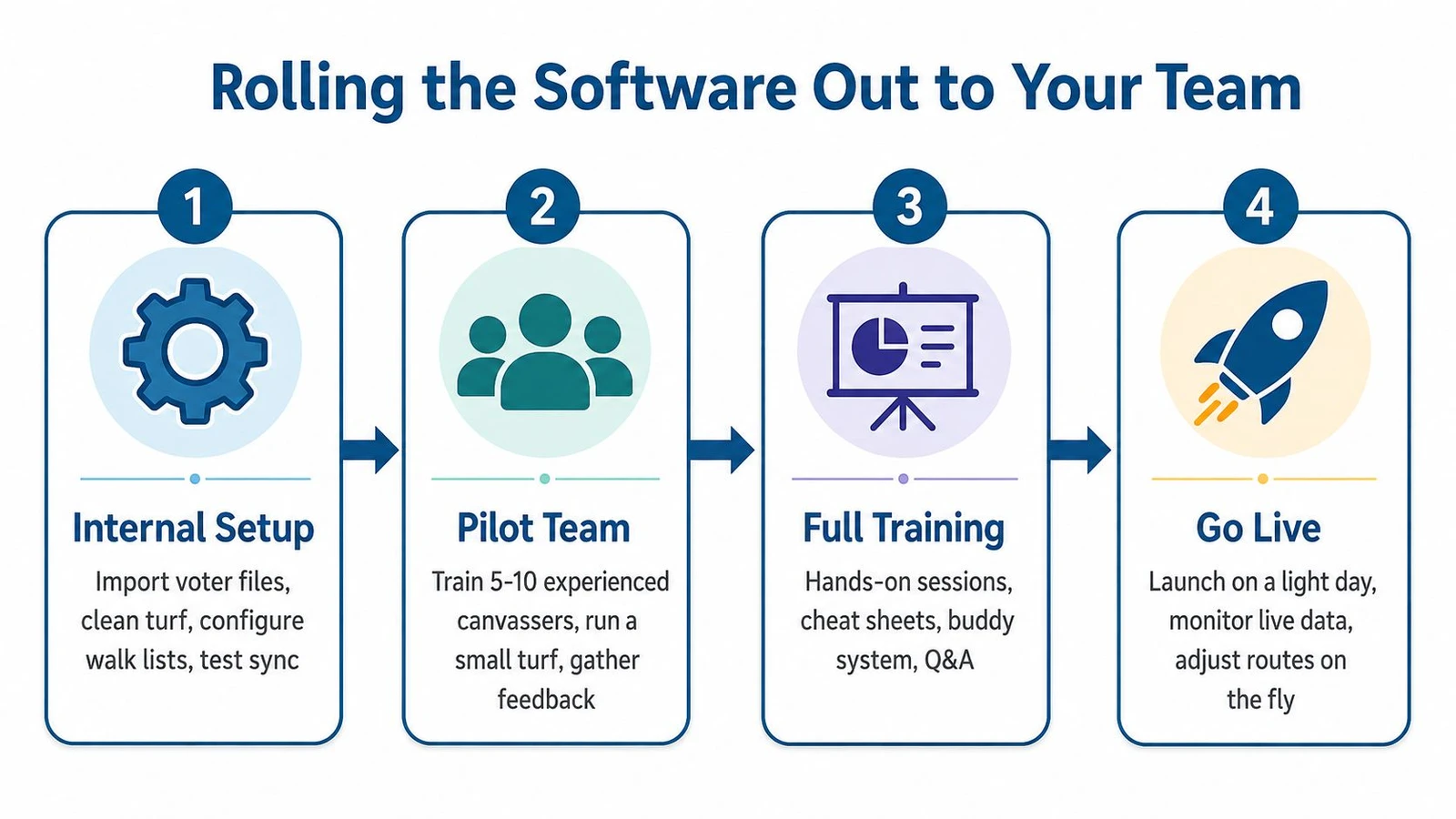
Go live with support
Choose a lighter field day for the broad launch if the calendar allows it. Assign one point person who can answer questions by text or call, and create a channel where staff can share screenshots of problems. Set a change cutoff. A late adjustment to a survey or route rule may be strategically correct, but it can also force retraining while people are already walking.
After each shift, compare what staff saw in the dashboard with what supervisors observed on the ground. Feed missing addresses, bad route boundaries, duplicate records, and confusing response choices back into the next turf build. The rollout is complete only when the campaign can improve the system without interrupting field work.
For teams coordinating staff away from the office, this guide to managing canvassing teams remotely provides a useful operational reference.
Voter Data, Privacy, and Integrations That Matter
The voter file is rarely perfect when it reaches the field. Campaigns may combine state or county records, third-party appends, and local lists built from earlier canvasses. Each source has a different strength. Official files provide a foundation, appended phone and email data can expand outreach, and local lists may carry valuable engagement history. Each source also needs cleaning and verification before staff treat it as current.
A good platform makes the source and movement of each record understandable. Staff should know which fields came from the original voter file, which were appended, which were collected at the door, and which system owns the final update. Mixing lists across districts or campaigns without clear boundaries creates both operational confusion and compliance risk.
Privacy starts at the volunteer’s phone
Volunteers need simple rules for handling names, addresses, phone numbers, email addresses, and survey responses. The campaign should define how consent is captured, how opt-outs are recorded, how long data is retained, and what happens when a volunteer leaves. Personal phones shouldn’t become informal storage systems for screenshots, exported lists, or contact notes.
Use role-based access where possible. Give volunteers only the records and functions required for their assignment. Confirm that data is protected during transmission and storage, and review state-specific political data and communications requirements with qualified counsel rather than relying on a vendor’s general statement.
Test every integration as a field handoff
Routing engines, mapping services, SMS gateways, dialers, CRMs, and voter-file systems may all connect on paper. The practical question is what happens when a record changes in one place and the connection is delayed, rejected, or incomplete.
Test imports and exports with real field values. Check whether geographic identifiers survive the handoff, whether duplicate records are created, whether contact history returns to the central system, and whether a failed sync creates an alert. Put data ownership, export formats, retention, security responsibilities, and support obligations in the contract. Integrations should reduce staff work, not create an invisible reconciliation job.
For teams comparing voter-file providers, this comparison of L2, Aristotle, Catalist, and other voter data vendors can help frame questions about source coverage, targeting, and downstream use.
How Doornoc Solves Common Campaign Problems
The operational problems described above are specific: a volunteer reaches a dead zone, a route takes too long, a person leaves before finishing, or the candidate needs a credible update before the next shift. doornoc addresses those field conditions through a mobile canvassing application, route tools, voter data workflows, and live campaign reporting.
Its offline mode caches the route and relevant voter information on the device. A canvasser can continue logging knocks and survey responses in a basement, apartment hallway, or neighborhood with weak service, then synchronize records after reconnecting. That design matters because a paper fallback creates another data-entry step, and the campaign may not know which records are missing until much later.
The route builder also addresses a common source of volunteer frustration, uneven turf. Auto Turf creates road-bounded routes with balanced effort labels, while Polygon Route lets staff define a custom geography and match voters inside it. A field director can assign work by a practical walking area rather than handing someone a list that looks balanced in a spreadsheet but isn’t balanced on the ground.
The list-to-knock handoff
doornoc supports list uploads in CSV, JSON, and Excel formats, with voter matching and geocoding. Its MailVotes integration is designed to move targeted voter data into the canvassing workflow without requiring a separate manual export and import. That can reduce the number of points where staff accidentally use the wrong file or lose a field during conversion.
The live dashboard gives staff visibility into route completion, team activity, and campaign reporting. If someone leaves early, a supervisor can see the unfinished work and reassign it rather than waiting for a paper packet to return. Same-day visibility doesn’t replace judgment. It gives the field director enough information to make that judgment while volunteers are still available.
doornoc is a field-first option, not a claim that one platform should replace every campaign system. A campaign may still need separate finance, compliance, communications, or party infrastructure. The practical question is whether the canvassing layer handles the parts that most often fail during a shift, especially offline capture, route balance, assignment visibility, and fast reporting.
Vendor decision checklist
Use these questions during the final call and score the answers against your own field conditions:
- Offline capture: Can volunteers view route data, voter records, scripts, and contact history without a live connection?
- Sync recovery: Can staff identify queued, failed, or partially synchronized records before the shift closes?
- Turf visibility: Can supervisors see who owns each route and which blocks remain unfinished?
- Route balance: Does the system account for road boundaries, natural barriers, building type, and practical walking effort?
- Volunteer onboarding: Can a first-time canvasser complete the basic workflow after a short phone-based training?
- Data integration: Can the platform ingest your voter file and return contact history without destructive overwrites?
- Ownership and export: Can your campaign retrieve its lists, survey responses, activity records, and reports in usable formats?
- Pricing transparency: Are user access, data, integrations, support, and peak-period charges clear for the full cycle?
- Support availability: Can someone help during the hours your field team is working?
- Contract flexibility: Can the agreement fit a local or down-ballot race without unnecessary infrastructure?
A campaign manager shouldn’t choose software because a demo contains the longest feature list. Choose the system that keeps the list accurate, gives the volunteer a workable route, preserves the knock when service disappears, and tells the field director what needs attention before the next shift.
doornoc combines offline mobile canvassing, route planning, voter list workflows, and live field visibility for campaigns that need dependable door operations. Review the platform at doornoc and test its workflow against your own turf, volunteer handoff, and same-day reporting requirements before signing a contract.
Looking for a tool to run this? doornoc’s canvassing software bundles voter data, automatic turf cutting, the mobile app, and live reporting in one platform.