A constituent calls about a delayed benefit, then follows up by email with a document, while a field representative records another conversation during a neighborhood visit. Three staff members now hold pieces of the same story. One note sits in a spreadsheet, the document is buried in an inbox, and nobody is certain who owns the next action.
That’s the operating problem casework software is designed to solve. It gives campaign staff, legislative aides, advocacy teams, and constituent-service offices a shared system for managing a request from first contact through follow-up and resolution. The important shift isn’t replacing paper or spreadsheets with a digital inbox. It’s creating a reliable lifecycle for cases that may remain active across multiple conversations, agencies, staff members, and data sources.
Introduction to Casework Software in Modern Offices
A district office can receive one constituent’s request through a call, email, web form, office visit, or conversation at an event. A campaign or advocacy organization may add related details from canvassing and non-voter contact programs. Each channel contributes part of the story. Without a shared system, staff must assemble that story manually.
The result is more than inconvenience. A staff member may answer without seeing an earlier promise, assign agency follow-up without a reminder, or mark a spreadsheet row complete while its supporting document remains elsewhere. When responsibilities change, the record may lose the history needed to decide what happens next.

The hidden cost of fragmented tracking
A spreadsheet can hold a name, issue, owner, and status. It becomes a dependable working file only when staff also maintain every related note, document, message, deadline, permission record, and handoff. That requirement makes continuity depend on memory and personal habits.
Casework software addresses this gap by treating a constituent request as a long-lived case rather than a message in an inbox. A generic CRM may show who contacted the office and what staff said. A 311 tool may record a service request and route it to a department. Casework often needs a longer chain: consent, agency correspondence, internal assignments, constituent updates, document history, and a clear closure decision.
That distinction also explains where field data fits. Notes from canvassing, office visits, and other contact programs should become usable case context, not isolated activity logs. doornoc’s Constituent Intelligence and field data flows can support that connection by carrying relevant information into the case lifecycle, where staff can review it alongside follow-up and resolution work.
What this guide helps you decide
The practical question is whether a system can support the full lifecycle:
- Capture: Can staff collect requests from several channels?
- Understand: Can they review history, context, and communication preferences?
- Route: Can the system assign ownership to the right person or team?
- Advance: Can it create tasks, reminders, and agency follow-up?
- Prove: Can supervisors review activity and produce audit-ready documentation?
- Continue: Can another staff member take over without rebuilding the story?
The sections that follow compare enterprise platforms, specialized casework tools, and field-connected systems by the work they must support, not by whether they provide a CRM inbox. For an overview of government CRM and constituent relationship software, see this overview of government CRM and constituent relationship software.
What Casework Software Is and How It Works
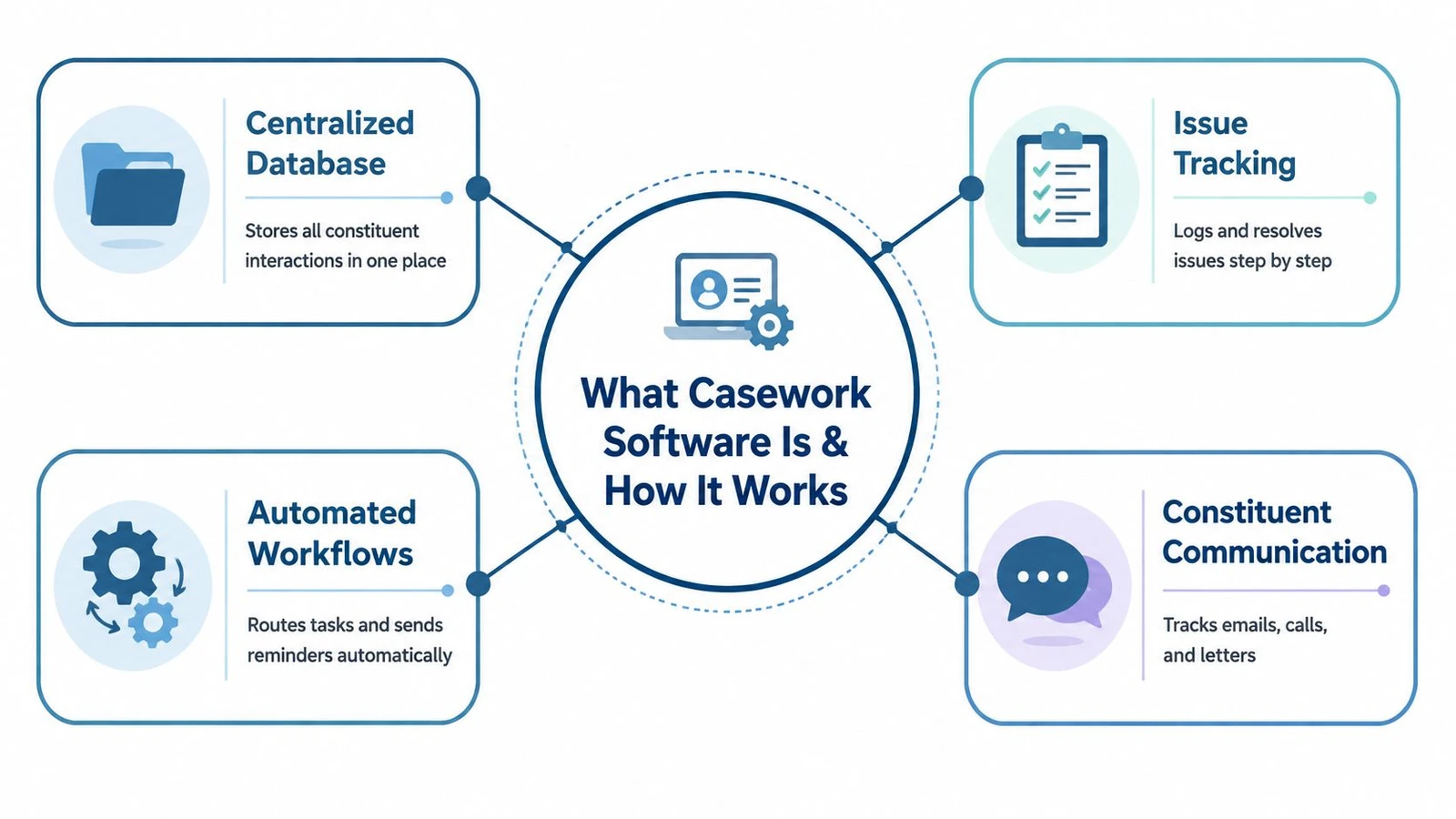
Think of a traditional constituent file folder. It contains the original request, contact details, signed permission or privacy documents, staff notes, agency correspondence, deadlines, and the final response. If the constituent calls again, the folder should tell the next staff member what happened without requiring a separate conversation with the person who opened it.
Casework software turns that folder into a structured, shared case record. It consolidates requests, history, communication preferences, documents, tasks, ownership, and status in one profile. The system then applies rules to help staff move the case through defined stages.
From contact logging to case lifecycle management
A generic CRM usually answers, “Who contacted us, and what did we say?” A 311-style intake tool often answers, “What service request came in, and where should it go?” Those functions matter, but a case-management system must go further.
A long-lived case may require a privacy release, correspondence with an agency, a sequence of internal tasks, constituent updates, document retention, and a clear closure decision. The record needs to show not only the original contact, but also the actions taken, the people responsible, the dates of those actions, and the reason the office considered the case resolved.
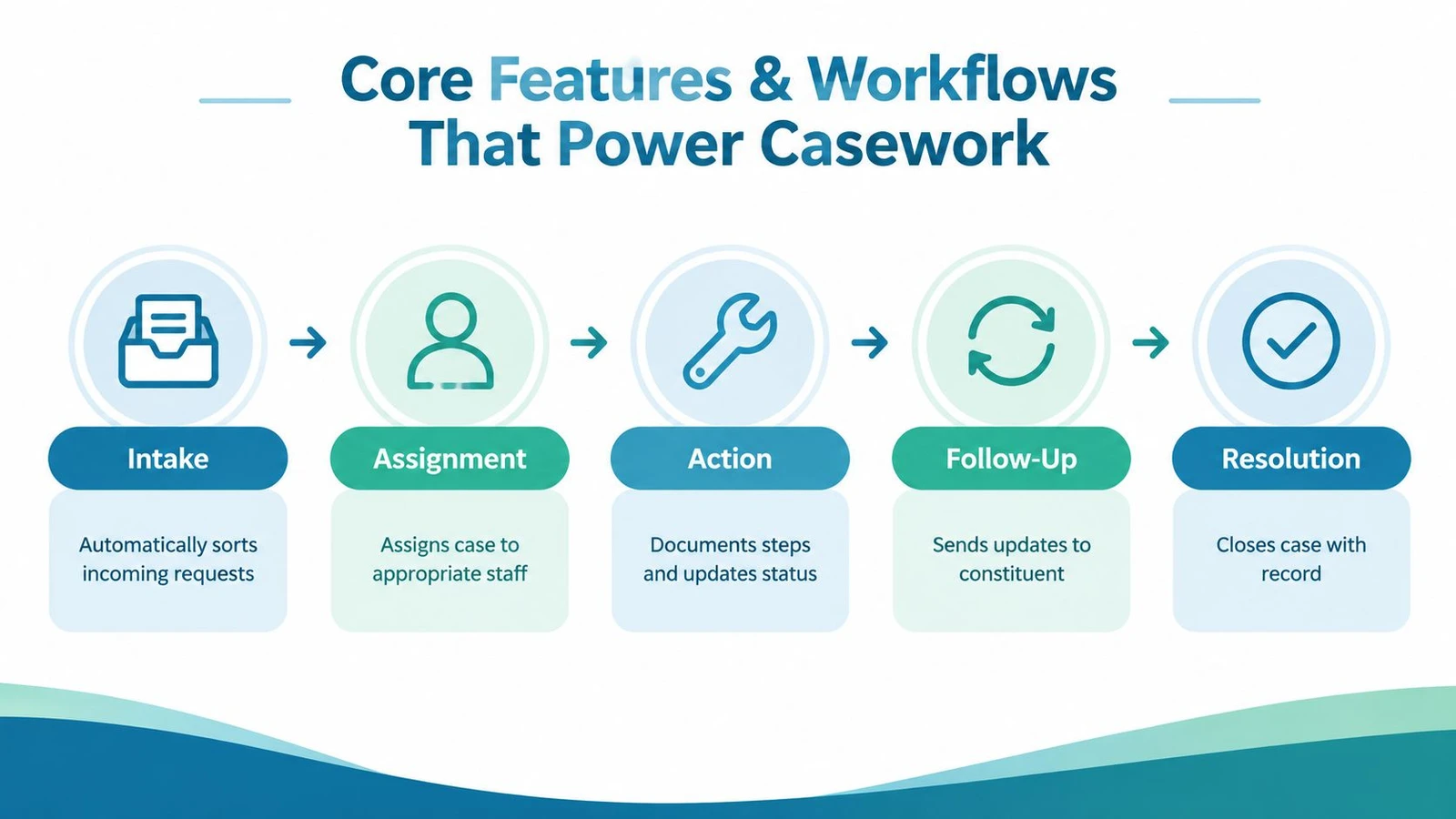
A useful lifecycle looks like this:
- Intake: Staff record the request and identify the constituent.
- Triage: They classify the issue, urgency, jurisdiction, and required permissions.
- Assignment: The system sends the case to an appropriate staff member or team.
- Action: Staff document outreach, upload files, contact agencies, and update status.
- Follow-up: Reminders and notifications keep promised actions visible.
- Resolution: The office records the outcome, communicates it, and closes the case with its history intact.
For a broader explanation of the relationship between constituent records, service workflows, and public-facing operations, see citizen relationship management software.
Why workflow depth matters
The front-end form is only the beginning. A polished intake page can still leave staff with a manual queue, unclear ownership, and no dependable way to monitor overdue actions. The stronger test is what happens after submission.
Government case-management coverage emphasizes centralized records, automated workflow routing, and audit-ready documentation across the full case lifecycle. Buyer-facing pages sometimes compress those requirements into broad “constituent CRM” language, which can make two very different products appear similar. Ask whether the platform can handle privacy releases, agency follow-up, long-lived cases, restricted access, and closure documentation. If it can only log contacts, it’s an intake tool, not a complete casework system.
Core Features and Workflows That Power Casework
The most useful way to evaluate features is to follow the data. A case begins as an inquiry, becomes an owned piece of work, accumulates evidence and actions, and ends with a documented outcome. Each feature should support one of those transitions.
Intake and triage
Intake should capture enough information to make the next decision without forcing staff to retype the request later. Useful fields may include the constituent’s identity, preferred communication method, issue category, location, description, relevant documents, consent status, and jurisdiction.
Triage converts an unstructured message into a workable case. Rules can flag missing information, distinguish a constituent-service matter from a general comment, and identify the office or agency best positioned to respond. Staff should be able to correct an automated classification without losing the original request.
Assignment and routing
Ownership gives every open case a person responsible for the next action. Routing can use issue type, geography, office, workload, or team role. The goal isn’t to eliminate judgment. It’s to make responsibility visible and prevent a request from waiting in a shared inbox because everyone assumes someone else is handling it.
Workflow automation and dashboards support this operating model. GoCanvas explains how routed handoffs, notifications, and stage-based reporting can help supervisors trigger follow-up sooner, see case progress centrally, and reduce manual administrative steps.
Action, documents, and communication history
Once assigned, staff need a case-centered workspace. Notes from calls, emails, meetings, and field conversations should attach to the same constituent and case. Supporting files should remain connected to the relevant action, not scattered across personal drives and message threads.
Communication logging also protects continuity. A new staff member should be able to see what the office promised, which agency was contacted, what response arrived, and whether the constituent received an update. That history makes the next interaction more accurate and less repetitive.
Follow-up and resolution
Reminders turn a promise into an operational task. A system can notify an owner when an agency response is due, alert a supervisor when a case stalls, and prompt staff to contact the constituent after an update. These controls reduce reliance on memory, especially when cases move between teams.
Field teams need another safeguard. Mobile case-management guidance on offline synchronization describes why workers must be able to collect notes, photos, and supporting files during connectivity gaps and reconcile them later with the central record. Without that capability, field staff either delay entry, create duplicate records, or lose continuity in the case timeline.
A dashboard should show more than total submissions. It should reveal open cases by stage, owner, issue type, age, and next action. That view helps supervisors locate bottlenecks before a constituent has to call again.
Benefits of Casework Software for Campaigns and Offices
The strongest benefit is not that staff can enter information faster. It’s that the office can make a consistent commitment and track whether it happened.
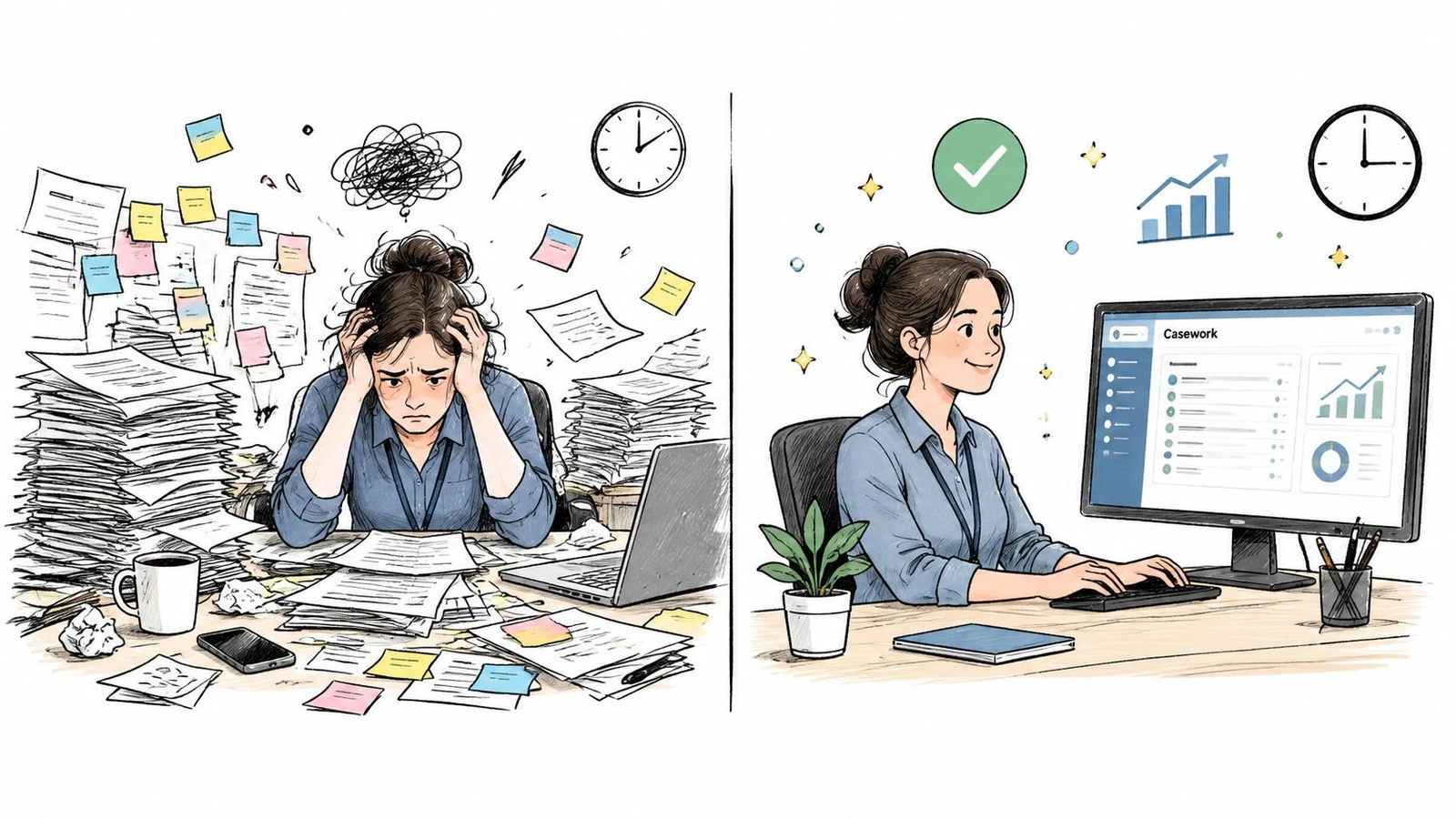
Before casework software, a constituent’s experience often depends on which staff member answers the phone. One aide keeps careful notes, another relies on email flags, and a volunteer records conversations in a separate list. After a shared lifecycle system is in place, the office can give each request an owner, a status, a next action, and a documented outcome.
Fewer dropped cases
A dropped case rarely disappears dramatically. More often, a staff member intends to follow up after a meeting, the note lands in the wrong place, and the constituent receives no response. A shared queue with required ownership and visible next actions makes that failure easier to detect.
The same principle helps campaign and advocacy teams. A concern raised during a door conversation can become a structured contact record instead of remaining as an isolated canvasser note. Managers can distinguish a request needing service from a persuasion interaction or a general policy concern, then send each type into the appropriate workflow.
Practical rule: If the system can’t show who owns the next action, it isn’t giving the office accountability. It’s only storing history.
More consistent constituent communication
Constituents don’t expect every issue to be resolved immediately. They do expect the office to remember what it said and explain what happens next. A case record gives staff the context to provide a coherent update even when the original contact came through another channel.
Consistency also matters internally. Standard stages and templates help staff handle similar cases in similar ways without forcing every situation into an inflexible script. Supervisors can define the minimum documentation required while leaving room for judgment.
Better use of staff attention
Dashboards help leaders decide where intervention is needed. If one category of cases is waiting on an external agency, the office may need an escalation process. If a particular intake channel produces incomplete requests, the form or training may need adjustment. The system becomes a management instrument, not just a repository.
That visibility supports calmer operations. Staff spend less time searching for context and more time contacting constituents, coordinating with agencies, and resolving the issue in front of them.
How to Choose the Right Casework Software
A good selection begins with a real case, not a vendor’s feature page. A constituent submits a request, signs a privacy release, sends supporting documents, receives updates, and may require agency follow-up after the first response. The system should preserve that thread from intake through resolution. This lifecycle view separates casework software from a 311 or general CRM inbox, which may record contacts without supporting the long-running work that follows.
Start by defining the office’s operating model. A small office handling straightforward requests may value quick configuration and simple daily use. A larger government organization may require granular permissions, formal reporting, integrations, and a configurable data model. A legislative office with specialized procedures may benefit more from a purpose-built workflow than from a broad platform that requires extensive customization.
Compare the operating model
Enterprise platforms such as Salesforce Government Cloud and Microsoft Dynamics 365 Government provide configurable foundations for organizations connecting casework with wider government processes. Purpose-built tools such as CivicTrack and AccessE11 focus more directly on elected-official constituent services, as described in government CRM software comparisons. The choice comes down to the work the office must support: broad extensibility, a closer fit with established case routines, or a combination of both.
| Evaluation Criteria | Enterprise Platform | Purpose-Built Casework Tool |
|---|---|---|
| Configurability | Suits complex data models and cross-department workflows | Usually organized around constituent-service processes |
| Implementation | May require administrators, consultants, or careful configuration | Often provides a more direct route to casework adoption |
| Scalability | Supports organizations with multiple teams and connected systems | Fits offices seeking focused functionality |
| Reporting | Can support extensive reporting after proper configuration | Often emphasizes caseload, ownership, stages, and outcomes |
| Integration | Useful when many systems must share data | Valuable when targeted connections and simpler flows are preferred |
| Compliance support | Can be designed around governance requirements | Must be tested against privacy, audit, and retention needs |
Test the lifecycle in a demo
Ask the vendor to work through the full case, not just display an intake form. Provide a scenario involving a constituent request, privacy release, document upload, staff update, and agency follow-up. Watch whether each action stays attached to the same case, whether ownership remains clear, and whether the record is still useful months later.
Ask these questions during the demonstration:
- Can staff restrict sensitive cases to authorized roles?
- Does every task have an owner and due state?
- Can another staff member take over without losing context?
- Can field notes and files sync into the same case record?
- Can supervisors identify stalled cases without opening records individually?
- Can the office export or access its data through an API?
- Does pricing reflect users, records, modules, storage, or support?
For offices using doornoc, ask how Constituent Intelligence supports non-voter contact programs and how field data flows into the office’s case lifecycle. A field note should become usable case context, not remain an isolated record that staff must manually reconstruct.
A low-cost intake tool can create hidden work if staff must build the missing workflow around it. An enterprise platform can also exceed an office’s administrative capacity. Choose the system the team can maintain, govern, and use consistently from first contact through closure.
Implementation Integration and Privacy Essentials
A casework rollout succeeds when staff trust the record. That trust comes from accurate migration, simple daily use, dependable integrations, and clear access rules. Treat implementation as an operational change, not a software installation.
Start with a clean case model
Before importing data, define the fields and stages that reflect actual work. Separate the constituent profile from the case itself. A person may contact the office about multiple issues, and each issue can have its own owner, status, documents, permissions, and resolution.
Then inventory existing sources. Review spreadsheets, shared folders, inbox labels, form submissions, call notes, and field lists. Remove duplicates where appropriate, map old status values to the new lifecycle, and decide which historical records need to remain accessible. Importing disorder without a mapping plan moves the spreadsheet problem into a new interface.
Build the field-to-office flow
Mobile work introduces a technical requirement that office-only systems often overlook. Field workers need to capture notes, photos, and supporting files when connectivity is unavailable, then synchronize those records when the connection returns. The system should reconcile updates rather than create duplicate constituent or case records.
For teams using doornoc, the relevant touchpoints include Constituent Intelligence for non-voter contact programs, a MailVotes handoff that avoids CSV exports, and List Upload with automatic matching and geocoding. API access can support custom pipelines when an office needs to connect field activity, constituent records, and internal workflows. The doornoc integrations page outlines the platform’s integration and API options.
Roll out in controlled phases
A practical sequence is:
- Design: Agree on case types, stages, permissions, required fields, and closure rules.
- Prepare: Clean source data, map fields, and identify records that need special handling.
- Pilot: Give a small group realistic cases, including an exception and a reassignment.
- Connect: Test forms, email, telephony, field capture, list systems, and reporting feeds.
- Train: Teach staff how to open, update, assign, document, and close cases.
- Review: Inspect incomplete records, stalled tasks, duplicate matches, and permission issues before expanding.
Privacy controls should be tested with the same seriousness as workflow rules. Use role-based access, limit sensitive fields, document consent and releases, and maintain audit trails for changes. Establish retention and deletion practices that reflect your office’s obligations. Staff should know what belongs in a case record, what shouldn’t be copied into personal notes, and how to handle documents containing sensitive information.
Real World Examples and KPIs to Track Success
A good casework system becomes visible in ordinary moments. A district office can assign a benefits request to the right aide, preserve the privacy release, record agency correspondence, and keep the constituent updated without searching across several tools. A campaign or advocacy team can connect a field conversation to the appropriate constituent profile, route a service-related concern, and preserve the context for the person who follows up.
Continuity is another practical test. If a staff member changes roles, the office should be able to reassign open cases without asking constituents to repeat their story. Supervisors should also be able to identify cases waiting on an agency, cases without a next action, and recurring issue categories that may require a broader response.
Track a small set of measures before and after implementation:
- Case resolution time: How long cases remain open.
- Backlog size: How many cases lack closure.
- Response time: How quickly the office acknowledges or updates a constituent.
- Constituent satisfaction: Whether people feel informed and supported.
- Staff throughput: How much completed work each team or workflow handles.
Dashboards make these measures useful because they connect outcomes to stages and ownership. For a related approach to operational measurement in field teams, see canvasser performance metrics that matter. Set a baseline, review the measures with staff, and use the results to adjust routing, forms, training, and escalation rules.
doornoc combines mobile field data collection, offline synchronization, Constituent Intelligence, real-time dashboards, list matching, and integration tools for campaigns and constituent-contact programs. Visit doornoc to see how its field-to-office data flows can support a more complete casework lifecycle.
Running constituent services for an office? doornoc’s constituent intelligence keeps casework, contact history and voter-file data in one record instead of three systems.