Saturday morning starts the same way for too many field teams. Forty-seven volunteers are supposedly signed up, a turf lead wants to know who showed, and the operations desk needs verified hours by Monday. A volunteer tracking app earns its keep only if it can handle that mess without forcing staff back into spreadsheets and guesswork.
A basic sign-up sheet is not enough once a program depends on attendance, proof of work, and fast reporting. The question is whether the system can survive bad signal, shifting assignments, and supervisors who need clean data before the week is over.
| What matters in practice | What a weak tool does | What a serious tool does |
|---|---|---|
| Field reliability | Loses data when phones drop offline | Keeps logging and syncs later |
| Attendance proof | Relies on memory or self-reporting | Verifies check-ins against shifts |
| Coordinator visibility | Leaves leaders blind until after the event | Shows live status and completion |
| Reporting | Forces manual cleanup | Produces usable hour and activity records |
| Workflow fit | Treats every program the same | Fits recurring shifts, events, or canvassing |
The Real Job a Volunteer Tracking App Has to Do
A tracker that only logs names and hours solves the easiest part of the job. The hard part is proving that the right people showed up, did the work, and can be counted in a report without a staff member rebuilding the day from memory. That matters because volunteering itself is large-scale, with more than 75.7 million formally volunteering in the United States in 2023 and contributing an estimated 4.99 billion hours. Independent Sector and the Do Good Institute valued a volunteer hour at USD 36.14 in 2025, which puts those hours at roughly USD 180.5 billion in social value. Source data on U.S. volunteering volume and hour value
Why proof matters more than raw attendance
A shift leader does not need a prettier attendance sheet. They need to know whether a volunteer was scheduled, checked in, stayed long enough to count, and can be attached to the right site or role. That is the difference between a record that looks tidy and a record that can survive donor scrutiny, grant review, or payroll reconciliation.
Practical rule: if a volunteer’s hours can be disputed, the app has failed the job.
That is why attendance tracking with QR codes is worth studying as a reference point, even outside volunteer work. A fast check-in method is useful only when it connects to the rest of the operation, not when it creates another isolated log for someone to clean up later.
Field conditions decide the buying standard
A good app has to absorb four pressures at once. First, it needs to keep working when connectivity is weak, because field teams do not control signal. Second, it needs to support accountability, because committees and donors want records that line up with reality. Third, it has to keep multiple leaders on the same page, because one person rarely manages a whole program alone.
Finally, it has to produce proof of work for stipended or reimbursed roles. That is where a simple check-in becomes a workflow tool, not just a sign-up form. Political canvassing is the harshest test here, because teams move fast, split by turf, and need live visibility while the day is still unfolding, not after everyone gets home.
The right buying question is not, “Can it log hours?” The right question is, “Can it run a real volunteer program week to week without creating more admin than it removes?” For campaign teams, the coordination side of that problem is laid out well in the volunteer coordinator role guide for political campaigns.
Five Capabilities Every Serious Tracker Must Cover
A serious volunteer tracking app needs to cover five operational buckets, and anything outside those buckets is secondary. If a product is weak in more than one of them, it will create friction somewhere in the workflow, usually right when staff are busiest.
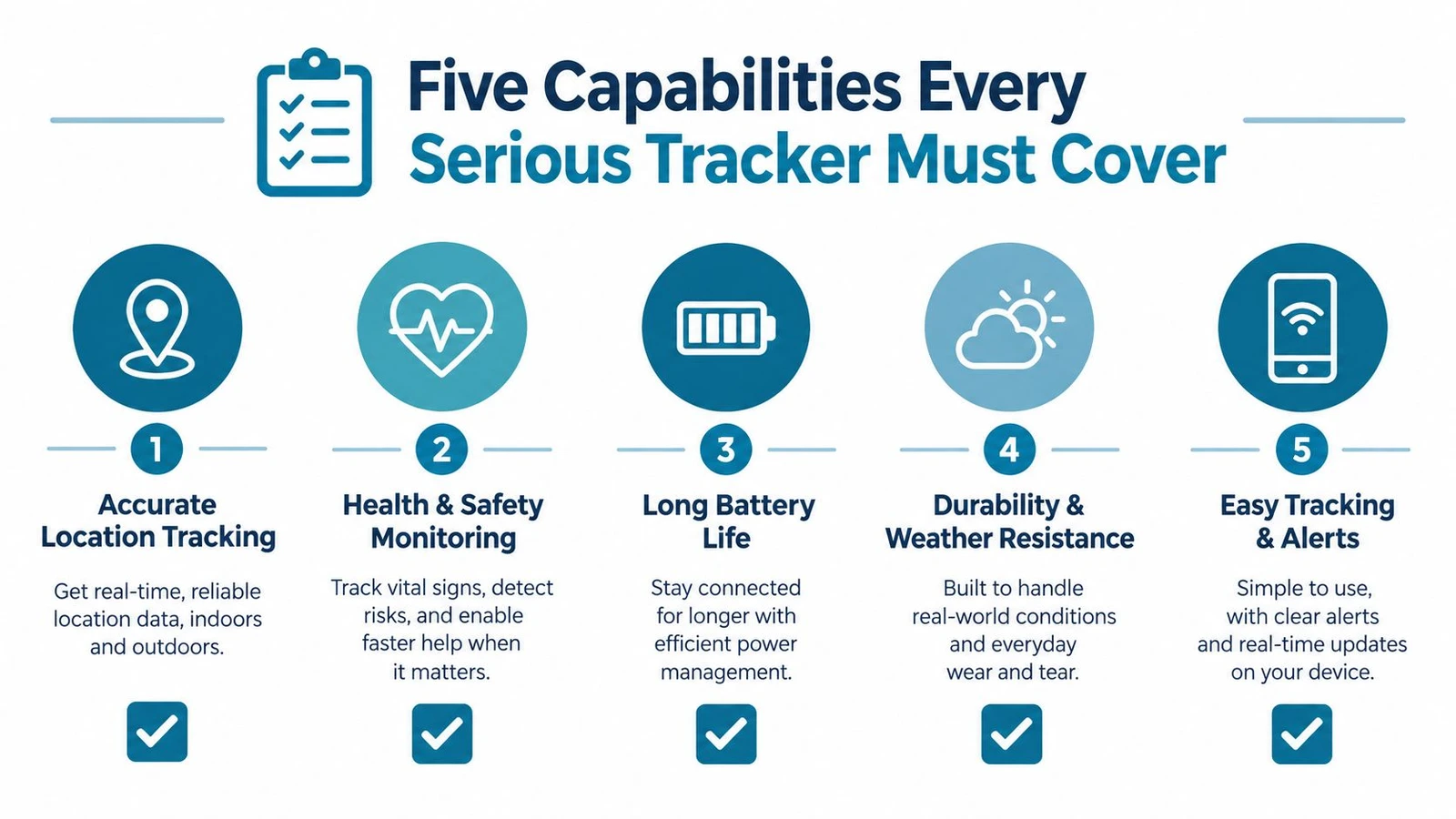
The five buckets that matter
- Signups and recruitment. Volunteers need a clean way to claim a slot without emailing staff back and forth.
- Shift scheduling and assignments. Coordinators need to place people into roles, not just collect interested names.
- Attendance and hour verification. The system has to prove who attended and when, not just record a claim.
- Coordinator dashboards. Staff need a live view of open shifts, completed work, and gaps that still need attention.
- Integrations with field tools. If the app cannot pass data downstream, it becomes a dead end.
A program that runs one annual event can live with a lighter version of this list. A recurring nonprofit program cannot. A canvassing operation definitely cannot, because the app has to move with the field, not sit apart from it.
Use this self-check before comparing products
- Recurring shifts: If volunteers return every week, scheduling and verification matter more than flashy recruitment.
- One-time events: If the work is a single-day cleanup or fundraiser, fast sign-up and easy attendance capture matter most.
- Field work: If the team works outdoors or in low-connectivity areas, offline capture is not optional.
- Compliance pressure: If hours support grants, reimbursements, or stipends, verification and auditability move to the front.
- Multiple leaders: If several coordinators approve shifts, dashboards and role permissions matter more than a simple roster.
A useful rule is simple. If the program depends on volunteers showing up in the right place at the right time, the app should behave like an operations tool. If it only behaves like a registration form, it will eventually fall apart under load.
The Three Archetypes of Volunteer Tracking Software
Volunteer software splits into three real-world shapes, and each one fits a different operating model. The mistake is shopping by feature count instead of by workflow. A program that recruits for campaigns is not buying the same thing as a food pantry, and neither one is buying the same thing as a one-day service event.
| Archetype | Best For | Offline Reliability | Multi-Leader Coordination | Hour Verification |
|---|---|---|---|---|
| General volunteer management | Ongoing nonprofit programs | Medium | High | High |
| Event hour tracking | One-off service days and corporate volunteering | Low to medium | Medium | Medium |
| Field canvassing | Door-knocking, phone banks, shift-heavy advocacy | High | High | High |
General volunteer management platforms
These platforms are built for recurring programs that need scheduling, reminders, attendance, and reporting in one place. They fit organizations that run mentorship, food distribution, volunteer offices, or other programs where the same people come back regularly. The strength is operational consistency, not tactical speed.
Event hour tracking tools
These tools work best when the main problem is collecting attendance at a single event or a short series of service days. They usually lean on quick sign-up flows and simple hour logs. That makes them useful for light-duty coordination, but not for field-heavy operations where missing check-ins and duplicate entries become a real problem.
Field canvassing suites
Field canvassing is a different game. Volunteers get sent out in teams, usually with a supervisor, often with changing turf, and frequently with weak signal. That means the software has to support live tracking, reliable offline capture, and fast reconciliation of who hit which doors or worked which shifts.
Operational truth: the harder the field conditions, the less forgiving generic software becomes.
This is why campaign teams should treat canvassing as the reference use case. If a platform cannot survive that environment, it probably won’t handle the operational load of any serious volunteer program either. For a deeper look at campaign-specific workflow, the political canvassing app guide is the right companion read.
How Leading Volunteer Tracking Apps Stack Up
The most useful way to compare products is not by branding, it’s by whether they can survive actual coordination work. Signups matter, but they’re only the start. Scheduling, attendance, dashboards, and integrations decide whether staff end up with clean records or a pile of cleanup.
| App | Signups | Scheduling | Attendance | Dashboards | Integrations | Best Fit |
|---|---|---|---|---|---|---|
| General volunteer hub | Strong | Strong | Strong | Strong | Strong | Recurring nonprofit operations |
| Lightweight event tracker | Strong | Moderate | Moderate | Moderate | Weak to moderate | Single events and simple shifts |
| Canvassing-native platform | Strong | Strong | Strong | Strong | Strong | Field teams and advocacy |
| Campaign field app | Moderate | Strong | Strong | Strong | Strong | Door-knocking and phone banks |
| Broad nonprofit suite | Strong | Strong | Strong | Moderate | Strong | Groups wanting one system across departments |
What the matrix is really saying
A general volunteer hub usually wins when the program needs clean admin control, stable scheduling, and hour verification for grants. A lightweight event tracker is fine when the job is to fill shifts fast and record attendance without much complexity. A canvassing-native platform or campaign field app earns its place when the team needs route logic, live progress, and field-proof data capture.
The tradeoff is always the same. The broader the platform, the more likely it is to cover common nonprofit workflows well. The more field-specific the platform, the better it usually handles real-world conditions like weak connectivity, shifting teams, and live supervisor oversight.
That is also where integrations decide the outcome. If records can’t move cleanly into the rest of the stack, the app becomes a silo with a nicer interface. For teams that need to connect volunteer work to wider operations, the software to measure training impact article is useful because it shows how reporting logic changes once a tool has to feed a larger system.
The features worth paying for
- Live attendance capture: No-show handling is where a lot of volunteer programs lose control.
- Role-based assignment: “Someone showed up” is not enough for a staffed operation.
- Exportable records: Clean data should leave the app without manual rework.
- Mobile reliability: Most field use happens away from a desk.
- Structured dashboards: Coordinators need immediate operational visibility, not just a historical log.
A product that nails all five is rare. A product that nails three and pretends the other two are optional usually creates more work than it saves.
Matching the Right App to Your Program Type
A campaign field director running 50 canvassers across three weekends needs a different answer than a neighborhood nonprofit or a one-day cleanup crew. The right pick changes when the shape of the work changes.
Campaign work needs field-first control
A hot local campaign needs offline check-in, turf assignment, and live reporting back to a field director. That is not a nice-to-have set of features. It is the difference between knowing where a canvass stands at 2 p.m. and guessing after the shift is over. A canvassing-native tool fits here because it treats movement, coverage, and supervisor oversight as core functions.
Recurring nonprofit programs need clean structure
A food pantry, mentorship cohort, or recurring community program values repeat scheduling, hour verification, and a dashboard that a small staff can manage. General volunteer management platforms fit best here because they are built around stable coordination rather than high-velocity field movement. They work when the same volunteers return and the same staff need a reliable record every week.
Single-day events need speed, not complexity
A park cleanup, fundraiser, or service day needs fast self-signup, quick attendance capture, and minimal training. A lightweight event tracker is usually enough because the job is simpler and the staff time budget is tighter. More software than that can slow volunteers down before the event even starts.
For operational teams, doornoc is one option in the canvassing category, since it combines route assignment, offline field capture, and live team updates in one workflow. That kind of setup makes sense when volunteer work looks more like distributed field operations than a standard sign-up calendar.
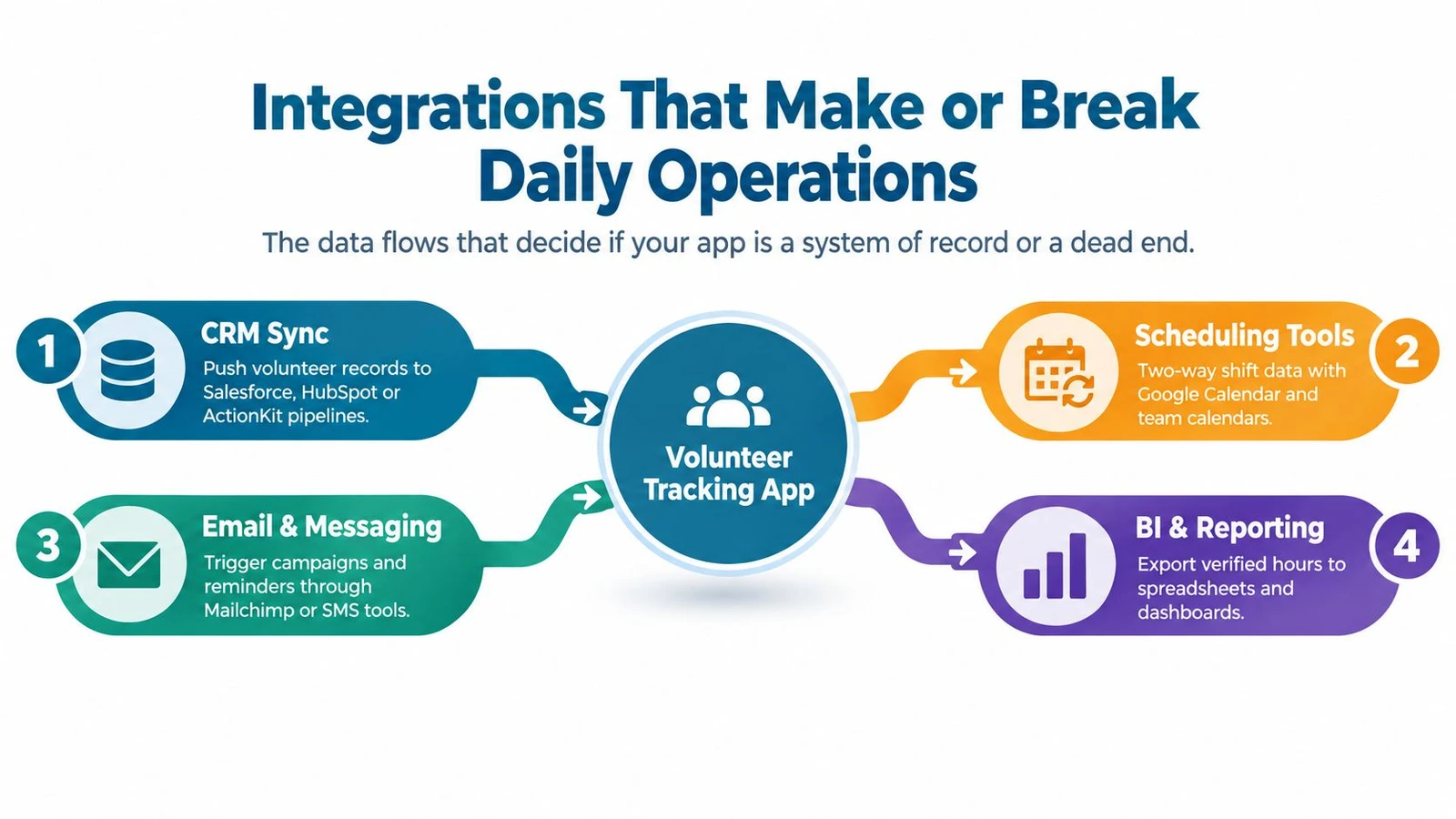
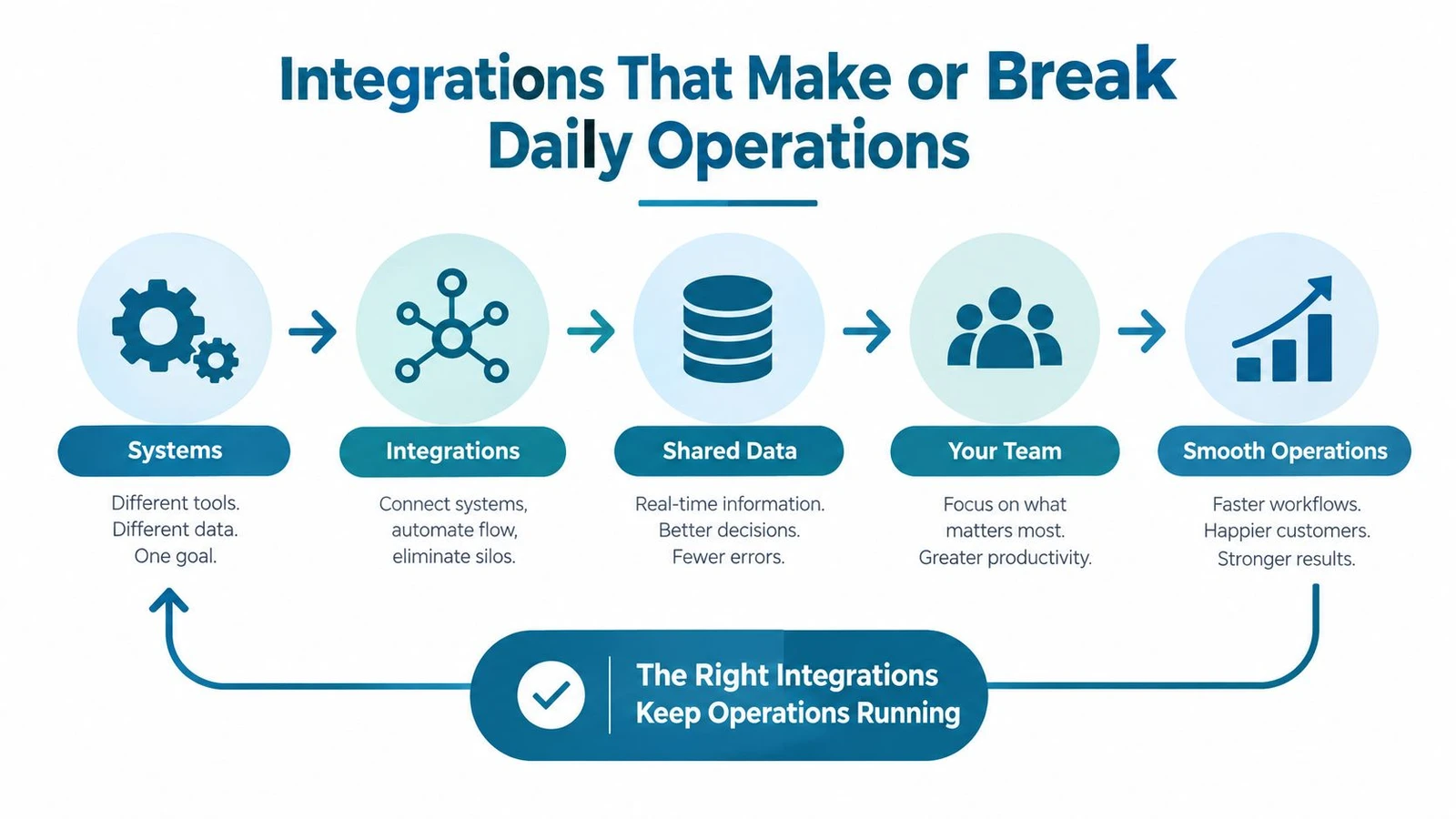
Integrations That Make or Break Daily Operations
A volunteer system is only useful if the data keeps moving after the shift ends. The app should act like a system of record, not a dead end. If records stop at export time, staff end up doing the same manual cleanup they were trying to avoid.
The integrations that matter most
- CRM sync: Needed when volunteer records feed donor paths, long-term relationships, or constituent histories.
- Mapping and turf tools: Needed when teams work in assigned geographic areas and need clean handoffs into the field.
- Payroll or stipend processors: Needed when hours connect to reimbursements or paid shifts.
- Communication tools: Needed when reminders, alerts, and follow-ups keep the schedule from breaking.
- BI and reporting tools: Needed when executives want verified hours and activity data in broader dashboards.
The traps to avoid
Read-only CSV export is a trap because it creates the illusion of flexibility while forcing staff to do every transfer by hand. API rate limits are another trap, especially when nightly syncs get throttled and leave the day’s work half-updated. Webhooks that break are worse, because the failure only shows up when someone notices missing data weeks later.
For political and advocacy teams, the handoff into voter-file workflows matters just as much as the check-in itself. That is where guidance on moving data between campaign tools becomes especially relevant, because the software has to support real operational pipelines, not just a tidy interface.
Two vendor questions cut through the noise quickly. First, can the system sync data both ways without manual exports? Second, what happens when a sync fails, and how fast can staff see the error? If the answers are vague, the integration is not strong enough for serious use.
Which App to Pick and How to Roll It Out
Field-heavy operations should default to canvassing-native platforms or tools built for live campaign workflows. Mid-sized nonprofits with recurring weekly programs usually get the most value from a general volunteer management platform. Single-event organizers can keep it simple and use a lightweight sign-up and attendance tool.
The rollout should stay disciplined. Week one, export and clean the existing volunteer list. Week two, configure roles, shifts, permissions, and approval rules. Week three, run a pilot with a small crew and stress-test check-in and hour logging. Week four, go live with a short FAQ that volunteers can easily follow.
The outlook for 2026 is straightforward. Volunteer tracking tools will keep consolidating around AI-assisted hour verification and deeper CRM syncs, so the safer choice is a platform with an open API and clean export options. Locked data is a bad long-term bet.
doornoc gives campaign and advocacy teams a field-first way to manage volunteer movement, route assignments, and live reporting when the work happens away from a desk. For teams comparing a volunteer tracking app against real operational needs, that matters more than a long feature list. Visit doornoc if the next rollout needs offline capture, route-based field work, and cleaner data handoffs.
Looking for a tool to run this? doornoc’s canvassing software bundles voter data, automatic turf cutting, the mobile app, and live reporting in one platform.